Question

Mac os deploy

  • October 4, 2021
  • 7 replies
  • 37 views

Forum|alt.badge.img+5

Hi Team,

How do you deploy the mac os latest version in jamf pro, by configuration profiles or by policies or any other method. Can you tell me?

7 replies

Forum|alt.badge.img+3
  • New Contributor
  • October 4, 2021

I use Smart Computers filtering, where "Out of OSX" has been created.  Within Out of OSX, you can view the computers that are out of compliance and upgrade them, clicking on action, sending remote commands, updating the OS X and apps version.  However, you can also do this process through inventory, 


Forum|alt.badge.img+5
  • Author
  • Contributor
  • October 5, 2021

I use Smart Computers filtering, where "Out of OSX" has been created.  Within Out of OSX, you can view the computers that are out of compliance and upgrade them, clicking on action, sending remote commands, updating the OS X and apps version.  However, you can also do this process through inventory, 


Hi,

So we cant do anything from policies or configuration profiles? May I know what is the use of these two? Are they any sessions or videos to see how to do? so, you are telling that with the help of smart computers in jamf pro we can add the mac os latest version, is it right?


Forum|alt.badge.img+9
  • Valued Contributor
  • October 5, 2021

Forum|alt.badge.img+5
  • Author
  • Contributor
  • October 6, 2021

Hi,

I need to know few points, can you explain me plz

1.How to notify the users when new updates(mac software updates) are available in jamf pro.

2.How to make automatic updates when user don't install the updates manually in jamf pro.


Forum|alt.badge.img+3
  • New Contributor
  • October 6, 2021

Hi,

I need to know few points, can you explain me plz

1.How to notify the users when new updates(mac software updates) are available in jamf pro.

2.How to make automatic updates when user don't install the updates manually in jamf pro.


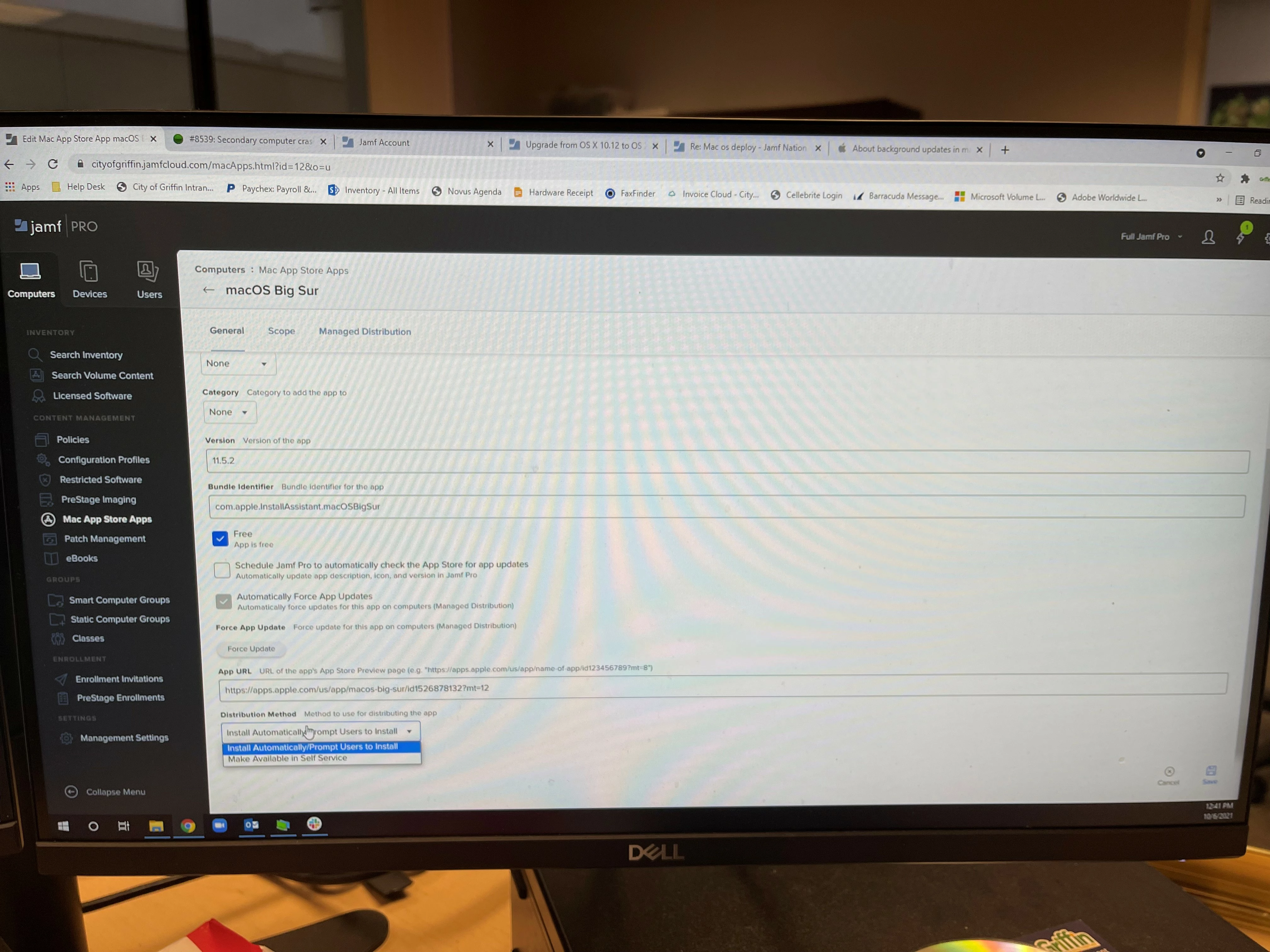
If you're using self service for the apps then it's in Self Service.  On the other, if you're having the apps install automatically, then it will automatically install the OS or any app.  Depends on your situation.


Forum|alt.badge.img+5
  • Author
  • Contributor
  • October 7, 2021

If you're using self service for the apps then it's in Self Service.  On the other, if you're having the apps install automatically, then it will automatically install the OS or any app.  Depends on your situation.


Hi dbrownlee,

Do we need to add any package? If yes how can we add the package? After setup how users can know there is an update, do we need to add this name in policies or configuration profiles?


Forum|alt.badge.img+5
  • Author
  • Contributor
  • October 7, 2021

If you're using self service for the apps then it's in Self Service.  On the other, if you're having the apps install automatically, then it will automatically install the OS or any app.  Depends on your situation.


Hi dbrownlee,

I am not trying to install the app, I am trying to setup the mac os latest version for the user? How can i send the notification to users that there is an update regarding the latest software. suppose if i have the latest version of mac, how can i deploy into jamf pro, so that users can see it? Can you plz help me with this?