Question

Macbook Pro won't netboot

  • September 27, 2017
  • 10 replies
  • 66 views

Forum|alt.badge.img+10

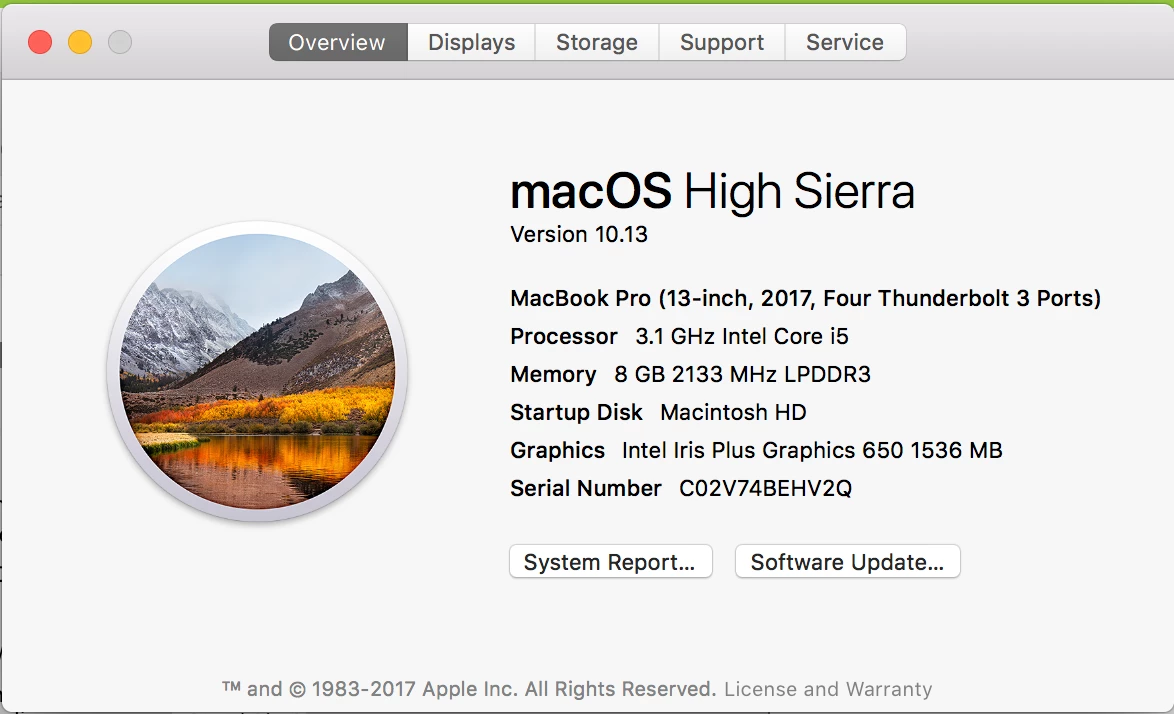
2017 macbook pro with touchbar won't netboot. We only have two in the district as of right now and this is the first time I've had to try to reinstall the OS. When using internet recovery over a wire it claims 9+ hours and then errors out. I created a new netinstall using system image utility and it's being served from server 10.9.5 that holds our other netboot/netinstall images. I created a 10.12 netboot as well and it won't boot to either of them. Both were created using an installer from the app store on another mac with the same config assuming that would rule out any os build issues. (note my machine is high sierra, when I created the netboot/netinstall images I was running 10.12.6 but the specs in the picture are the same.)
10 replies

Forum|alt.badge.img+10
  • Valued Contributor
  • September 28, 2017

I used this post to build an NBI for our 2017 MacBook pro's

https://www.jamf.com/jamf-nation/discussions/24495/imaging-and-netbooting-of-2017-imacs


cdev
Forum|alt.badge.img+14
  • Contributor
  • September 28, 2017

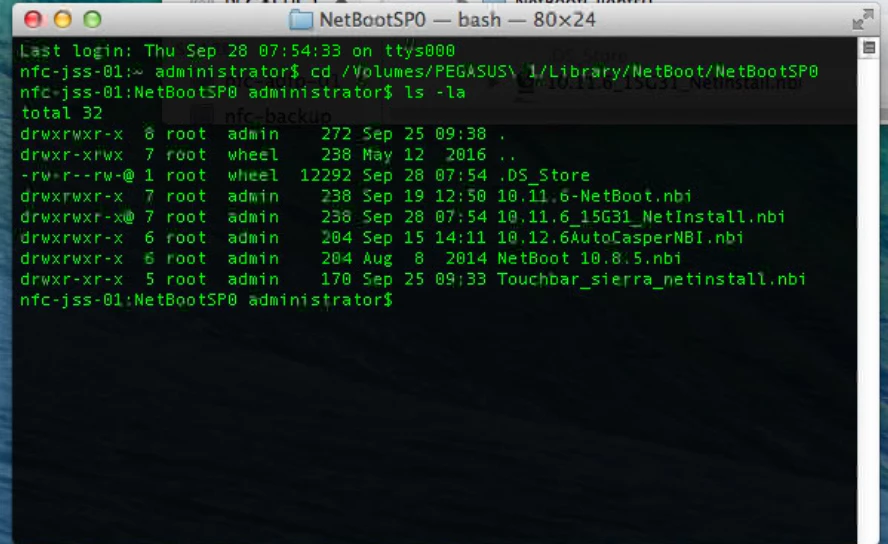
Check the permissions on your NetInstall/NetBoot image. I have come to realize that the permissions are often too restrictive to enable machines to boot properly (700; improper owner/group). Verifying permissions are set properly, and that the proper user has access should fix your issue. Try setting permissions to 755 on the NBI folder, and owner/group to root:admin.


Forum|alt.badge.img+10
  • Author
  • Valued Contributor
  • September 28, 2017

@cdev Permissions look correct to me but did a chown chmod on them just in case. will give it a test.

@m.donovan I'll check that out if the permissions didn't fix it.

Thanks to both of you for the replies!


Forum|alt.badge.img+10
  • Author
  • Valued Contributor
  • September 28, 2017

@cdev While changing permissions got me further I get the circle with the line through it. I'm assuming this means the build isn't correct for the machine?


bentoms
Forum|alt.badge.img+35
  • Hall of Fame
  • September 28, 2017

@Asnyder Is this the 10.12.6AutoCasperNBI? Did you check the box to reduce the image size?


Forum|alt.badge.img+10
  • Author
  • Valued Contributor
  • September 28, 2017

@bentoms That is a regular 10.12 build. But I did check the box for that. The one I'm trying to use is the Touchbar_sierra_netinstall. The touchbar macs are new to use and something went a little screwy with this one so decided to nuke it.


bentoms
Forum|alt.badge.img+35
  • Hall of Fame
  • September 28, 2017

@Asnyder if using AutoCasperNBI, please try 10.12.6 WITHOUT checking the option to reduce the image size.


Forum|alt.badge.img+10
  • Author
  • Valued Contributor
  • September 28, 2017

@bentoms I didn't use autocaspernbi for the netinstall image. I followed This to create the netinstall.


bentoms
Forum|alt.badge.img+35
  • Hall of Fame
  • September 28, 2017

Ok.. well I can't help with that i'm afraid.


Forum|alt.badge.img+10
  • Author
  • Valued Contributor
  • September 28, 2017

update: Netboot works, netinstall doesn't. Must be something I did with wrong with the netinstall.