Question

ManageEngine Asset Explorer

  • July 16, 2019
  • 8 replies
  • 41 views

Forum|alt.badge.img+3

Looking at Asset Explorer as a viable inventory system and want to pull in my JAMF assets. Looks like the only way to do so is via the APIs on both platforms. Anyone else using this set up and gotten it connected?

8 replies

KyleEricson
Forum|alt.badge.img+17
  • Valued Contributor
  • July 16, 2019

@jramm There is a sh script you can use to get Mac devices into ManageEngine, not aware of anything for iOS.


Forum|alt.badge.img+3
  • Author
  • New Contributor
  • July 16, 2019

I saw the script for that. Curious if anyone has used the API to just pull from JSS inventory to ManageEngine.


Forum|alt.badge.img+3
  • Author
  • New Contributor
  • July 24, 2019

@kericson I found the sh script on github, but I've only been able to get it to work on the initial install; it doesn't send any updated info. Do you have any experience with it?


KyleEricson
Forum|alt.badge.img+17
  • Valued Contributor
  • July 24, 2019

Yeah let me share the policy and pkg that I have with you. I’ll do this tonight.


KyleEricson
Forum|alt.badge.img+17
  • Valued Contributor
  • July 24, 2019

@jramm This is how I have mine setup.

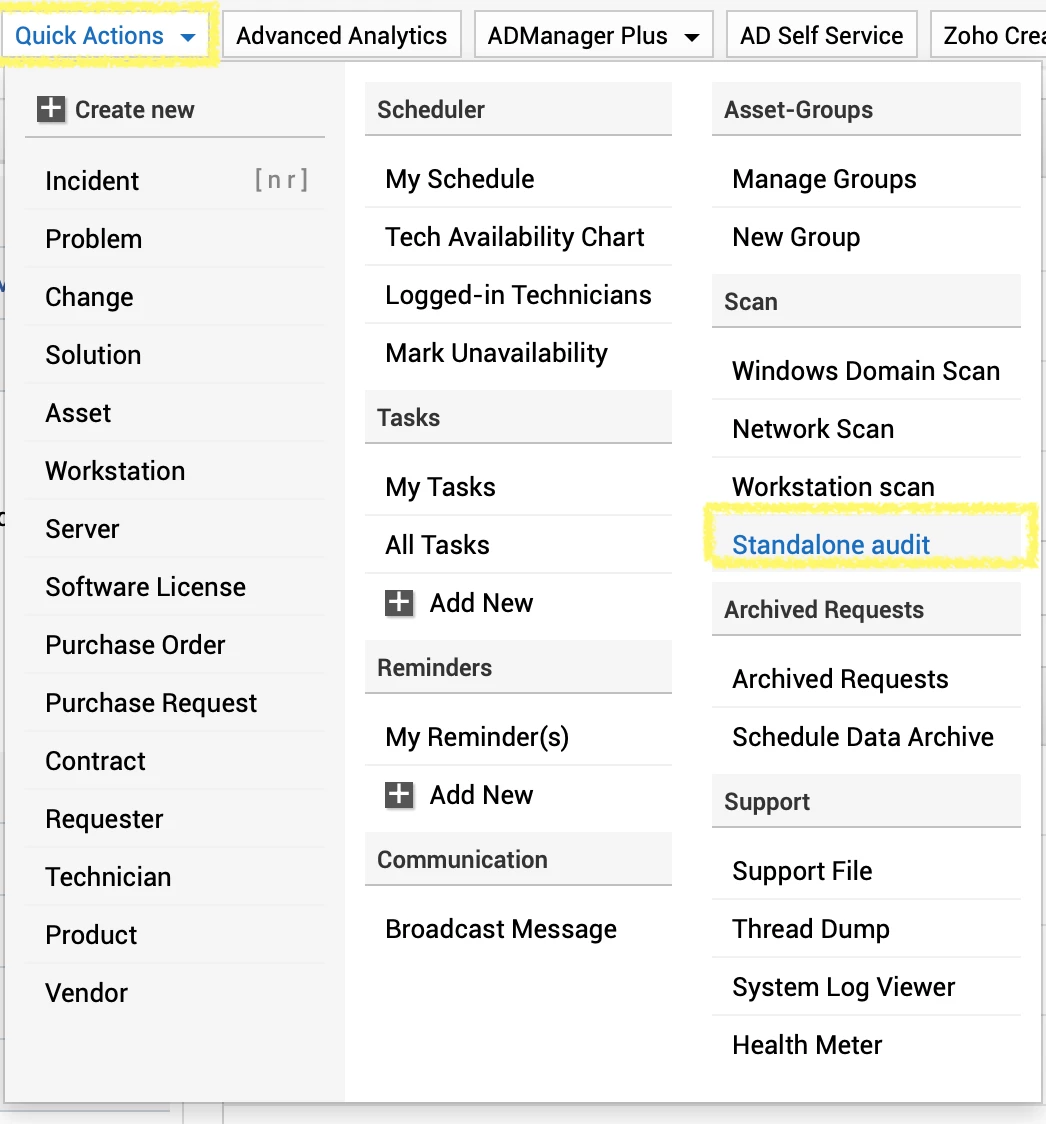
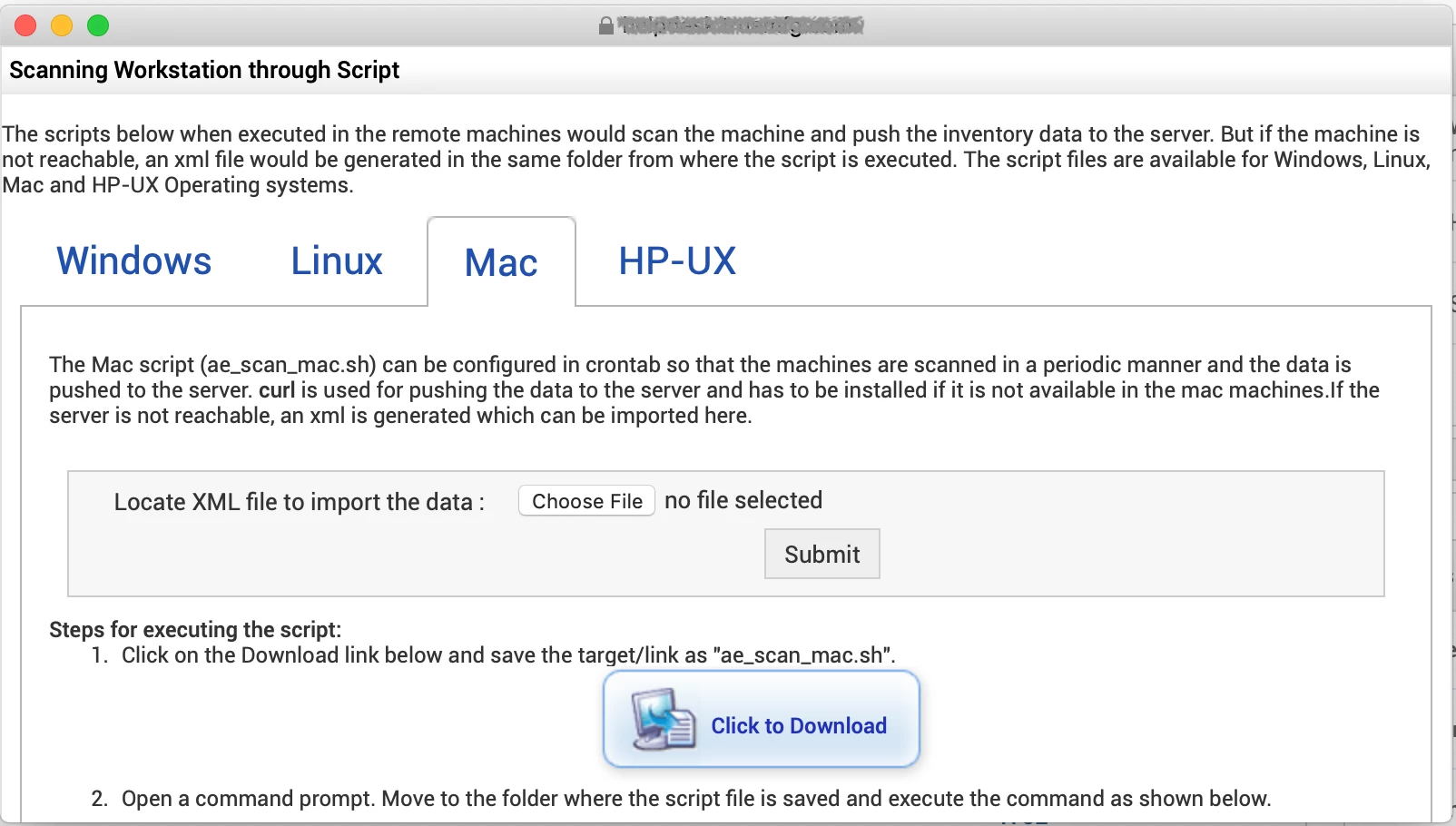
  1. Download the script from your ServiceDesk console.

  2. Modify the script for your environment.

#!/bin/sh


############ Server details ############

hostName="MSD69"
portNo="443"
protocol="https"

############ Server details ############

SUPPORT="assetexplorer-support@manageengine.com"
PRODUCT="AssetExplorer"

COMPUTERNAME=`hostname`
OUTPUTFILE="$COMPUTERNAME.xml"

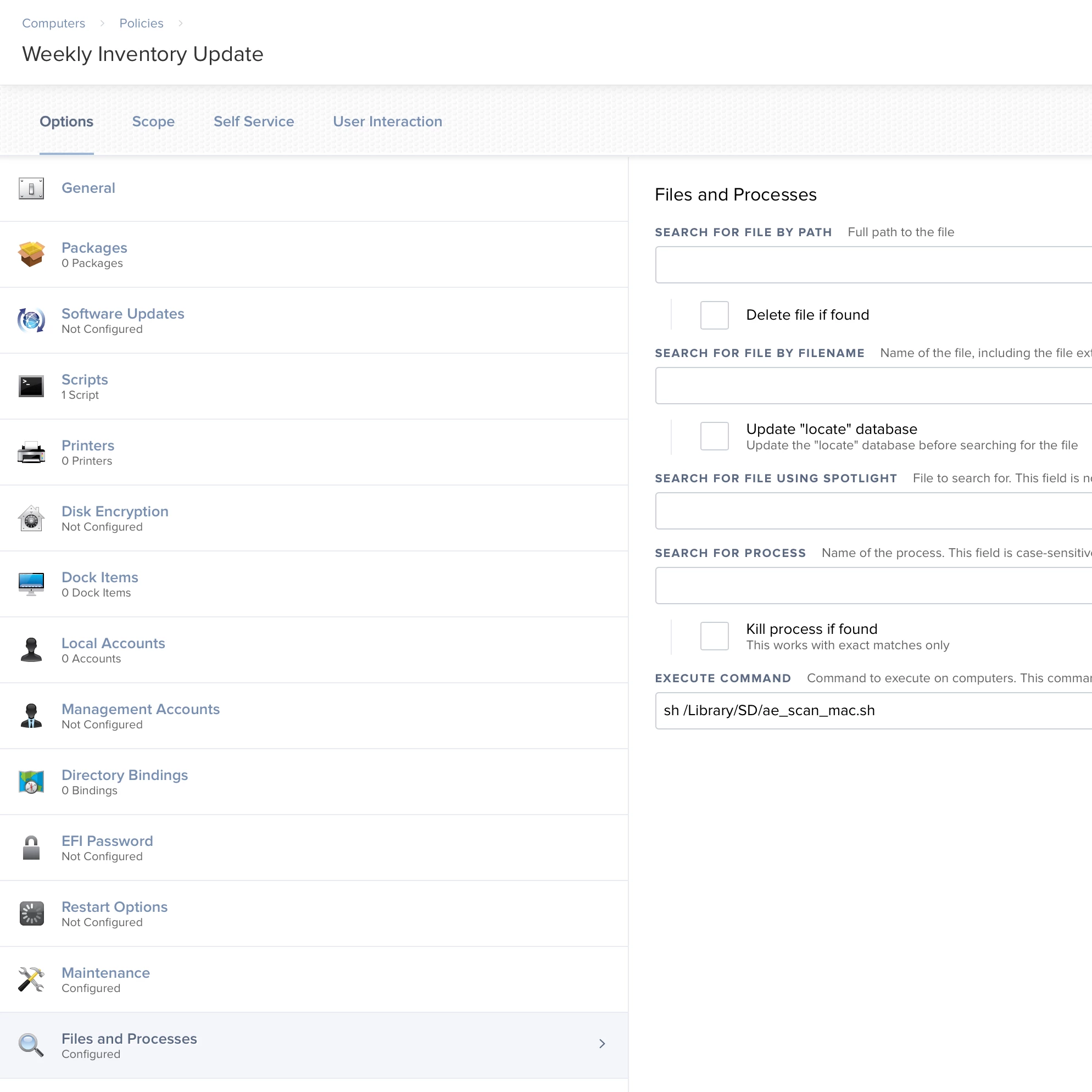
3. Save the script and build it into a PKG and deploy with a policy. I had mine installed at /Library/SD/ae_scan_mac.sh

  1. Push this policy to all Macs.

  2. Create another policy to run this .sh script.

  3. Now Macs will scan into ServiceDesk.


Forum|alt.badge.img+3
  • Author
  • New Contributor
  • July 24, 2019

@kericson What version of AssetExplorer are you using?

Edit: Found it. Let me test that out. From speaking to AssetExplorer support, they denied this functionality.


Forum|alt.badge.img+3
  • Author
  • New Contributor
  • July 25, 2019

@kericson Thanks for the assist. Are you able to get it to pull in the actual Macbook model (e.g. MacBookPro15,1, etc...)? So far I can only get the generic "MacBookPro." When I make adjustments to the script for some reason ManageEngine won't accept it.


KyleEricson
Forum|alt.badge.img+17
  • Valued Contributor
  • July 25, 2019

@jramm I haven't tried to modify that info so not sure.