
Question

New Touchbar Macs Showing as FV encrypted in JSS

  • September 5, 2018
  • 5 replies
  • 49 views

Forum|alt.badge.img+6

Hi all,

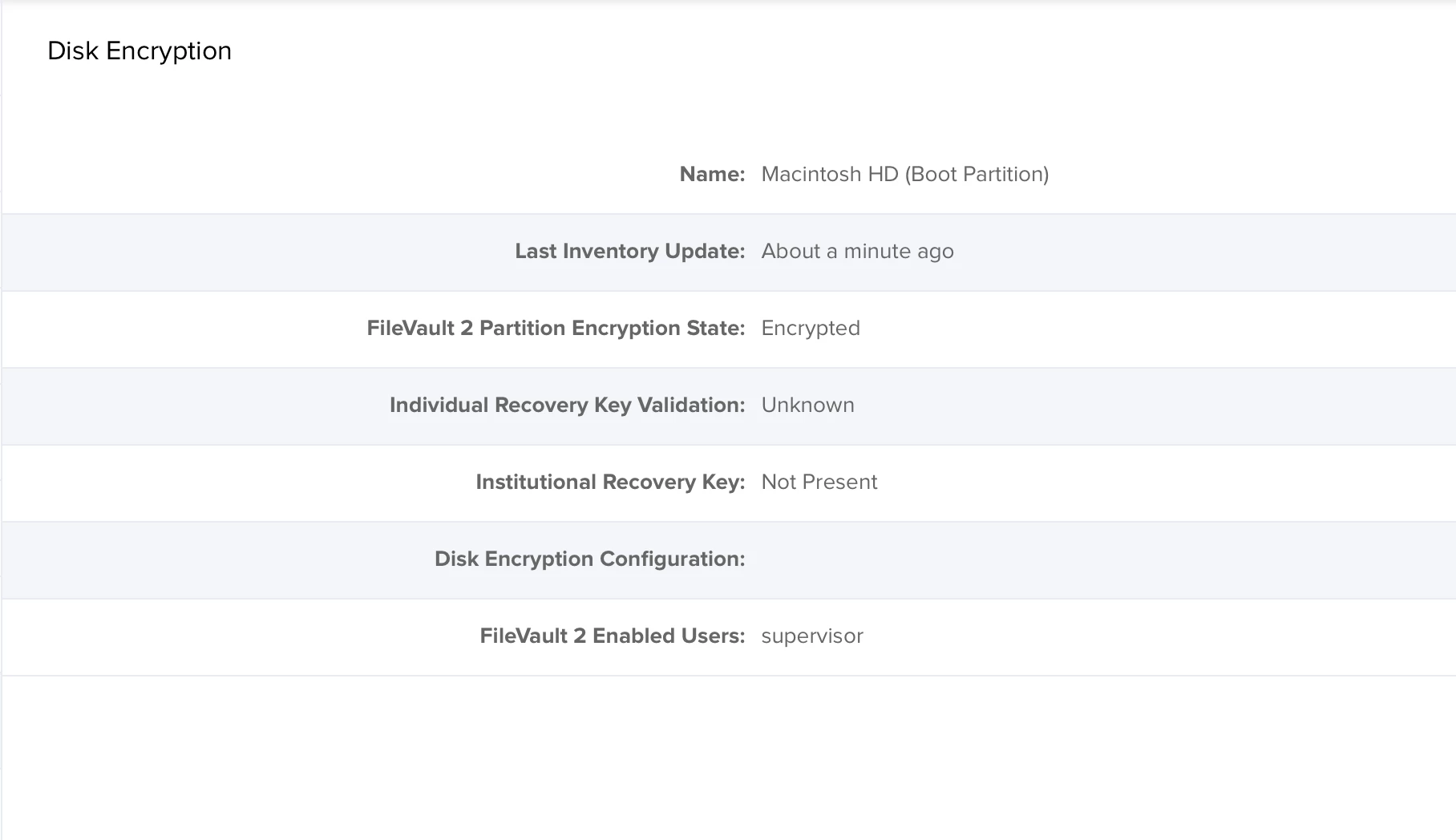
Just had a batch of new Macs arrive Today and noticed that after enrolment they all report to the JSS that FileVault 2 Partition State is "Encrypted". This is despite FileVault not being enabled and no password prompt prior to booting into the OS. This has happened on all the new Macs that arrived. I can manually enable FileVault, this works fine.

I'm assuming this is something to do with the new Secure Boot?

As the new Macs are not showing as encrypted the FileVault policies we have in place are not being applied, as they don't fall into the smart group.

Has anyone else ran into this issue?
5 replies

Forum|alt.badge.img+13
  • Contributor
  • September 5, 2018

The T2 chip is encrypted automatically causing the false positive. Jamf is aware of the issue. if you use any sort of Extension Attribute use this instead:

#!/bin/sh

filevault=`fdesetup status` 
echo "<result>$filevault</result>"

Forum|alt.badge.img+6
  • Author
  • Contributor
  • September 5, 2018

Cheers Joe, suspected it was T2 related.

Thanks for the info!


Forum|alt.badge.img+1
  • New Contributor
  • September 5, 2018

Were you able to get encryption to start?

I came here to post the same thing. In my case, even after adjusting the criteria to make these systems fall into the unencrypted smart group and running our deployment to enable FileVault the encryption process isn't starting. The deployment completes successfully and reboots, when logging in we're prompted if we want to enable FileVault and when we select to enable it just takes us to the desktop and encryption never starts.


sdagley
Forum|alt.badge.img+25
  • Jamf Heroes
  • September 5, 2018

@jcafarelli I haven't received one of the 2018 MBPs to test yet, but with the T2 chip being encrypted all the time I thought the FV2 "encryption process" was just updating to the new encryption key, and there was no longer a distinct step of encrypting the drive.


Forum|alt.badge.img+6
  • Author
  • Contributor
  • September 10, 2018

You still need FileVault so that the machines need a password to decrypt.

Apple still recommend turning on FileVault: https://support.apple.com/en-gb/HT208344

@ jcafarelli , Not had any issues with enabling FileVault, it was just getting the Macs into the smart groups.