Has anyone found a way to Disable Autoupdate, OneDrive Login, and Office 365 Login?

Solved
Office for Mac 2016: Disable Autoupdate, OneDrive Login, and Office 365 Login
 +9
+9Best answer by ekkehard
Looks this has to be done as root:
/usr/sbin/defaults write /Library/Preferences/com.microsoft.Word kSubUIAppCompletedFirstRunSetup1507 -bool true /usr/sbin/defaults write /Library/Preferences/com.microsoft.Outlook kSubUIAppCompletedFirstRunSetup1507 -bool true /usr/sbin/defaults write /Library/Preferences/com.microsoft.PowerPoint kSubUIAppCompletedFirstRunSetup1507 -bool true /usr/sbin/defaults write /Library/Preferences/com.microsoft.Excel kSubUIAppCompletedFirstRunSetup1507 -bool true /usr/sbin/defaults write /Library/Preferences/com.microsoft.onenote.mac kSubUIAppCompletedFirstRunSetup1507 -bool true
Looks like this has to be done for every user:
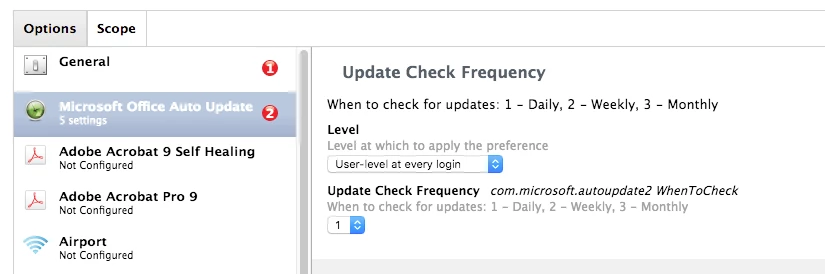
/usr/sbin/defaults write com.microsoft.autoupdate2 HowToCheck Manual /usr/sbin/defaults delete com.microsoft.Word kSubUIAppCompletedFirstRunSetup1507 /usr/sbin/defaults delete com.microsoft.Outlook kSubUIAppCompletedFirstRunSetup1507 /usr/sbin/defaults delete com.microsoft.PowerPoint kSubUIAppCompletedFirstRunSetup1507 /usr/sbin/defaults delete com.microsoft.Excel kSubUIAppCompletedFirstRunSetup1507 /usr/sbin/defaults delete com.microsoft.onenote.mac kSubUIAppCompletedFirstRunSetup1507
References are:
Disabling First-run Dialogs in Office 2016 for Mac
Office 2016 Startup/AutoUpdate Blocking
Policy to Disable Automatic Updates?
run script as different user?














Enter your E-mail address. We'll send you an e-mail with instructions to reset your password.