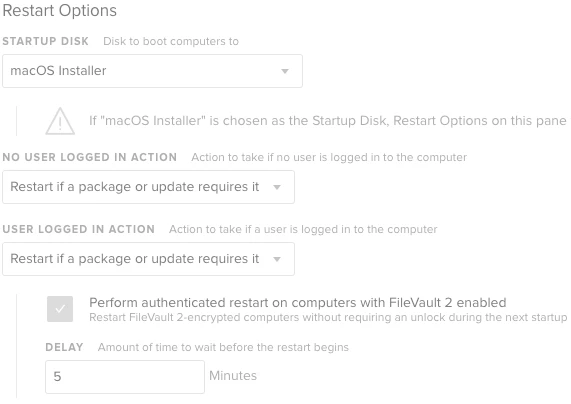
Our security team has mandated that we get all Macs patched every month. Jamf is our primary source, and we use Tanium for pushing updates to those who failed to perform the installs themselves. 10.11 and 10.12 security updates work fine and install without issues now in both. I got 10.13 combo/standalone updaters working in Jamf using "Restart if a package or update requires it" and checking off "perform authenticated restart...". In Tanium, running the installer doesn't do anything, because it just installs and doesn't actually reboot. I created a script to run the installer then reboot after, but that doesn't actually install the script.
What exactly is Jamf's method to reboot with the "authenticated restart"? I have seen people suggest "fdesetup authreboot" or something along those lines, but it requires entering a username/password. The issue with that is a user can cancel any dialog box and that part would fail. We need to be able to install all updates and reboot as needed, so this should be easy to figure out.