Question

Policy failed to Run

  • November 11, 2015
  • 15 replies
  • 38 views

Forum|alt.badge.img+4

Hi guys ,

When i try to install a Policy i get this message .
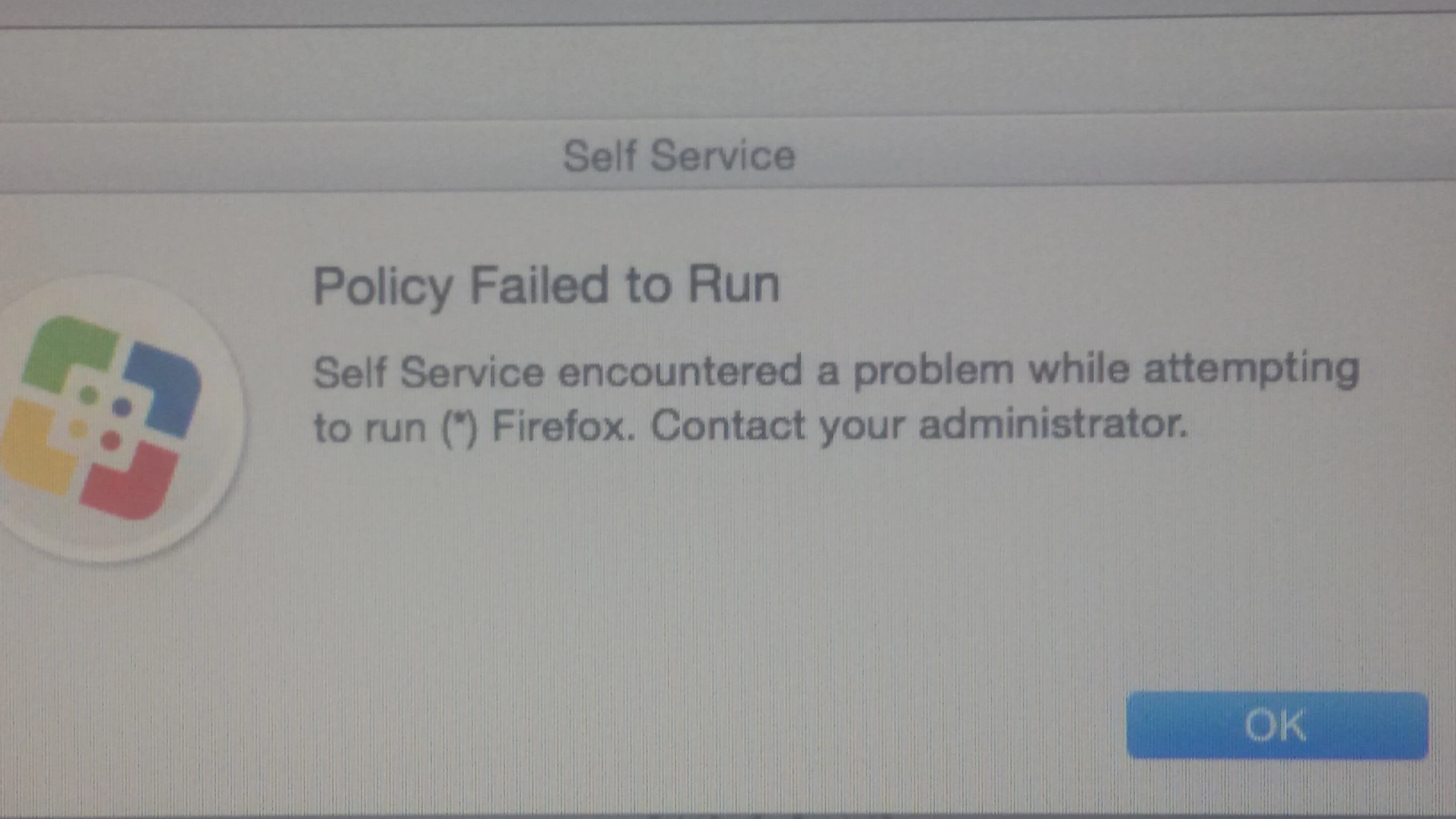
The logs does not show anything wrong .

The problem is that the app works pretty fine .

This problem occurs only when the PC is a migrated one .

Do you have any idea what is wrong ?

15 replies

Forum|alt.badge.img+13
  • Honored Contributor
  • November 11, 2015

I've been seeing this lately on machines that were migrated from 9.65 to 9.81. New machines and most of the existing fleet seem fine but the handful that pop up are a little concerning. Initiating policies via terminal still work without issue and either a CLI enrollment or quickadd rerun let the machine start speaking again without issue. I've begun working on a script to re-enroll everything as a precaution but it is a little disconcerting.


Forum|alt.badge.img+4
  • Author
  • Contributor
  • November 12, 2015

When i run the policy through terminal it works without any error pop up message . The only error i get in the terminal is " ioreg: error : can't obtain properties . " . The problem exists only in machines that are created from others existing already . But if i try again through the self service i get the message i upload at my previous post . Any idea ?


Forum|alt.badge.img+15
  • Contributor
  • November 12, 2015

Do you have any scripts in your policy or part of the installer? That sounds like a preinstall script is trying to get system properties using an inappropriate handler (not a euphemism).


Forum|alt.badge.img+4
  • Author
  • Contributor
  • November 12, 2015

Well , yes there is a script in the policy , but the thing is that this error is showed only in the machines that are images of other already working machines . The policy itself works pretty fine in the other machines .without this pop up message . So the only problem is the error i mentioned ( ioreg ) & and the pop up message .

The most weird is that at the Policy logs everything looks fine even i get the Pop error message and the applications works properly .


Forum|alt.badge.img+13
  • Honored Contributor
  • November 12, 2015

This issue happens to me as on some machines running any policy, even empty ones. It never progresses to Gathering information and simply fails.


Forum|alt.badge.img
  • New Contributor
  • November 12, 2015

Having same issue. Just upgraded to 9.81 and it's happening on machines running both Yosemite and ElCap. Both new builds and existing ones.


Forum|alt.badge.img+4
  • Author
  • Contributor
  • November 13, 2015

My issue is only with the machines that come from an existing one . So the problem is not the policy itself (because it works ) , but the self - service because for unknown reasons he "sees" an error in a working policy without any Policy log error .


Forum|alt.badge.img+6
  • Contributor
  • November 13, 2015

We have seen this issue a lot lately. Our fix was to reenroll the device (sudo jamf enroll -prompt) and then restart. It has fixed every one that has had this error, so far.

We are now looking at getting CasperCheck up and running to do this for us as a more permanent solution.


Forum|alt.badge.img+4
  • Author
  • Contributor
  • November 16, 2015

I tried this command but the system asks about SSH Username & Password , do you have any idea what it is and which credentials i have to use ?


Forum|alt.badge.img+4
  • Author
  • Contributor
  • November 20, 2015

Anyone else has something to suggest ?


Forum|alt.badge.img+9
  • Contributor
  • November 20, 2015

@dgkanavias when it's asking for SSH Username and Password, that's the same as your management account that is likely set in your quickadd package. Probably jssadmin or something similar.


Forum|alt.badge.img+4
  • Author
  • Contributor
  • December 8, 2015

I tried also that command ( sudo jamf enroll ) , but the problem exists . Did anyone found any type of solution even a temporary one ?


Forum|alt.badge.img+13
  • Contributor
  • December 8, 2015

Had one laptop that did that yesterday. Console didn't even show an attempt such as line like this...

 jamf[6583]: Checking for policy ID 79...

Re-enrolled the machine via OTA enrollment that solved the issue for me.


Forum|alt.badge.img
  • New Contributor
  • January 4, 2016

I am seeing this in our environment now as well since upgrading to 9.81 from 9.6. it allows us to install one application (no specific one) and when attempting to install the second application we see the same error message. restarting allows us to then install one more app. re-enrolling does not resolve the issue.
I just started testing but i figured i would post in case someone is seeing the same issues.


Forum|alt.badge.img+3
  • New Contributor
  • April 19, 2018

2 years later and it looks like this is still a bug? No policy is ever successful, they always list as failed, but there are no failures in the log and everything is working. Does JAMF fix bugs?