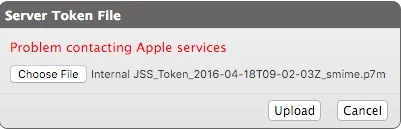
I am trying to set up DEP on our JSS and when ever I get to the point where I have to upload the server token file, I get the error "Problem contacting Apple services"
I've redownloaded the private key, deleted and recreated the Management server on Apple's side and tried again but always this error. Anyone got any idea why?
Best answer by Daikonbuu
With the help of JAMF support we just figured out the issue. The token was being denied by Apple due to the time on our server not being correct. We run our JSS on ubuntu so I had to set a NTP server, and force it to update the time. After this the token uploaded as it should.
Without JAMF support on this one I would have been at this for who knows how long.
This makes the most sense and was my thought too. But other than 443 for https listed as a requirement, I cannot find any mention of other ports that need to be open.
With the help of JAMF support we just figured out the issue. The token was being denied by Apple due to the time on our server not being correct. We run our JSS on ubuntu so I had to set a NTP server, and force it to update the time. After this the token uploaded as it should.
Without JAMF support on this one I would have been at this for who knows how long.
Nive to know about the time server, but in our case the next day we could import the DEP token without a problem so i think Apple had a error or something.
Our JSS is behind Microsoft TMG server (not for long) but after running logs on traffic during the Upload I couldnt actually see a specific denial to an outbound address. Does anyone know the specif IP or URL this process needs to communicate to?
We had just seen the same issue after a clean and fresh install. In our case we solved it by installing Oracle Java on the JSS instead of open JDK.
With OpenJDK the JSS could not contact Apple Servers for DEP and VPP, after changing to Oracle Java, everything started working. Might be a 9.98 product issue...
We are running 9.98, the time on our server is correct, we are running Oracle Java, the fire wall is configured correctly per JAMF support, and this is a clean installation. However we get the problem contacting apple services error and can not configure DEP. Any other ideas?
Running into this currently. ntpd is configured properly and the time on the server is accurate. Firewall certainly shouldn't be an issue given that it's 443. I've tried downloading the token from multiple different admin and device manager accounts in apple school manager.
No answer, but we're currently experiencing this issue as well. I suspect it started when we shifted to daylight savings time about a week back - GMT/UTC+13. We do occasionally and unpredictably sneak a DEP sync or token update through, but not due to any changes on our end.
We have been noticing this too. 10.15.1. I'm not sure how long its been happening, but if we retry enough times we can get a new token to take. But I can't seem to sneak an ASM roster sync through at all.
This issue just crept up for me and my team, and I am looking at the macmule.com/2019/10/01/more-dep-sync-errors/ post, and am more lost than anything, and the problem is, I inherited this setup, and the last major update that was ran was to 10.15.1, and installed the prerequisite Amazon Corretto 11.0.4.11.1, and was running fine up until this afternoon. I noticed there was an update to 10.17.1 that was supposed to fix issues with EDU sync, but still nothing.