
Question

Problems Upgrading to MacOS Sierra

  • October 25, 2016
  • 14 replies
  • 44 views

Forum|alt.badge.img+7

Hello Everyone,

I'm having some trouble with our MacOS upgrade. I have my users installing a cached installer from Self Service, but when the machine restarts, it keeps restarting like normal and will not boot into the installation. The odd thing is, this only happens on some computers. I'd say about 25% of my machines are just restarting, and not installing MacOS, while the other 75% are restarting into the MacOS install screen. These are my current settings:
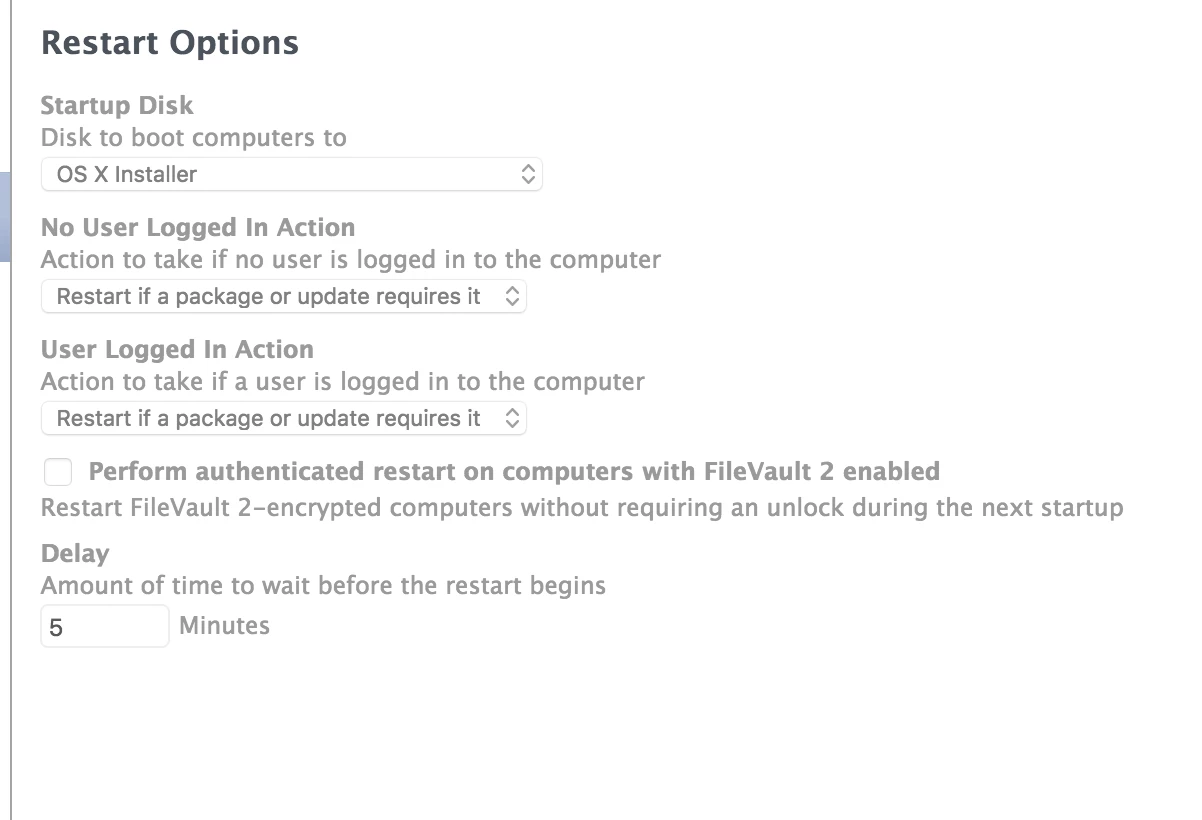
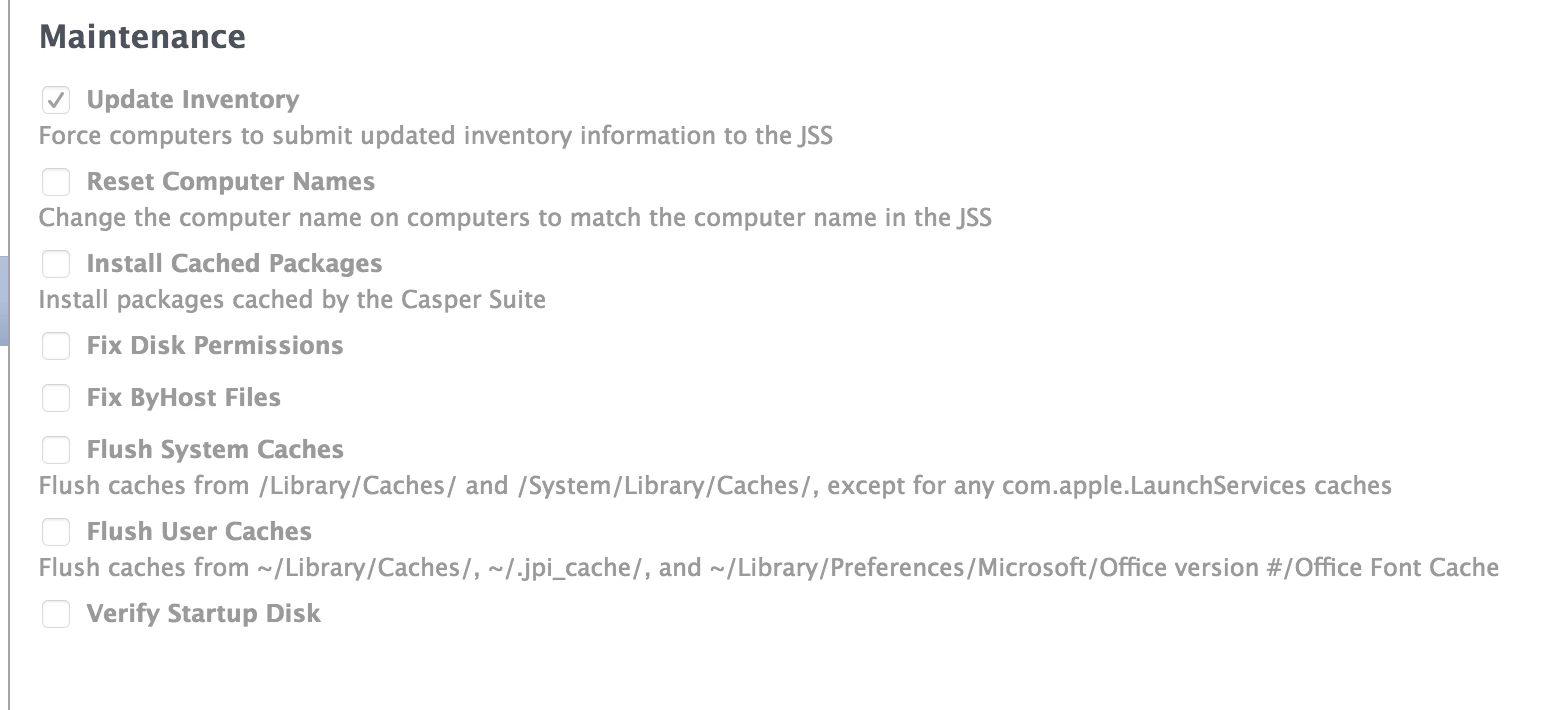
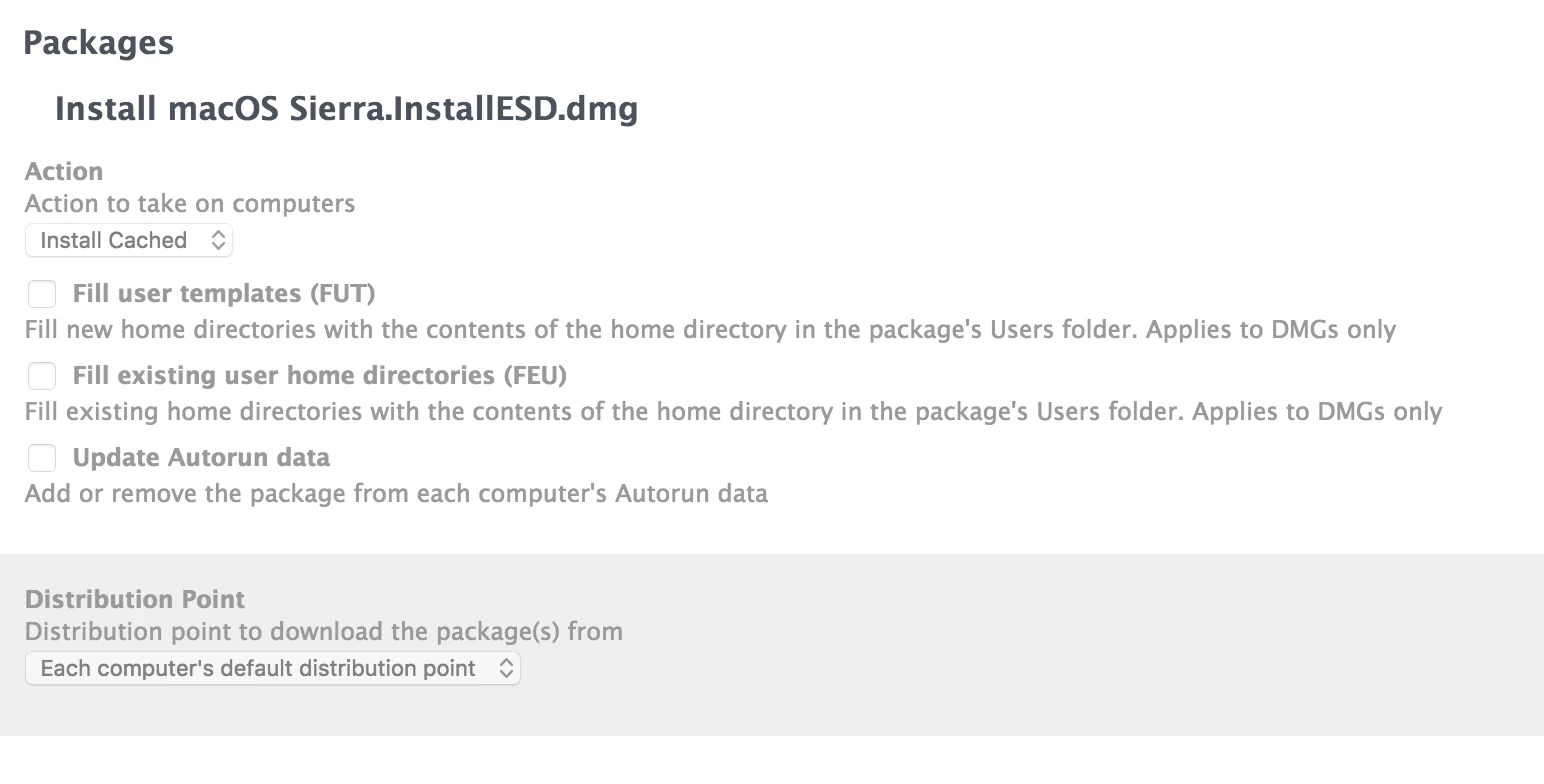
Does anyone have any idea whats going on? Are there any specific logs that I could be checking to see what gives? Thank you.

14 replies

bradtchapman
Forum|alt.badge.img+20
  • Valued Contributor
  • October 25, 2016
  • Are you running Jamf Server 9.93 or 9.96?

Take a look at the policy log in the Jamf Server, and also the logs from the computer in the following location:

  • /var/log/jamf.log
  • /var/log/system.log

System.log tends to be very busy, so scroll back to the exact timestamp where the policy began and look for clues.


Forum|alt.badge.img+7
  • Author
  • Contributor
  • October 25, 2016

I'm currently on 9.96*


Forum|alt.badge.img+15
  • Contributor
  • October 25, 2016

...nevermind.


Forum|alt.badge.img+4
  • Contributor
  • October 25, 2016

I usually set the "User Logged in Action" in Restart Options to "Restart", and subsequently set the delay to 1 minute. I also add in a blurb, if deployed via Self Service, to the user, that the machine will auto-restart in 1 min/60secs, just as a courtesy.

Also doesn't hurt to check the box for "Perform authenticated restart on computers with FileVault 2 enabled", just ensures that the machine boots to the installer, w/o having to authenticate...


bradtchapman
Forum|alt.badge.img+20
  • Valued Contributor
  • October 25, 2016

So @jstine , did your JSS log any attempts (success or failure) of computers trying to run this policy? Did you find anything interesting in the log files that you are free to share?

I suspect that the immediate restart may have prevented the jamf binary from doing so, and that you need a 1 minute restart delay as @reelmike suggested.


Forum|alt.badge.img+7
  • Author
  • Contributor
  • October 25, 2016

@bradtchapman

I have it set to restart if package or update requires it. It is currently set to wait 5 minutes. I had it at 2, but was worried that the restart window was too short, and that was what could be messing up the install. However, there seems to be no difference in success rate with the 2 minute vs 5 minute restart time. The policy log is below. I should mention that it looks exactly the same for failed installs as it does for successful installs:

[STEP 1 of 5]
Executing Policy Install MacOS Sierra from Cache - Self Service
[STEP 2 of 5]
Installing Install macOS Sierra.InstallESD.dmg...
Preparing for in-place OS upgrade...
Closing package...
[STEP 3 of 5]
[STEP 4 of 5]
[STEP 5 of 5]
Running Recon...
Retrieving inventory preferences from https://jamf.mydomain.com/...
Locating accounts...
Locating package receipts...
Searching path: /Applications
Locating software updates...
Locating printers...
Gathering application usage information...
Searching path: /Users
Blessing in-place OS upgrade directory...
Creating Reboot Script...


mpermann
Forum|alt.badge.img+22
  • Valued Contributor
  • October 25, 2016

@jstine are the computers that the policy is failing on have FileVault turned on? If they do, have you tried enabling the "Perform authenticated restart on computers with FileVault 2 enabled" option?


bradtchapman
Forum|alt.badge.img+20
  • Valued Contributor
  • October 31, 2016

Hey @jstine - do you have an update?


Forum|alt.badge.img+7
  • Author
  • Contributor
  • November 1, 2016

@bradtchapman

We believe it is being caused because the recovery partition is 10.11.2, and the OS version to be upgraded is 10.11.6. They don't match. I'm performing a test to confirm a fix today.


Forum|alt.badge.img
  • New Contributor
  • November 10, 2016

Hi @jstine

Did that wind up being the issue? Were you able to craft a fix?

-T


Forum|alt.badge.img+3
  • New Contributor
  • February 7, 2017

Exact same issue here. Did you manage to get a definitive fix or idea why this was happening @jstine ?


Forum|alt.badge.img+7
  • Author
  • Contributor
  • February 7, 2017

@rward updating the recovery partition to the latest version resolved the issue.


bradtchapman
Forum|alt.badge.img+20
  • Valued Contributor
  • April 17, 2017

@jstine : what method did you use to upgrade the recovery partition?


Forum|alt.badge.img+7
  • Author
  • Contributor
  • April 17, 2017

@bradtchapman If I am remembering correctly, I used AutoDMG.
