Solved

"Allow USB accessories while device is locked" not present in Jamf Pro?

  • April 12, 2020
  • 5 replies
  • 363 views

Forum|alt.badge.img+3

Hi all,

I need to disable the following restriction:

Allow USB accessories while device is locked

I can find it in Apple Configurator but not when setting restrictions in Jamf Pro.
Is it true that you can't set that setting using Jamf Pro?

Best answer by shaquir

Hi @jamf_arviem ,
I believe the option that you're looking for is: Allow USB restricted mode (iOS 11.4.1 or later, supervised only)

It can be found towards the bottom of iOS functionality restrictions list
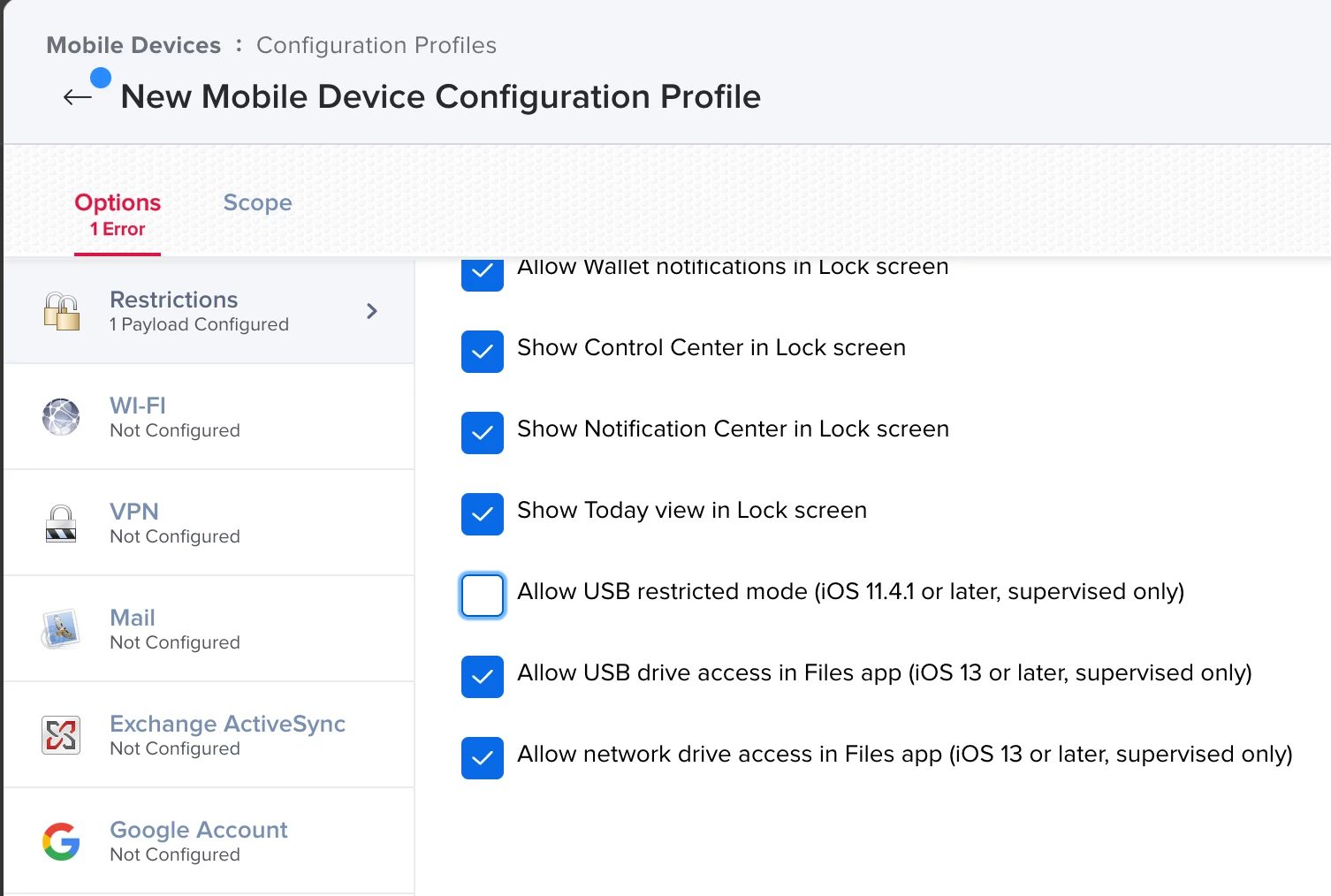
If you are unable to see it, can you please confirm what version of Jamf Pro you have.

5 replies

Forum|alt.badge.img+9
  • Contributor
  • Answer
  • April 12, 2020

Hi @jamf_arviem ,
I believe the option that you're looking for is: Allow USB restricted mode (iOS 11.4.1 or later, supervised only)

It can be found towards the bottom of iOS functionality restrictions list

If you are unable to see it, can you please confirm what version of Jamf Pro you have.


Forum|alt.badge.img+3
  • Author
  • New Contributor
  • April 12, 2020

Hi @shaquir ,

Thanks for your reply.
I see the USB restricted mode but I'm unsure of what it's doing when unselected.
My understanding is that if you select it, USB will be still enabled for a period, but does "unselecting" it really block the USB drive access when the device is unlocked?


Forum|alt.badge.img+9
  • Contributor
  • April 12, 2020

In Jamf, for many payloads, deselecting the "Allow" option is equivalent to Disallow.
As you may see, a lot of the Allow options are selected by default.
When applying multiple restrictions to a device, the most restrictive option is selected. (i.e If you deselect "Allow USB restricted mode" in one restriction payload, it will stay restricted in all machines that it is scoped to even if it is Allowed in others)
Just remember to test before deploying


Forum|alt.badge.img+3
  • Author
  • New Contributor
  • April 12, 2020

Thanks @shaquir !


Forum|alt.badge.img+5
  • Contributor
  • April 13, 2020

Easiest thing if you want to be 100% certain is to prepare your profile in configurator, SIGN IT and import into Jamf.