Question

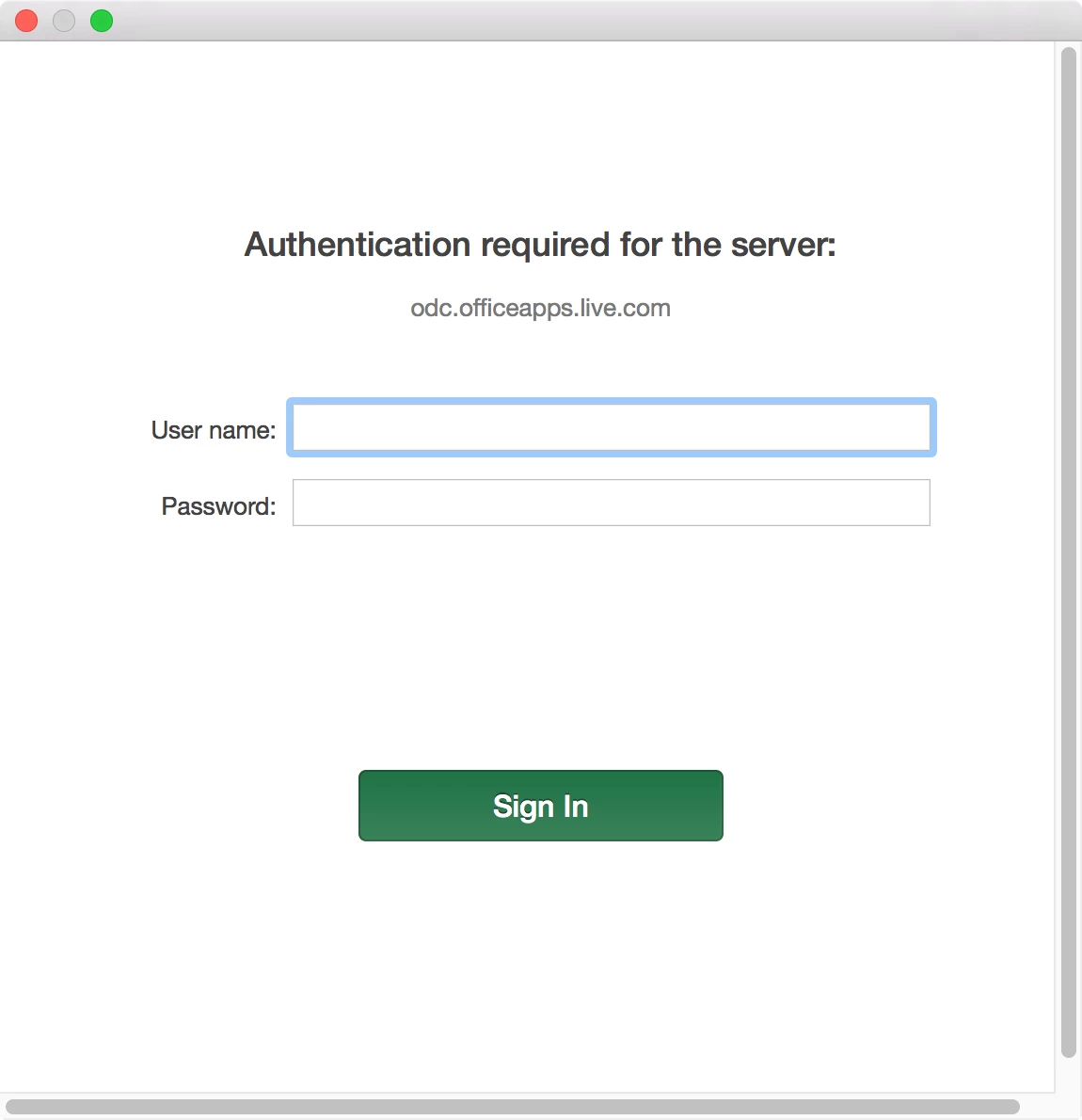
"Authentication required for the server" in Office 2016 for Mac

  • January 5, 2016
  • 16 replies
  • 55 views

Forum|alt.badge.img+16

Hello, Has anyone seen this prompt while working in Office for Mac 2016? I sporadically receive it three times in a row, then it leaves me alone for awhile. This copy is from the Microsoft Volume Licensing Service Center and Office 365 is not used, so there shouldn't be any authentication required as far as I know.

16 replies

rqomsiya
Forum|alt.badge.img+12
  • Honored Contributor
  • January 5, 2016

Is your proxy blocking it?


Forum|alt.badge.img+16
  • Author
  • Valued Contributor
  • January 5, 2016

It could be. But if there is some sort of outbound communication then i'd hope it would block it. I'd expect 0 communication between my corporate system and microsoft. Volume licenses shouldn't need to phone home and we're not using Microsoft Accounts.


AVmcclint
Forum|alt.badge.img+21
  • Esteemed Contributor
  • January 5, 2016

Does that window appear when you're running any of the Office apps? The only Office 2016 (volume license) app I can think of that asks for a Microsoft login is OneNote only because they don't make a standalone version for Mac.


Forum|alt.badge.img+16
  • Author
  • Valued Contributor
  • January 5, 2016

The OneNote app is installed and i've seen the same as you (no non-cloud based version of that), but I don't use it ever and haven't had it opened since it was installed. At the moment i'm seeing the popup with Microsoft Excel. I haven't been in other office apps that much recently, but haven't seen it in Outlook as far as i can recall.


rqomsiya
Forum|alt.badge.img+12
  • Honored Contributor
  • January 5, 2016

I had a similar issue but we reverted back to 2011 until we tested more.


Forum|alt.badge.img
  • New Contributor
  • January 8, 2016

We had this problem until the new installer release this week. Verify your release date, it should be 1/4/2016.


Forum|alt.badge.img+16
  • Author
  • Valued Contributor
  • January 8, 2016

I just ran an update check which said I'm on the latest version, but i'm seeing "15.17 (151206)" as the version (Excel).


Forum|alt.badge.img+8
  • Valued Contributor
  • March 11, 2016

Any one had luck engaging Microsoft to remove the feature?


bentoms
Forum|alt.badge.img+35
  • Hall of Fame
  • March 11, 2016

Give them feedback on Slack http://macadmins.org), there is a #microsoft-office channel with a few MS folks active.


bpavlov
Forum|alt.badge.img+18
  • Esteemed Contributor
  • March 11, 2016

talkingmoose
Forum|alt.badge.img+36
  • Community Manager
  • March 11, 2016

The address is correct, though. Ben just accidentally included the closing parenthesis when linking.

http://macadmins.org


bpavlov
Forum|alt.badge.img+18
  • Esteemed Contributor
  • March 11, 2016

@talkingmoose he corrected it. mentioned it on slack. ;)


Forum|alt.badge.img+4
  • Contributor
  • April 12, 2016

Hi Jason, did you find any fix yet. I have been observing exactly the same thing as you. It prompts three times in a row. At times it also tries to authenticate to the server store.office.com. This happens only for Word/Excel and Powerpoint and not Outlook. Haven't tested OneNote myself either.


AVmcclint
Forum|alt.badge.img+21
  • Esteemed Contributor
  • April 12, 2016

I think in another post someone confirmed that it is most likely caused by your network's proxy. I know our network guys started setting up a proxy for the first time and discovered this too. The solution was basically the same as this: http://answers.microsoft.com/en-us/mac/forum/macstart/authentication-required-for-the-server-office-2016/f67165ac-4a7b-4731-b316-b583f22a95e0?auth=1


Forum|alt.badge.img+16
  • Author
  • Valued Contributor
  • April 12, 2016

@pawan.joshi I haven't yet, but I'm wondering if it has something to do with OCSP/CRL AND the proxy. I'm in Word/Excel/Outlook right now and have been for some time with no prompts. I think the last time I had seen the authentication prompts was when I had Keychain Access set to "Require if certificate indicates" for OCSP and CRL. It's currently set to "Best attempt". Do you know what your settings are at?


Forum|alt.badge.img+7
  • Contributor
  • April 21, 2016

Any updates on this? We are seeing it too... and by "we" I mean, not me, but some of our users.




