We recently had to come up with an alternate solution to automate including the recovery partition during the imaging process. After a version upgrade of the JDS, JSS along with OS versions of our Mac Servers (now on Yosemite with Server app version 4.1) we found that the recovery partition on our standard image was not being included. So until that is addressed, we've added the recovery partition as a separate package installation for the imaging configuration along with a partition task. Works fine. However, what's been happening is that instead of the recovery partition size only being about 650 MBs as it should be, it's using 12.5 GBs on a 250 GB drive and 50 GBs on a 500 GBs drive. The partition task in the imaging configuration is specifically set to only utilize 1 GB for the partition with a maximum percentage set at 1% of the target drive. Everything looks fine and the source DMG image of the recovery itself is only 650 MBs when mounted. Not quite sure why the expansion occurs during the process. It's not terrible, but it is a considerable waste of drive space ultimately. Any suggestions?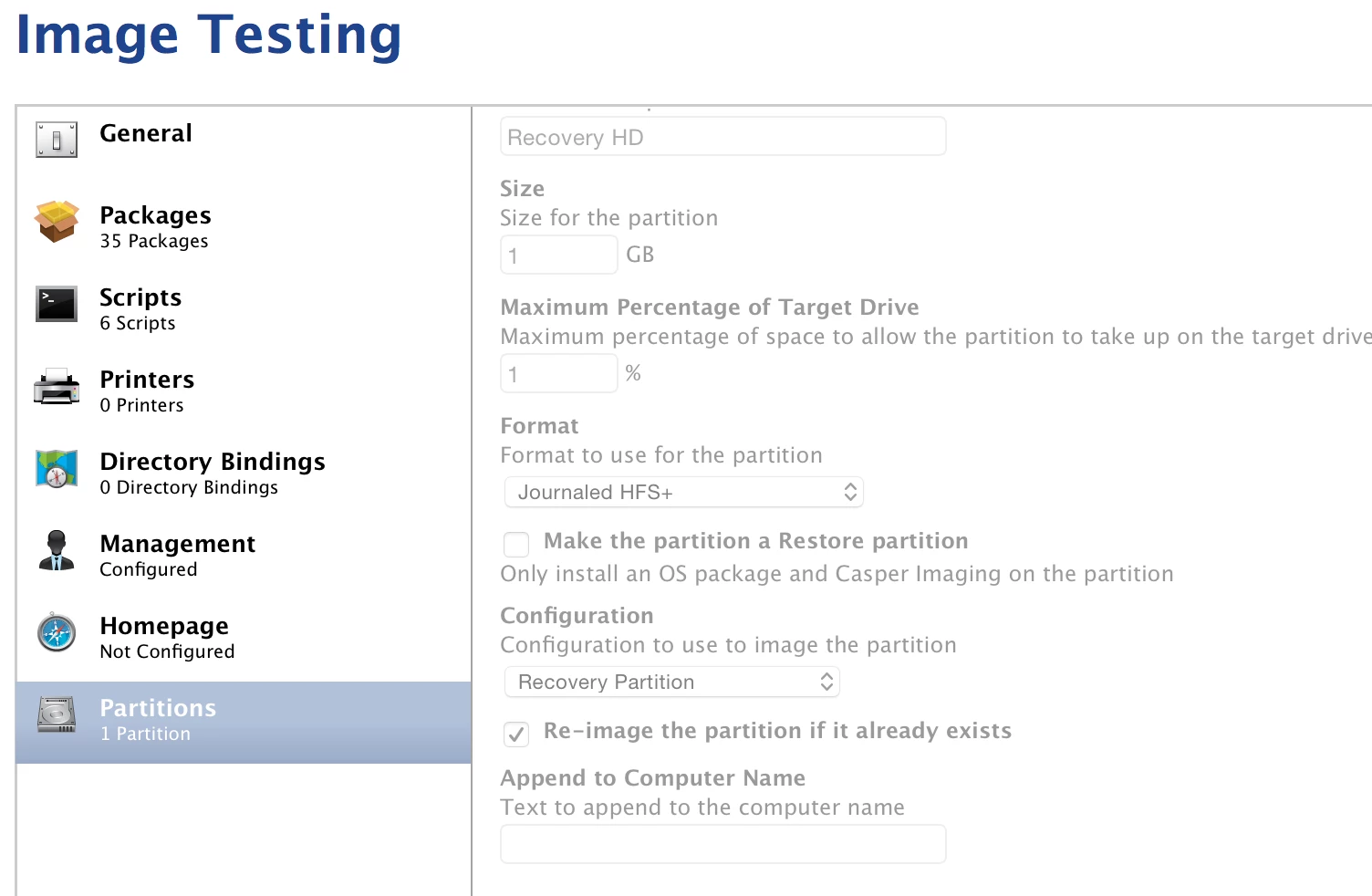

Question
Recovery Partition Size
 +3
+3




Enter your E-mail address. We'll send you an e-mail with instructions to reset your password.