Question

“Reinstall a Clean macOS with One Button” webinar resource page

  • November 1, 2019
  • 115 replies
  • 635 views

talkingmoose
Forum|alt.badge.img+36

Hi everyone!

For those who attended Jamf’s “Reinstall a Clean macOS with One Button” webinar this week, we’ll have the recording posted hopefully sometime next week. In the meantime, here’s the link to the resources discussed.


https://jamf.it/eraseinstall-webinar

115 replies

Forum|alt.badge.img

Has the Reinstall a Clean macOS with One Button webinar been posted yet?


talkingmoose
Forum|alt.badge.img+36
  • Author
  • Community Manager
  • November 8, 2019

talkingmoose
Forum|alt.badge.img+36
  • Author
  • Community Manager
  • November 27, 2019

And finally, a Jamf Blog post updated for Catalina with written instructions following the workflow I outlined during the webinar

https://www.jamf.com/blog/reinstall-a-clean-macos-with-one-button/

I've included at the end a lot of the questions asked during the webinar but didn't have time to answer.


Forum|alt.badge.img+4
  • Contributor
  • November 29, 2019

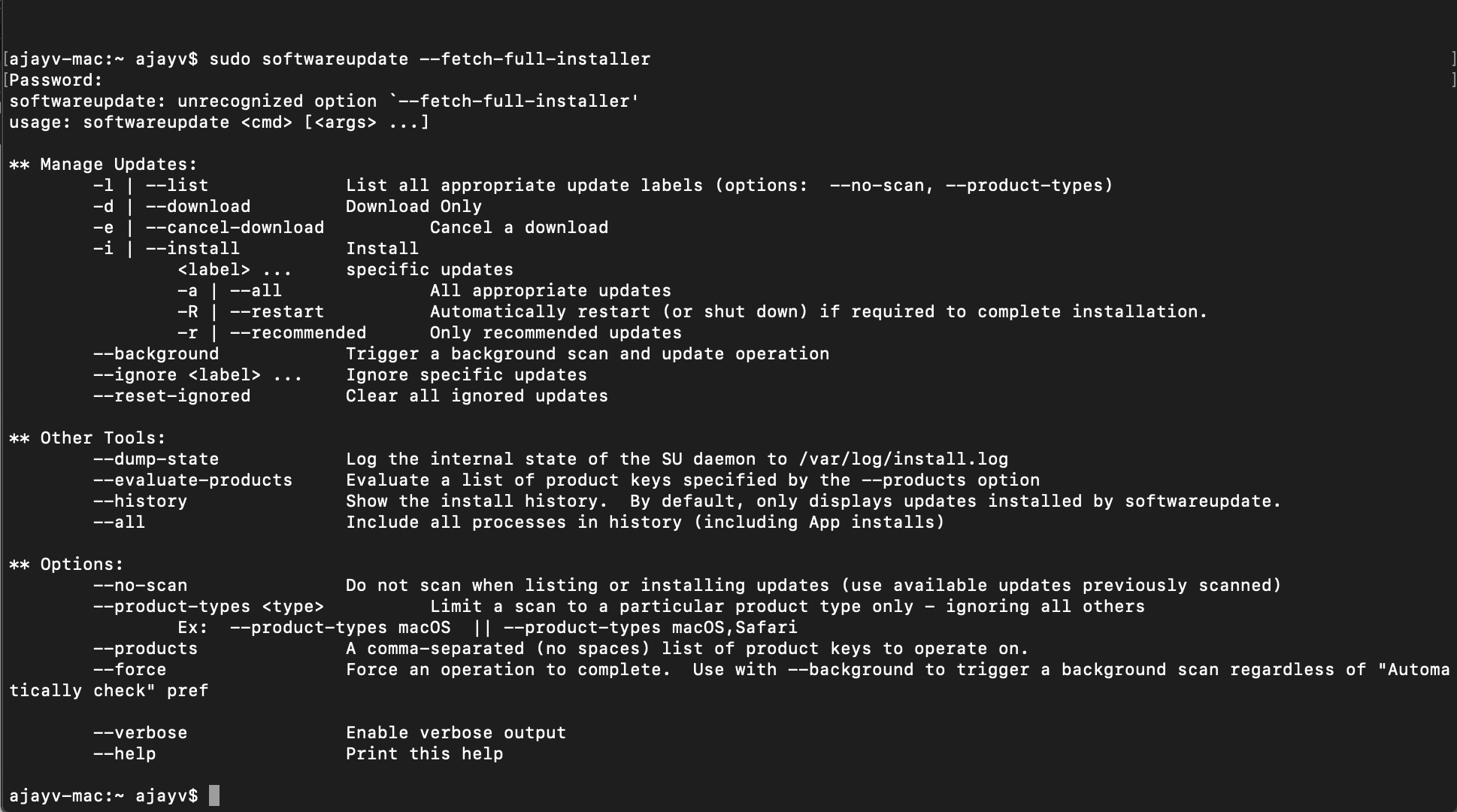
If I try to install the Catalina macOS on running Mojave it doesn't work using "softwareupdate --fetch-full-installer" this command".


talkingmoose
Forum|alt.badge.img+36
  • Author
  • Community Manager
  • November 29, 2019

@Ajayv, the --fetch-full-installer option is only available on macOS Catalina. It's not available on Mojave or earlier versions.

It can download Catalina, Mojave and High Sierra installers and then you can use Composer to create a package to put it on Mojave Macs.

If you don't have a Catalina Mac available, you can download Catalina and earlier installers from Apple's website at https://support.apple.com/en-us/HT208052.


wmehilos
Forum|alt.badge.img+11
  • Valued Contributor
  • November 29, 2019

If anyone is having issues with the ---fetch-full-installer flag downloading incorrect versions, or it saying 10.15.1 can't be found, make sure you didn't set Catalina to be ignored by softwareupdate. You can reset it with the --reset-ignore flag.

We had a number of software compatability issues in our site so I blasted a Policy out to ignore/hide the Catalina upgrade to all of our Macs (including mine which had already been running Catalina). Completely forgot about it until banging my head against the wall for half an hour trying to get a fresh 10.15.1 installer.


Forum|alt.badge.img+11
  • Valued Contributor
  • December 3, 2019

New 16" MBP with macOS 10.15.1. I am trying to wipe and restart fresh but get this error:
"this version of macOS 10.15.1 cannot be installed on this computer."


john_sherrod
Forum|alt.badge.img+17
  • Valued Contributor
  • December 3, 2019

@talkingmoose Biggest issue I'm running into is that when I make this available via Self Service, it often fails to quit Self Service at the end which hangs up the reboot process. Any advice on how to work around that? I've got & at the end of my Files and Processes.


scottb
Forum|alt.badge.img+18
  • Valued Contributor
  • December 3, 2019

@swhps - likely a forked OS is why... 


sdagley
Forum|alt.badge.img+25
  • Jamf Heroes
  • December 3, 2019

@swhps As @scottb mentions, the 16-inch MBP probably has a custom build of 10.15.1. Run installinstallmacos.py on that machine and it should allow you to download the installer it needs (just look for the build # newer than 19B88)


scottb
Forum|alt.badge.img+18
  • Valued Contributor
  • December 3, 2019

Thanks, @sdagley - tried to quickly locate that info, but having none of those Macs here I could not locate the build number...that script should do the trick until 10.15.2...


Forum|alt.badge.img+11
  • Valued Contributor
  • December 3, 2019

For those providing this option to end users, you might find adding this code handy to prompt the user to type 'ERASE' before wiping their machine and losing everything:

userConfirmation=$(osascript <<END 
display dialog "Confirm that you want to reset your Mac and lose all data by typing ERASE" with title "Erase Mac and Install macOS" default answer "" buttons {"Exit","Continue"} default button 1
if button returned of the result = "Continue" then return text returned of the result
END)

if [[ $userConfirmation == ERASE ]]
    then
        echo user confirmed intent to reset Mac and erase all data by typing ERASE
    else
        echo user cancelled Mac reset
        osascript -e 'display dialog "Cancelled." with title "Erase Mac and Install macOS" buttons {"OK"} default button 1'
        exit 0
fi

sdagley
Forum|alt.badge.img+25
  • Jamf Heroes
  • December 4, 2019

@scottb I haven't tried it personally, but you should be able to use VMware Fusion to create a macOS Catalina VM and spoof the model ID (it may also require spoofing a real serial #) of a 16-inch MacBook in the VM settings so that installinstallmacos.py will see the model specific 10.15.1 installer.


talkingmoose
Forum|alt.badge.img+36
  • Author
  • Community Manager
  • December 4, 2019

@john.sherrod, did you try adding the new option --forcequitapps (Catalina only) to your command?


scottb
Forum|alt.badge.img+18
  • Valued Contributor
  • December 4, 2019

@sdagley - yes, my Catalina VM so far works fine with the info from my host MBP which is not in a JSS...
I could try to download that but I might not have the free space...

@john.sherrod I think the

--forcequitapps

piece was mentioned in William's video IIRC...


Forum|alt.badge.img+12
  • Contributor
  • December 10, 2019

"Downloading the installer app using Terminal takes about the same time as downloading it through Software Update.

To retrieve an earlier macOS version, add the --full-installer-version option followed by the macOS version number. This command gets the latest Mojave installer.

sudo /usr/sbin/softwareupdate
--fetch-full-installer
--full-installer-version 10.14.6"

If this is not possible in Mojave, why is it in the instructions? Is this for when you already have Catalina installed? This is not clear. :|


Forum|alt.badge.img+12
  • Contributor
  • December 10, 2019

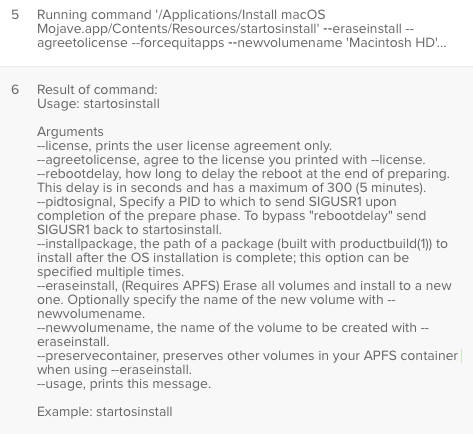
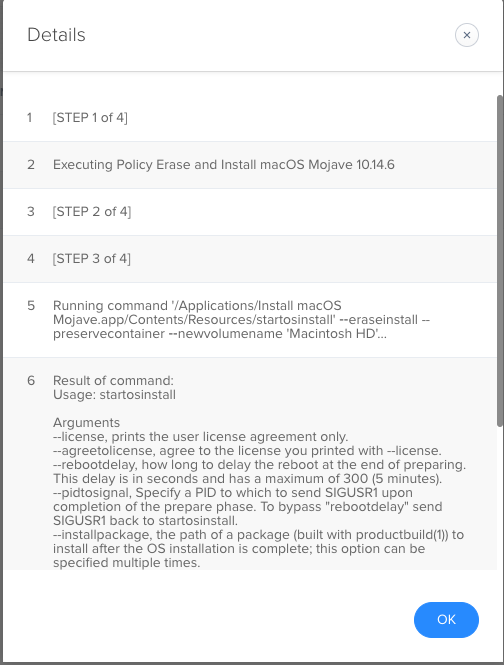
Its just not working:


Forum|alt.badge.img+12
  • Contributor
  • December 10, 2019

Even after downloading a fresh Mojave installer, removing --forcequitapps and --agreelicense

Result of command:
Usage: startosinstall


Forum|alt.badge.img+9
  • Contributor
  • December 10, 2019

@mhegge, remove the -- in "newvolumename" and re add them. If you are coping and pasting it will not translate the -- correctly. This happened to me every time I copied it.


Forum|alt.badge.img+12
  • Contributor
  • December 10, 2019

What am I missing?


Forum|alt.badge.img+9
  • Contributor
  • December 10, 2019

Some of the -- in your command are not formatted correctly so when you run the command it just ends in listing all of the arguments the command supports. remove all -- and re type them


Forum|alt.badge.img+12
  • Contributor
  • December 10, 2019

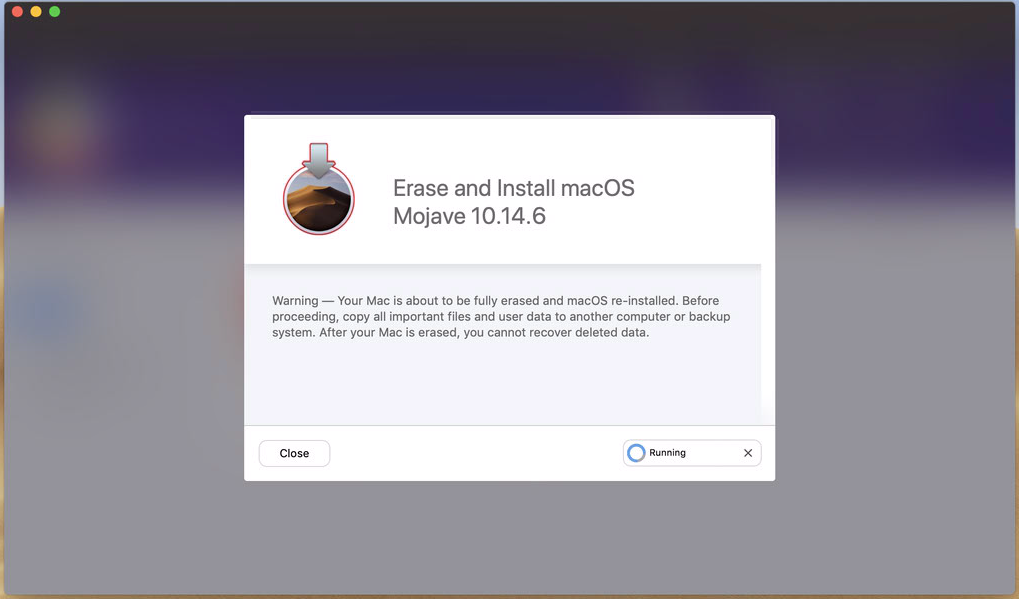
Ok, did that and it seems to have made a difference....waiting as Self Service is still up on the iMac I am testing..."Running..."


Forum|alt.badge.img+12
  • Contributor
  • December 10, 2019

Appears to hang in Self Service....


Forum|alt.badge.img+9
  • Contributor
  • December 10, 2019

It takes a while. at least it does for me


Forum|alt.badge.img+12
  • Contributor
  • December 10, 2019

I need to be able to push this out in, creating another "Instant" policy not using Self Service. I will want to do this for Labs. Man! It's been over 10 minutes...still waiting.