Question

“Reinstall a Clean macOS with One Button” webinar resource page

  • November 1, 2019
  • 115 replies
  • 637 views

Show first post

115 replies

Forum|alt.badge.img+9
  • Contributor
  • December 10, 2019

It's possible the command is hanging on the preserve container argument. I have never utilized that before so it could take longer. Good news is I have used this without self service and it does work.


Forum|alt.badge.img+12
  • Contributor
  • December 10, 2019

Does the preservecontainer just maintain the recovery partition?


Forum|alt.badge.img+9
  • Contributor
  • December 10, 2019

Looking over the argument, I do not even see "preservecontainers" as a listed argument. I would just remove it because it could be hanging up the entire command.


Forum|alt.badge.img+12
  • Contributor
  • December 10, 2019

It may be a Catalina only argument? Removed and running again


Forum|alt.badge.img+9
  • Contributor
  • December 10, 2019

Found it. It just preserves any other APFS volume other then the boot partition.


Forum|alt.badge.img+12
  • Contributor
  • December 10, 2019

https://www.jamf.com/jamf-nation/discussions/31496/help-with-upgrading-users-to-mojave

$ /Applications/Install macOS Mojave.app/Contents/Resources/startosinstall --usage
Usage: startosinstall

Arguments
--license, prints the user license agreement only.
--agreetolicense, agree to the license you printed with --license.
--rebootdelay, how long to delay the reboot at the end of preparing. This delay is in seconds and has a maximum of 300 (5 minutes).
--pidtosignal, Specify a PID to which to send SIGUSR1 upon completion of the prepare phase. To bypass "rebootdelay" send SIGUSR1 back to startosinstall.
--installpackage, the path of a package (built with productbuild(1)) to install after the OS installation is complete; this option can be specified multiple times.
--eraseinstall, (Requires APFS) Erase all volumes and install to a new one. Optionally specify the name of the new volume with --newvolumename.
--newvolumename, the name of the volume to be created with --eraseinstall.
--preservecontainer, preserves other volumes in your APFS container when using --eraseinstall.
--usage, prints this message.


Forum|alt.badge.img+9
  • Contributor
  • December 10, 2019

--preservecontainer, preserves other volumes in your APFS container when using --eraseinstall.


Forum|alt.badge.img+12
  • Contributor
  • December 10, 2019

Still hanging. Not working :(


Forum|alt.badge.img+9
  • Contributor
  • December 10, 2019

This is mine, obviously ignore the fact that it is for Catalina, but it has worked for me consistently. It was modified from Mojave which also worked for me.

'/Applications/Install macOS Catalina.app/Contents/Resources/startosinstall' --eraseinstall --agreetolicense --forcequitapps --newvolumename 'Macintosh HD'


Forum|alt.badge.img+9
  • Contributor
  • December 10, 2019

Found one for Mojave

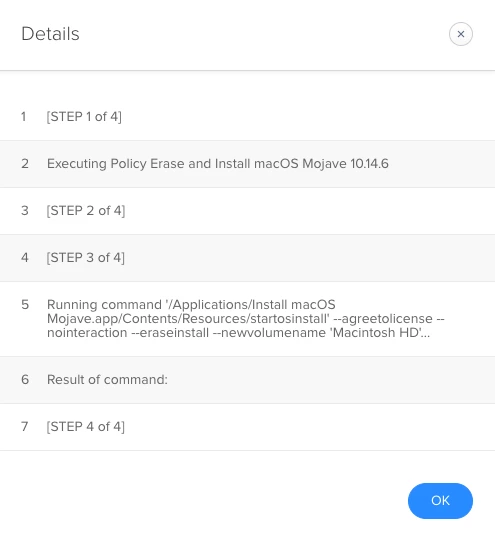
'/Applications/Install macOS Mojave.app/Contents/Resources/startosinstall' --agreetolicense --nointeraction --eraseinstall --newvolumename 'Macintosh HD'


Forum|alt.badge.img+12
  • Contributor
  • December 10, 2019

Thanks! Appears to work now. Trial and error! @talkingmoose


Forum|alt.badge.img+12
  • Contributor
  • December 10, 2019

Spoke too soon. Did not work on second identical iMac. Policy log looks good though.


Forum|alt.badge.img+9
  • Contributor
  • December 10, 2019

Might need a restart, a few people have mentioned that was necessary in some instances.


Forum|alt.badge.img+12
  • Contributor
  • December 10, 2019

Thats not good. Need to rely on this to run without issues. Anyway, it did not work to restart. Just came back to normal login.


Forum|alt.badge.img+16
  • Honored Contributor
  • December 10, 2019

I copy the OS installer and startosinstall script to machines then run the script. I have seen that sometimes (almost every time) the OS installer gets "made by untrusted vendor" message are you sure you want to open? When this happened my script quits and the OS fails to start the install. I just manually run the installer in the GUI quit it and then run the script... Is it possible that you are seeing the same issue but not the same symptoms? What happens when you run the installer in the GUI after the failure?

C


Forum|alt.badge.img+11
  • Valued Contributor
  • December 10, 2019

I’ve been using this for a few years now, highly recommended: https://github.com/kc9wwh/macOSUpgrade/


Forum|alt.badge.img+12
  • Contributor
  • December 10, 2019

No getting any "made by untrusted...." No errors in policy logs. The Mojave installer is fresh on this machine. Just ran the same policy on identical machine a short time ago. It makes zero sense. @davidhiggs Not upgrading, wiping and installing.


Forum|alt.badge.img+12
  • Contributor
  • December 10, 2019

Running the command right in terminal has the same results. Nothing. No errors. No dialog box messages.


Forum|alt.badge.img+9
  • Contributor
  • December 10, 2019

I know it is a dumb question, but you are sure the macOS installer is cached in Applications?


Forum|alt.badge.img+12
  • Contributor
  • December 10, 2019

@talkingmoose Any input? I am stumped.


Forum|alt.badge.img+12
  • Contributor
  • December 10, 2019

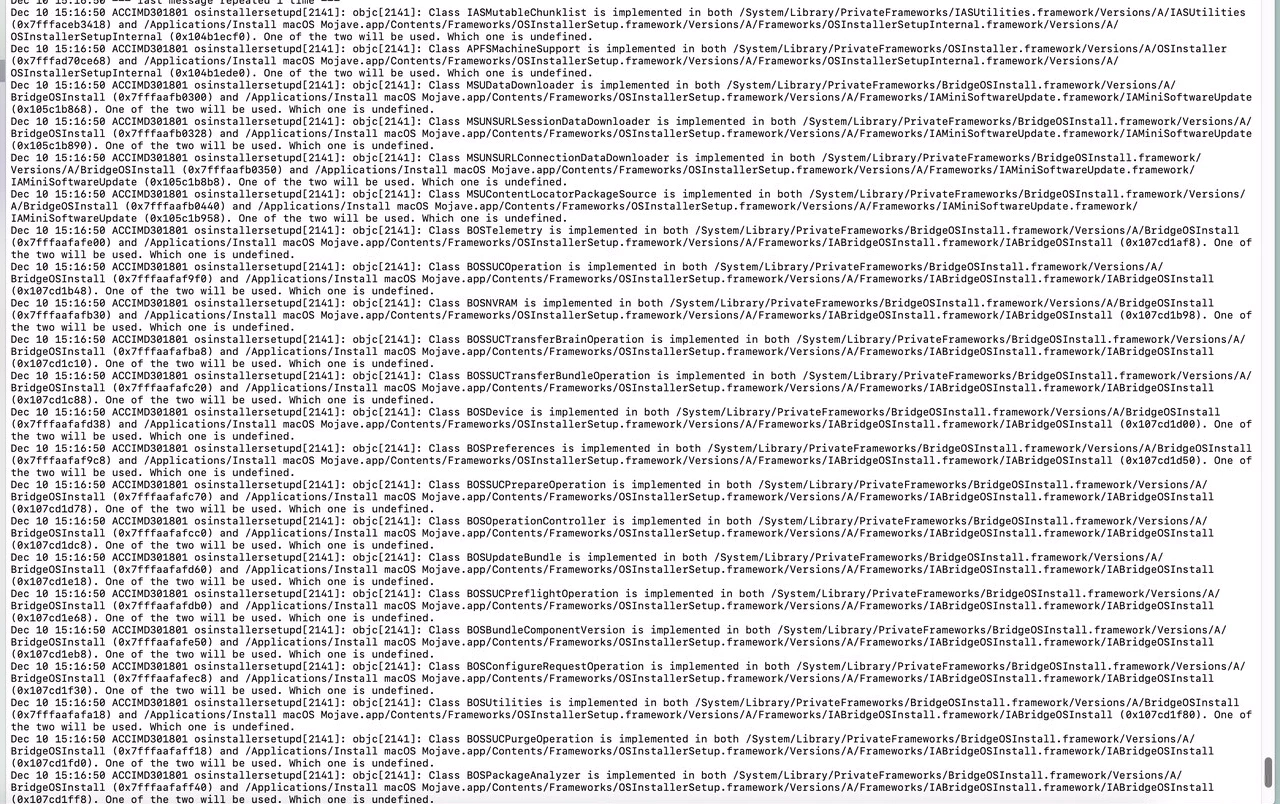
system.log


Forum|alt.badge.img+12
  • Contributor
  • December 10, 2019

Dec 10 15:21:03 xxxx osinstallersetupd[2331]: objc[2331]: Class BOSError is implemented in both /System/Library/PrivateFrameworks/BridgeOSInstall.framework/Versions/A/BridgeOSInstall (0x7fffaafb0170) and /Applications/Install macOS Mojave.app/Contents/Frameworks/OSInstallerSetup.framework/Versions/A/Frameworks/IABridgeOSInstall.framework/IABridgeOSInstall (0x103ba62c8). One of the two will be used. Which one is undefined.


Forum|alt.badge.img+4
  • Contributor
  • December 11, 2019

running into a couple of "issues" when running the upgrade.
once initiated via Self Service, the computer restarts as expected, does a couple of restarts then hangs on a black screen for awhile. once i hit the spacebar (or any key), the machine wakes up and continues the process.

the second one is that in the middle of an upgrade, it will take me to the login screen to enter my password. i enter the password and the machine goes back to the update screen (about x minutes remaining... )

anyone else experiencing this? obviously we would ideally want the user to kick off the upgrade and not have to monitor to enter credentials and enter their password if it's going to keep upgrading after.


Forum|alt.badge.img+9
  • Contributor
  • December 11, 2019

@raphhyyy , what you are describing seems to be expected behaviour based on the method JAMF is using to perform the upgrade. I have yet to see any upgrade scenario outside of the official Apple method that allows the upgrade to fully complete unattended.


Forum|alt.badge.img+12
  • Contributor
  • December 11, 2019

I finally was able to get it working again. I will have to see how pushing it out instead of Self Service goes. I downloaded a fresh Mojave installer, used Composer to create the package, created or updated my current Policy that installs the installer to Applications, and then adjusted my command in Self Service Policy to:
"/Applications/Install macOS Mojave.app/Contents/Resources/startosinstall" --nointeraction --eraseinstall --newvolumename "Macintosh HD" --agreetolicense