Question

Remove configuration profile

  • February 12, 2020
  • 17 replies
  • 492 views

Forum|alt.badge.img+5

Hey everyone,

We deploy different mail configurations via Self Service which works fine. But in some cases the user wants to remove a profile again. I know that all MDM delivered accounts are listed under Settings -> General -> Profiles -> MDM Profile -> Accounts. But there is no option to remove the profile.

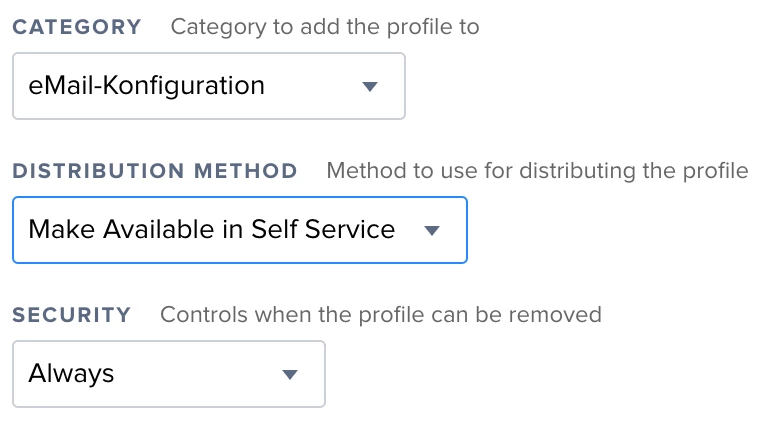
In Jamf i enabled the removal of the profile.

Also i didn't found any option in jamf to remove specific profiles. Is this also not possible?

Thank you all!

17 replies

mm2270
Forum|alt.badge.img+24
  • Legendary Contributor
  • February 12, 2020

Maybe this thread can help?
https://www.jamf.com/jamf-nation/discussions/33889/using-self-service-to-remove-a-user-profile

Or did you already do this when you stated "In Jamf i enabled the removal of the profile."? If so, I'm wondering exactly what the question or request is here?


Forum|alt.badge.img+5
  • Author
  • New Contributor
  • February 12, 2020

Yes, i have that option set, but my user cannot see the 'remove' button. It's just 'Reinstall'. Is there maybe something wrong with my self service?


mm2270
Forum|alt.badge.img+24
  • Legendary Contributor
  • February 12, 2020

Hmm, have you tried having them reinstall it first, and then seeing if it flips over to "Remove" in Self Service? I didn't think it involved reinstalling the profile to get that to show up in the application, but I don't know for sure. Maybe it does?


Forum|alt.badge.img+5
  • Author
  • New Contributor
  • February 13, 2020

Just tried it again. Even after clicking 'reinstall' the button stays as 'reinstall'. No button to remove, sadly.


mm2270
Forum|alt.badge.img+24
  • Legendary Contributor
  • February 13, 2020

Maybe what used to work doesn't work anymore then. I'm pretty sure I tried this out, and it even worked with a profile that was pushed silently. After changing the profile option to install over Self Service and checking that option for removal, it showed up in Self Service with an uninstall or remove button.

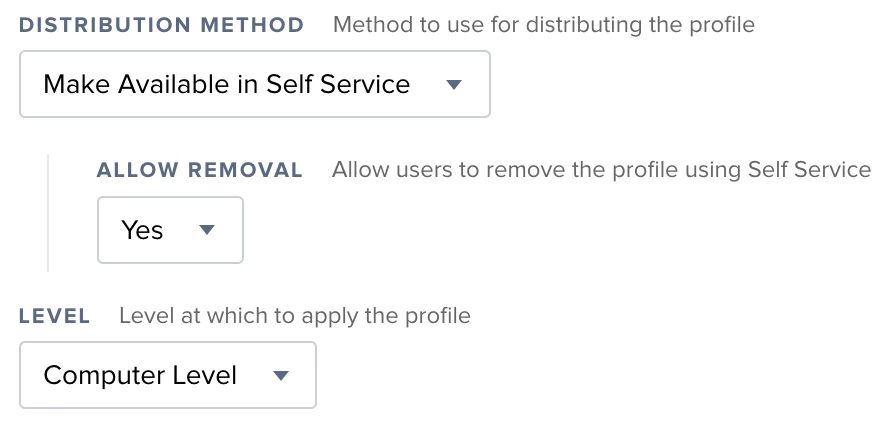
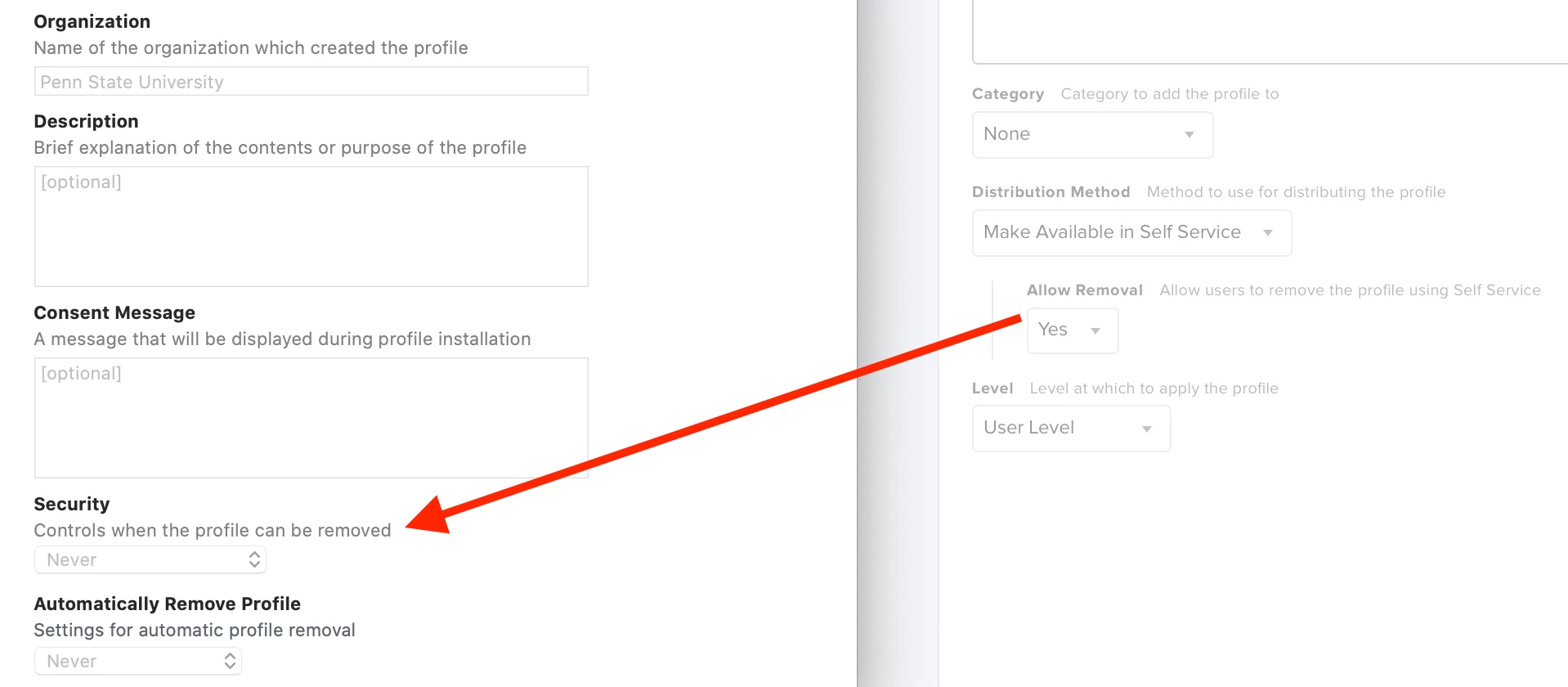
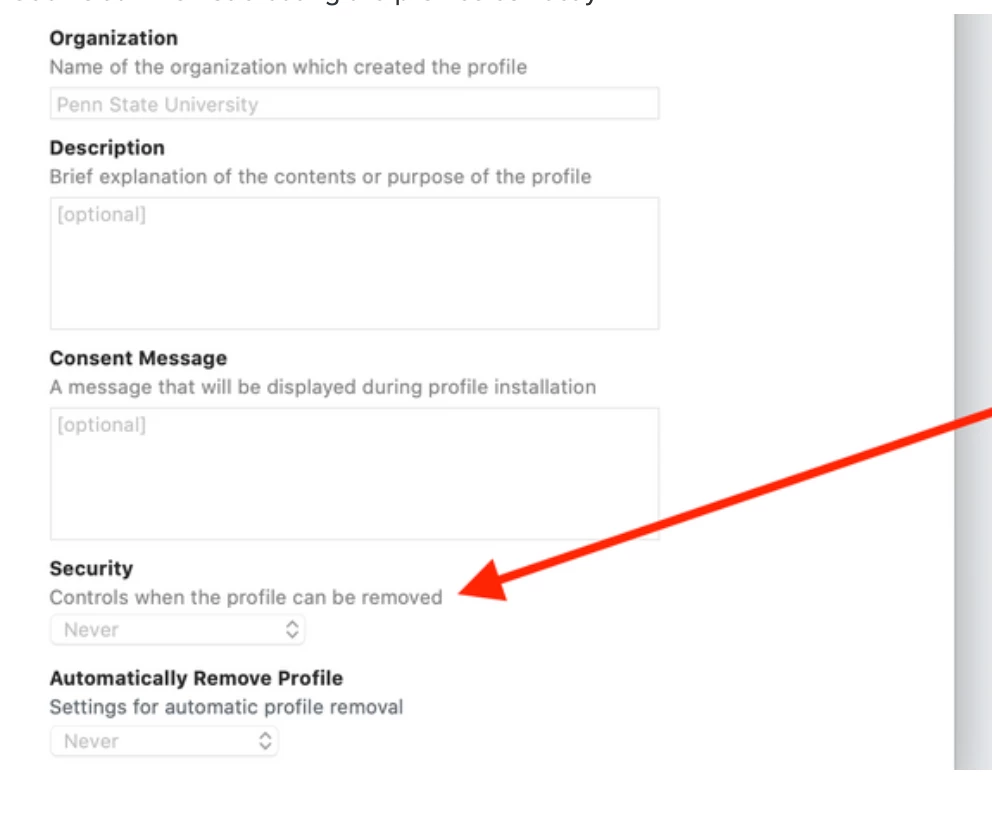
But.... I just noticed something! In your screenshot above, the option I see in it is labeled "Security Controls when the profile can be removed". What version of Jamf Pro are you using? Because on my 10.18.0 instance, the option looks different. See what I mean below

In mine it says "Allow removal - Allow users to remove the profile using Self Service"

So there's some difference between what you're seeing and what I'm seeing that I don't quite understand.


Forum|alt.badge.img+5
  • Author
  • New Contributor
  • February 17, 2020

I have 'your' look only within macOS profiles. With iOS profiles i only have the options displayed in 'mine' screenshot...

I am really confused. Since there is an option to make it removeable, but there is no way to remove it...


Forum|alt.badge.img+5
  • Contributor
  • February 24, 2020

I am currently having the exact same issue.
Created a profile in Self Service for mail setup on iOS.
I have the security set to 'Always', but we cannot find a way to remove the profile from the device. User is stuck with mail that isn't working.


Forum|alt.badge.img+10
  • Valued Contributor
  • March 6, 2020

I also have the problem that the AnyConnect Configuration Profile on our iOS devices is set to "Allow Removal" but there is no way to remove it, not in Self Service not under Settings --> VPN and even the profile is not removable. Any ideas, otherwise I would contact support.


Forum|alt.badge.img+4
  • New Contributor
  • August 26, 2020

Seems Jamf is not creating the profiles correctly


Forum|alt.badge.img+4
  • New Contributor
  • September 1, 2020

Would this process work to unsign, update the removal key/value pair, and then resign the profile with the JSS CA?

https://www.jamf.com/jamf-nation/discussions/20436/jss-signing-certificate-private-key


Forum|alt.badge.img+5
  • Author
  • New Contributor
  • September 8, 2020

Really strange, that they still didn't implant this feature. Seems like such a no-brainer...

Some time ago the support team told me the following:

That is correct, there is no option for removing a profile on an iOS device in Self Service. I have raised this with the Support Team, they are taking it into consideration for a feature request. There is no workaround at the moment I'm afraid, besides moving the device out of scope, which you already mentioned.

:/


Forum|alt.badge.img+4
  • New Contributor
  • September 8, 2020

My response from support:

It does look like this is a current Product Issue, and I have tied this case to that Product Issue. This is PI-008020. The current workaround for this on enrolled machines is to change distribution method to 'Make Available in Self Service' and select 'Yes' for 'Allow Removal - Allow users to remove the profile using Self Service'. This would then need to go to Self Service to allow this to be removed. Our development team is aware of this Product Issue and a fix should be available in a future version of Jamf Pro.

akamenev47
Forum|alt.badge.img+10
  • Valued Contributor
  • June 18, 2021

This is still not working.... So how do we go around it? Switch the setting to "Install Automatically" > then delete it on JSS and get rid of it that way?


snowfox
Forum|alt.badge.img+9
  • Contributor
  • June 19, 2021

You could add the device/s to the exclusions section under 'scope' for the configuration profile. Then the configuration profile will disappear from the users device the next time the device checks in with the Jamf Pro server.

Be careful to always unscope a configuration profile first, before you delete it from Jamf Pro. And give time for machines to check-in and remove it, before you delete it. if you do not, your devices can get into a race condition with the server. They recieve the removal/deletion command the next time they check-in but the configuration profile has already been deleted from jamf pro. This results in a repeated failed MDM command (to infinity) on any affected clients - the configuration profile does not exist. MDM Error:89

Only deleting the config file record from the backend database can clear the failed MDM commands from repeating on all your affected clients.

I found this out the hard way. Now I'm careful to unscope config files first on the server before deletion.


akamenev47
Forum|alt.badge.img+10
  • Valued Contributor
  • June 19, 2021

@snowfox , thanks for the heads up! What if you simply unscope everyone (choose Selected Computers/Users from Scope and just don't select anyone)? Shouldn't that remove the Configuration Profile from all the macs?


snowfox
Forum|alt.badge.img+9
  • Contributor
  • June 22, 2021

Yes that will work too. Remove all users/computers from the TARGETS section of Scope. Make sure 'target computers' and 'target users' drop down menus are set to 'Specific Computers' and 'Specific Users'. Then delete any targets so the bottom list says 'None'. Save your changes and all devices will start removing the configuration profile the next time they check in with jamf Pro.

I previosuly assumed you only wanted to remove it from one or more devices by excluding said devices or users from the scope. You can ofcourse remove all devices and users if you so wish in the target section.


Forum|alt.badge.img
  • New Contributor
  • August 5, 2021

Seems Jamf is not creating the profiles correctly


How did you get to this page? I am trying to remove a profile automatically, but I can't seem to find it


Thank you so much in advance!