Solved

Restart Computer After X Days of Uptime

  • March 31, 2022
  • 34 replies
  • 364 views

Show first post

34 replies

Forum|alt.badge.img+10
  • Valued Contributor
  • October 23, 2023

Sure! Here's mine:

#!/bin/sh

uptime=$( uptime )
dayCount=$( uptime | awk -F "(up | days)" '{ print $2 }' | sed 's/[ day].*//' )

if [[ $uptime == *"day"* ]]; then
    echo "<result>$dayCount</result>"
    
else echo "<result>0</result>"
    
fi
    
exit 0


Good Morning John

I meant this policy for this

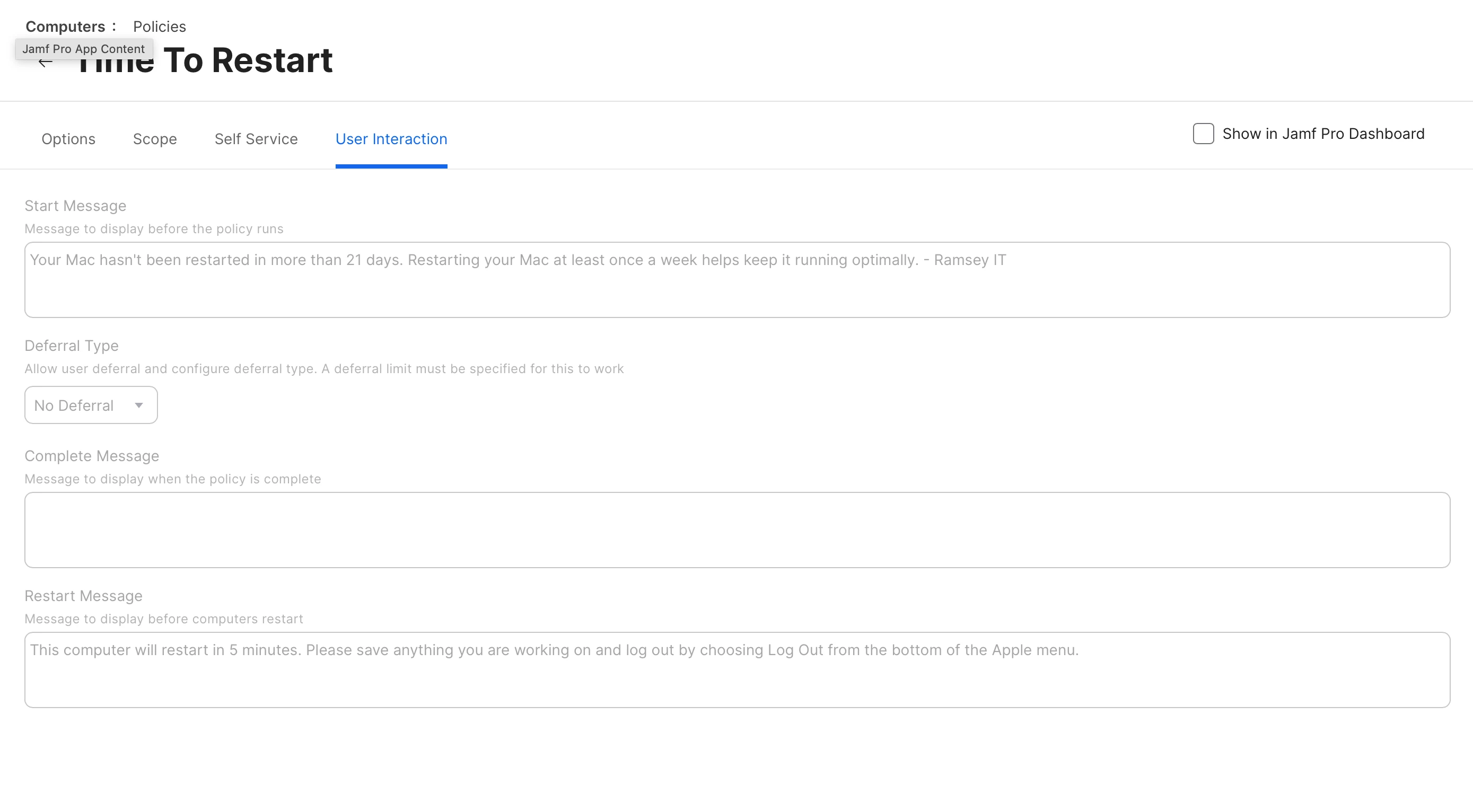
All the policy does is leverage the User Interaction tab to display the following message as a notification:

"Your Mac hasn't been restarted in more than 21 days. Restarting your Mac at least once a week helps keep it running optimally. - IT"


Forum|alt.badge.img+3
  • New Contributor
  • October 23, 2023

Looks exactly like mine, and my policy and smart groups.


Forum|alt.badge.img+15
  • Jamf Heroes
  • October 23, 2023

Good Morning John

I meant this policy for this

All the policy does is leverage the User Interaction tab to display the following message as a notification:

"Your Mac hasn't been restarted in more than 21 days. Restarting your Mac at least once a week helps keep it running optimally. - IT"


Have you checked out Renew? https://github.com/SecondSonConsulting/Renew


john_sherrod
Forum|alt.badge.img+17
  • Valued Contributor
  • October 23, 2023

Good Morning John

I meant this policy for this

All the policy does is leverage the User Interaction tab to display the following message as a notification:

"Your Mac hasn't been restarted in more than 21 days. Restarting your Mac at least once a week helps keep it running optimally. - IT"


Forum|alt.badge.img+1
  • New Contributor
  • October 27, 2023

The biggest issue is that users now move the popup window to the edge of the screen to ignore it and therefore the script / policy will never be fully executed.


Forum|alt.badge.img+1
  • New Contributor
  • August 27, 2024


Sorry for the necro but do you add anything else to the policy other than the General tab? EA is pulling the correct information, smartgroup is made properly and policy is scoped to the SG but not seeing any notifications. Wondering if self-service/LDAP sync needs to be enabled for users to see the notification? 


john_sherrod
Forum|alt.badge.img+17
  • Valued Contributor
  • August 27, 2024

Sorry for the necro but do you add anything else to the policy other than the General tab? EA is pulling the correct information, smartgroup is made properly and policy is scoped to the SG but not seeing any notifications. Wondering if self-service/LDAP sync needs to be enabled for users to see the notification? 


I’m glad you brought that up. I think something in Jamf has become broken with regard to notification messages. I’m going to go submit a ticket right now actually.


Forum|alt.badge.img+1
  • New Contributor
  • August 27, 2024

I’m glad you brought that up. I think something in Jamf has become broken with regard to notification messages. I’m going to go submit a ticket right now actually.


Ahh. We are brand new to Jamf, just starting the migration process so just wanted to dig a bit deeper. Let me know what you find out!


john_sherrod
Forum|alt.badge.img+17
  • Valued Contributor
  • August 27, 2024

Ahh. We are brand new to Jamf, just starting the migration process so just wanted to dig a bit deeper. Let me know what you find out!


Will do!