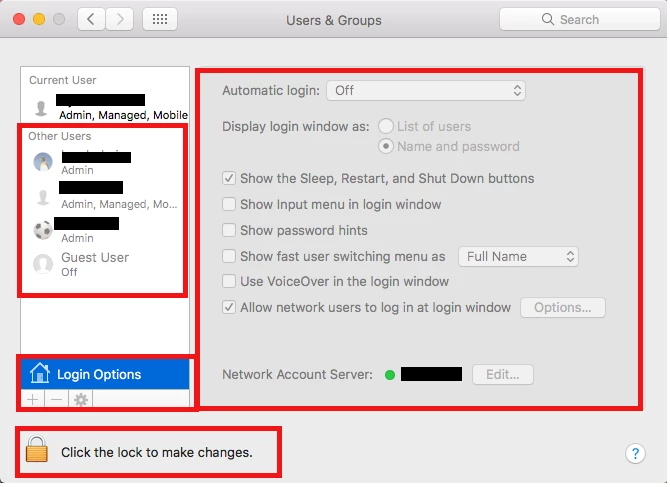
At the moment I have a configuration profile that restrict access to "Users & Groups" in "System Preferences", I would like to enable it just for the owner of the mac, with restrictions inside the pane "Users & Groups"
see picture for more details (I would like to restrict what's inside the red square), so I want the user to have access to "Users & Groups" but disabled the action to create or delete an account.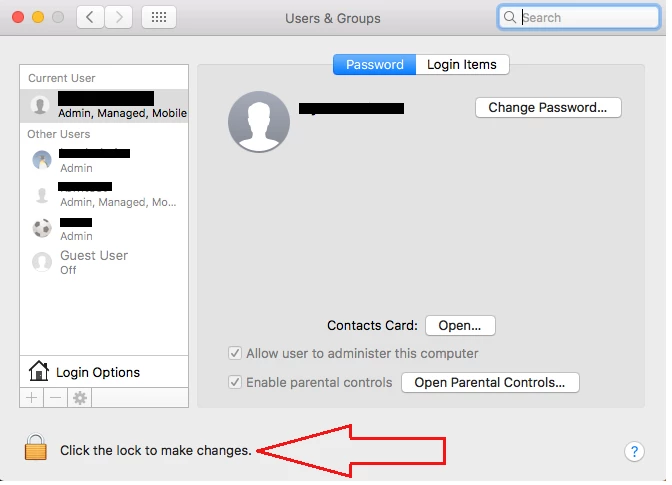

Solved
Restrict items on a specific Pane (Users & Groups)
 +7
+7Best answer by mm2270
I'm trying to find out if its possible to restrict the options inside "Users & Groups".
@osxadmin Which options are you looking to manage? As @khey mentioned, using a Configuration Profile to manage some of the items under the Login Options section is possible, and it grays them out in when possible.
See the screenshot below. I'm logged in under my cached AD mobile admin account, with the pane unlocked, but as you can see, the items highlighted in red are grayed out because we manage those in a Configuration Profile. I'm not clear if the few items that aren't grayed out is because we aren't managing them or they aren't manageable however. I'd have to go back and look.
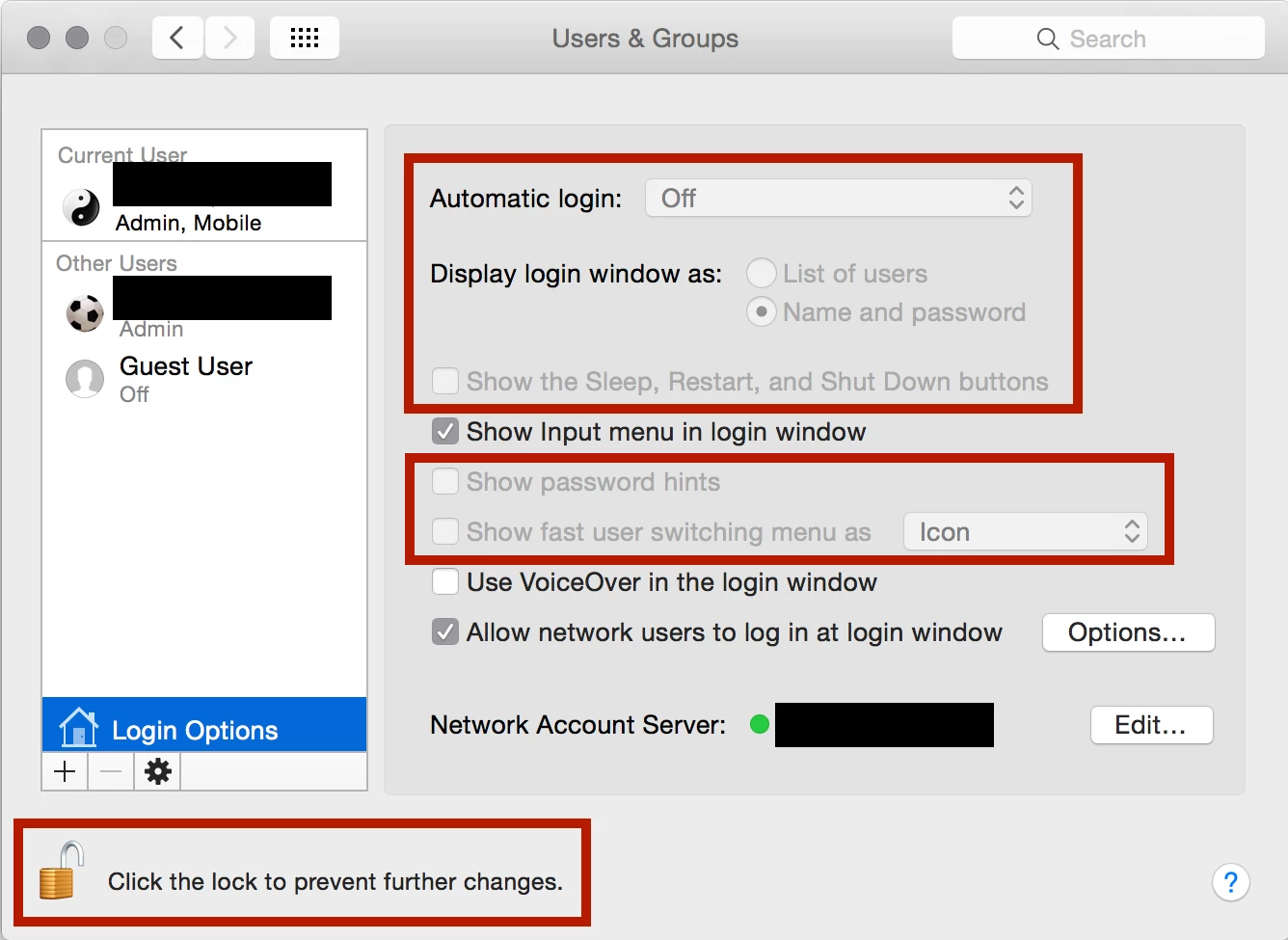
However, you mentioned not wanting to allow them to create a new account, which I don't think you can block from a local admin. If someone knows of a way to actually block them from being created, other than running periodic scripts looking for unauthorized accounts and removing them, I'd be all ears on that.


Enter your E-mail address. We'll send you an e-mail with instructions to reset your password.