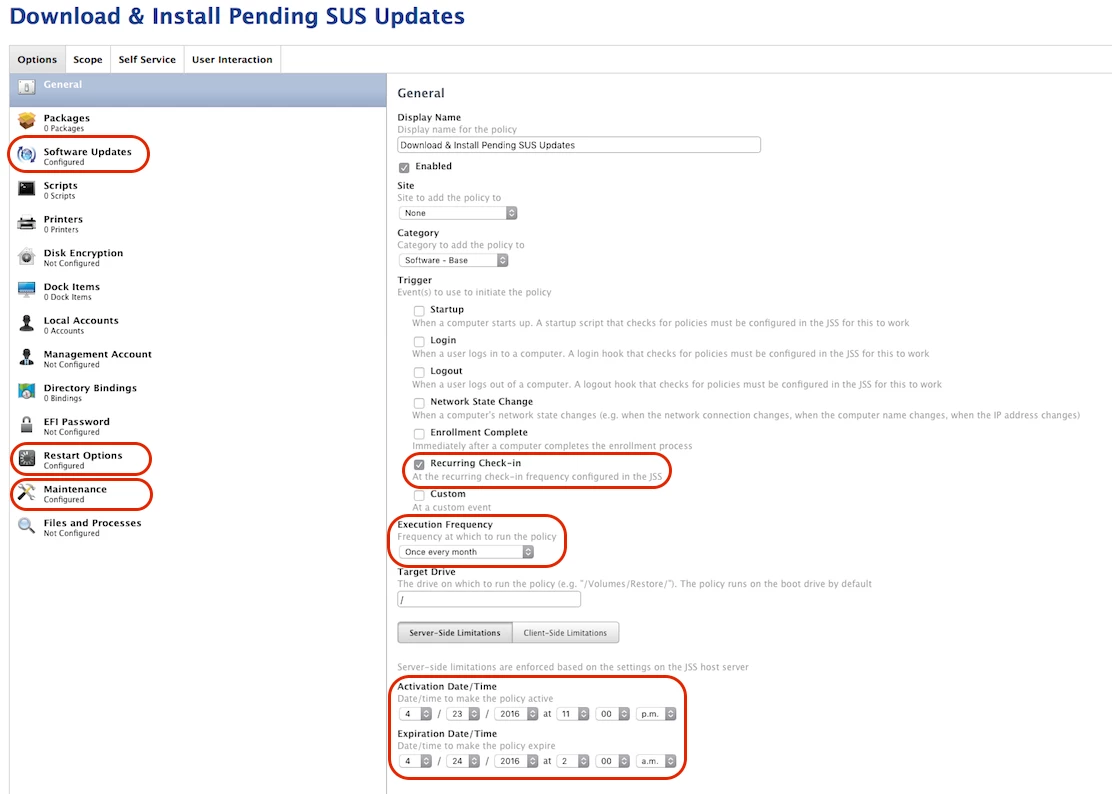
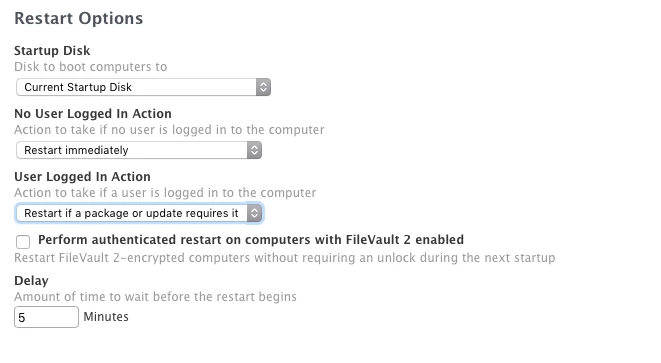
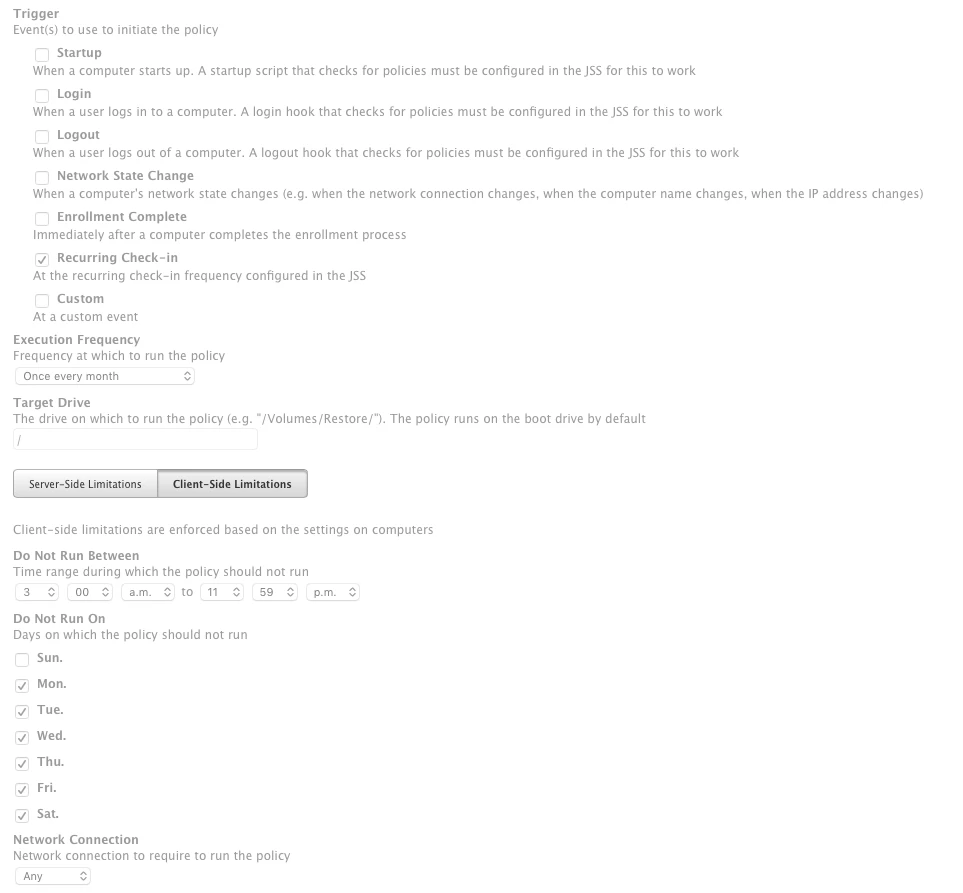
I took my first stab at running a scheduled Policy that downloaded/installed SUS updates and then rebooted clients as needed. See screenshot for reference.
In a nutshell, my IT dept has a monthly maintence window on the 3rd Saturday night of each month. Typicaly, all Win/Mac client updates should be downloaded/installed (and rebooted) between 11 PM and 2 AM. This time window is likely adequate for me, as my Managed Mac clients check in every ~15 minutes and thus most systems should get the Policy applied in that time window.
Trigger: Check-In
Frequency: Once per month
Activation Date/Time Schedule: 11PM April 23 (Sat PM) - 2AM April 24 (Sunday AM)
I wasnt sure how this would go, so I watched it closely to observe the behavior. Still a bit confused on a couple aspects.
1) Regarding the Policy itself:
Does my Policy look like sound logic to you? Please refer to the screenshot.
2) Regarding the results:
I noticed a lot of systems are still flagged as "Pending" according to the JSS log. Does this mean that the Policy will still try and run on Pending Macs, even though the scheduled time has lapsed? (I hope not as that means those Macs could possibly be rebooting during the day). Or does this mean that for whatever reason, those specific Macs never checked-in to get the Policy applied?
Mac users came in to work today (Monday) and were greeted with a prompt to reboot. So until they clicked the GUI OK button, the Macs did not get rebooted. Oops! I dont see anywhere in the Policy or its Payloads that this pormpt should have occured (i.e.; no Deferals were active etc). I was hoping to force the reboot without interaction. Thoughts on what went wrong?
3) General question:
How do you use scheduled Polices? Does anyone elese do a scheudled SUS maintenance like me?