Question

Security Update 2018-001 High Sierra or Security Update 2018-002 High Sierra

  • October 31, 2018
  • 53 replies
  • 335 views

Show first post

53 replies

stevewood
Forum|alt.badge.img+38
  • Hall of Fame
  • November 13, 2018

Can anyone confirm which models they are seeing this on? Is it only T2 enabled Macs? So iMac Pro and the 2018 models of devices? We're trying to lock this down so we can open an enterprise AC case.


ImAMacGuy
Forum|alt.badge.img+23
  • Esteemed Contributor
  • November 13, 2018

@stevewood I just had it on a 2015 iMac 27" 5k


Forum|alt.badge.img+16
  • Honored Contributor
  • November 13, 2018

@stevewood This is not limited to T2 Macs only, we've had it on 2 older machines as well.


stevewood
Forum|alt.badge.img+38
  • Hall of Fame
  • November 13, 2018

@jwojda @hkabik

Thanks guys! We release to our test group this week, so I'm waiting for that before opening the AC case. I want to be able to provide some decent evidence. So far I have not been able to replicate, but that has been in VMs and not on physical hardware (except for the cases reported by one of our agencies).


Forum|alt.badge.img+14
  • Contributor
  • November 14, 2018

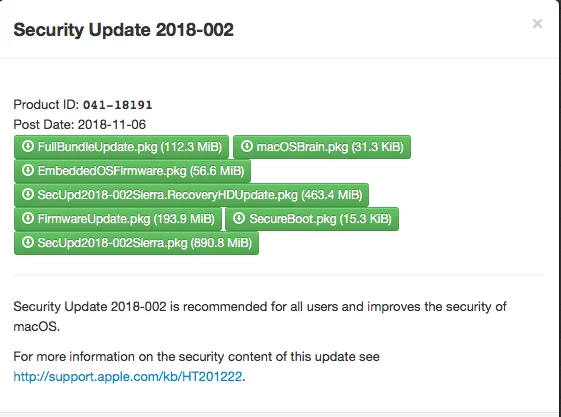
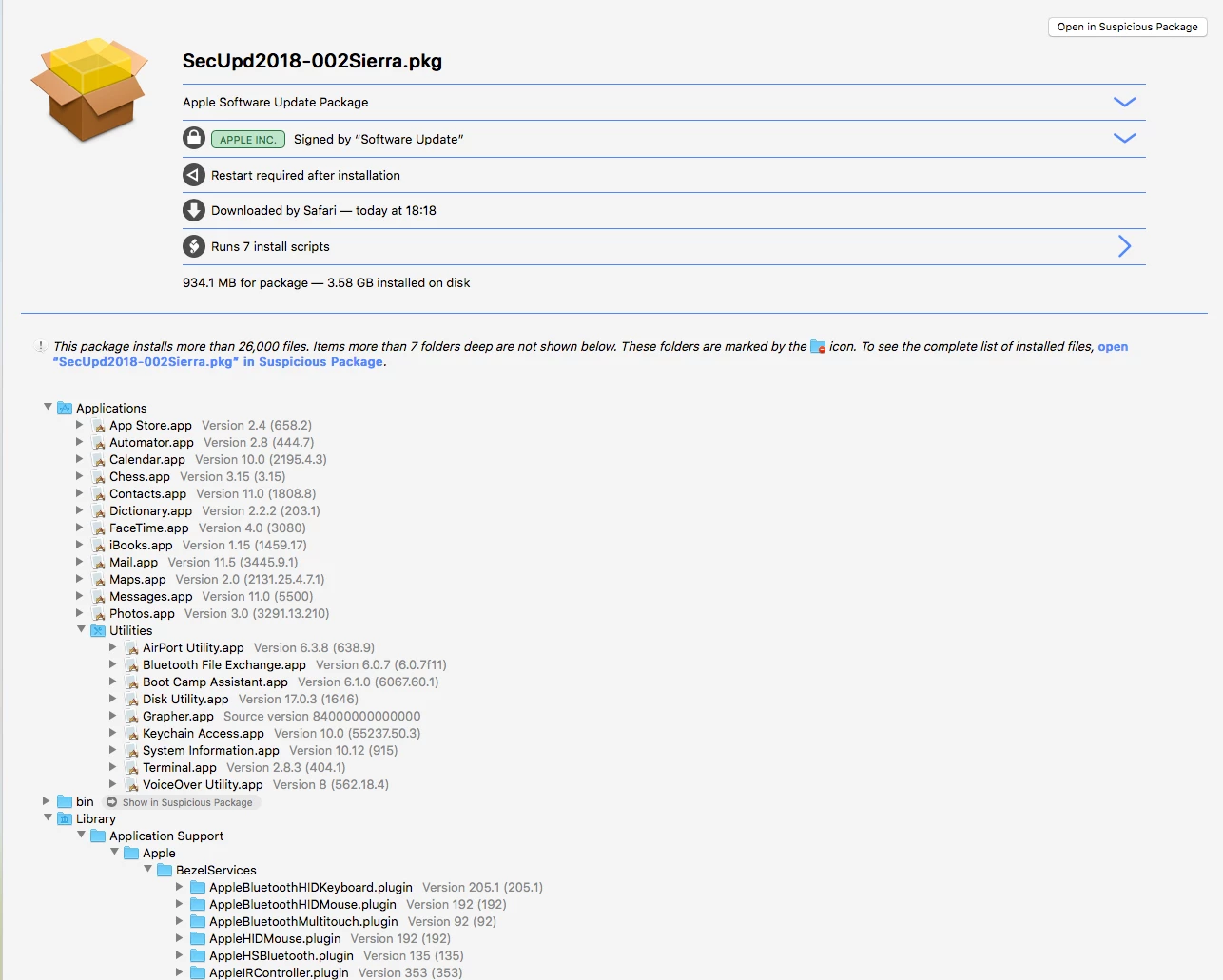
I downloaded Security Update 2018-002 from our Reposado server today. Attached screenshot is all that's installed. I parsed through the installer packages using Suspicious Package and theres A LOT of items installed in the SecUpd2018-002Sierra.pkg.


AVmcclint
Forum|alt.badge.img+21
  • Esteemed Contributor
  • November 20, 2018

I need to add that installing the update from the mounted .dmg isn't as successful as I believed. On the first 6 Macs I ran it on, it did work every time. Now it doesn't work at all on any Mac - I've even redownloaded it just in case something happened to my original dmg. It "installs" for a few seconds, reboots (bypassing FileVault), I login, and I'm back at the desktop still not updated. I've scoured the logs and can find no indication of any kind of failures or errors. The only solution I keep hearing from people who contacted Apple is to reinstall the OS from the Recovery partition. This is happening on brand new Macs fresh out of the box so I seriously doubt a reinstallation is going to fix anything. Besides, who has time to reinstall the OS on 100+ Macs?


Forum|alt.badge.img+16
  • Honored Contributor
  • November 28, 2018

Did any body else make a bug report on this? Or take it to Enterprise support as an issue?


Forum|alt.badge.img+11
  • Contributor
  • November 29, 2018

This didn't start for us until Tuesday the 27th. I'd just like to add that we are running 10.12.6 on all of our devices and this has been a complete nightmare for us as well! I thought at first it was something I had missed in my settings, but soon found that Apple appears to be screwing with us! I have at least 6 bricked systems at this point, and pointing them to the startup disk has only worked on 1 of them. A few are on a constant reboot cycle. I've tried the recovery drive on a few as well, but found that it is failing at about 90% complete. I'm contacting Apple developers to let them know what a shit show this is, hopefully others will do the same.


stevewood
Forum|alt.badge.img+38
  • Hall of Fame
  • November 29, 2018

@hkabik yes, we just opened ACE 100689231892.


Forum|alt.badge.img+16
  • Honored Contributor
  • November 30, 2018

Thanks to everyone else that is making noise about this with Apple.


ImAMacGuy
Forum|alt.badge.img+23
  • Esteemed Contributor
  • November 30, 2018

@hkabik our ACE is 100666331583.


Forum|alt.badge.img+18
  • Esteemed Contributor
  • December 3, 2018

I've seen similar issues with drives not using APFS and or raided/Fusion Drives trying to apply certain updates. Anyone have any corroborating evidence to support this? Also I've seen firmware updates fail when 3rd party programs are installed that modify core systems IE a fan controller for iMacs or anything that requires the SIP to be disabled for install.

Gabe Shackney
Princeton Public Schools


AVmcclint
Forum|alt.badge.img+21
  • Esteemed Contributor
  • December 6, 2018

Apple released Security Update 2018-003 for High Sierra yesterday. I successfully installed it on a Mac this morning, but it was a Mac that took 002 without problem anyway. As my users come in, I'll try to apply 003 to a Mac that I know still refuses to install 002 and see what happens.


AVmcclint
Forum|alt.badge.img+21
  • Esteemed Contributor
  • December 6, 2018

No luck. I've tried softwareupdate -i -a and the Mac App Store app, and IF the update shows up and downloads, it never actually installs. Either it hangs forever at shutting down or it reboots as if nothing ever happened. Same problems as before. Reinstalling the OS on 100+ macs is not an option. It's just so frustrating that it installs perfectly fine on some Macs that are configured identically to all the others that are failing.


chris_kemp
Forum|alt.badge.img+20
  • Jamf Heroes
  • December 7, 2018

We're starting to get reports of this too. Watching... We'll probably open an ACE as well, referencing the ones listed here.


bpavlov
Forum|alt.badge.img+18
  • Esteemed Contributor
  • December 7, 2018

Same issues with Security Update 2018-003 as 2018-002 had. I don't understand why computers can't even upgrade when going through the App Store. I'm not even automating anything.

On some computers, reinstalling the update fixes things. But on others I have even if I install the update it ends up in a situation where I always end up at the boot picker screen to select Macintosh HD when there is no other bootable volume and then the keyboard stops working correctly (it seems to screw up the keys with some being pressed but not entering the key pressed in the password field) so I have to restart it again and then it boots "normally".

I just can't understand how updates just worked for so long and now suddenly Apple has decided to change things up and now it doesn't work even when you don't try to automate things.


AVmcclint
Forum|alt.badge.img+21
  • Esteemed Contributor
  • December 7, 2018

After more failures, I tried something a little different. I've had some very limited success on machines that previously failed by using softwareupdate -i -a --restart instead of just softwareupdate -i -a and manually restarting. What's weird is that installing the update from the MAS and clicking "Restart Now" when prompted still fails every time. None of that explains why some computers absolutely under no circumstances even show the Security Update as being available. Resetting softwareupdate doesn't reveal the update that I know it needs.


ImAMacGuy
Forum|alt.badge.img+23
  • Esteemed Contributor
  • December 7, 2018

@AVmcclint Thank you for your updates on this, I had our monthly meeting yesterday with our ACE manager, I mentioned your results to him on the call (when we came to our afore mentioned case number's status), though full disclosure I haven't had an opportunity to try on my end, but I did at least put your results on his radar for it may not be fully resolved yet.


AVmcclint
Forum|alt.badge.img+21
  • Esteemed Contributor
  • December 7, 2018

Good! I'm glad people can make use of the details I share. So far adding --restart to the softwareupdate command has worked on 4 Macs.


AVmcclint
Forum|alt.badge.img+21
  • Esteemed Contributor
  • December 7, 2018

Oh, if you're curious about the build number for SecurityUpdate 2018-003 for High Sierra, it's 17G4015


Forum|alt.badge.img+16
  • Honored Contributor
  • December 10, 2018

Still having issues with 003, but it seems to fail more gracefully for me than 002 did. 002's failure sent my mahcines into reboot loops, this just seems to not do anything after restart. The machine behaves as normal, the update just never installs.


donmontalvo
Forum|alt.badge.img+36
  • Hall of Fame
  • December 26, 2018

@hkabik is the computer encrypted, if so is the FileVault 2 password sync'd for the current user that is experiencing the reboot loop?


Forum|alt.badge.img+14
  • Valued Contributor
  • January 5, 2019

I've seen what the op described recently. We don't have a good software update system in place yet so I don't know if this was occurring before 003. This has also only been noticed thus far on systems that shipped with High Sierra but we can't reliably reproduce it. In one lab of 15 systems I believe 4 have done this and another lab of 9 systems 2 did this. Those systems are identical in each lab. I've seen it with office systems as well and each time it happened right after software updates were done by the user. Our fix has been to try restarting first...this only worked with 1 system. For others we did an in place reinstall of the OS which worked every time. We hadn't considered resetting the startup disk so that will be attempted the next time we see this.


AVmcclint
Forum|alt.badge.img+21
  • Esteemed Contributor
  • January 10, 2019

So far I've had better luck with the updates by:
1. Manually going to System Preferences > Startup Disk and clicking on the internal drive (even though it is already highlighted and boots up properly anyway)
2. Launch Terminal and run softwareupdate -d -a and make sure it does take a few minutes to download the security update
3. After the download is complete run softwareupdate -i -a --restart and cross my fingers.


Forum|alt.badge.img+10
  • Valued Contributor
  • March 15, 2019

This is the first thread that comes up with High Sierra Security Update 2019... does the update to build 17G5019 perform any better?

My org just got a bunch of the 2018 MacBook Pros with T2 chip and are hence forced to High Sierra... after getting around the T2 restriction on external booting and figuring out how to get admin users Secure Tokens and updating other Jamf policy workflows, I'm concerned that when I update one of these Macs it will be unable to revert to its custom High Sierra build 17G2208 even via Apple's only supported method - Internet Recovery! - and I'll be forced to upgrade to Mojave. I'd rather avoid any headaches that can be avoided, but it seems like Apple's "modernization" of security updates is a user unfriendly, administration disruptive experience. Disappointing, but not surprising.