Question

Security Update Not Done with OS Update Configuration Profile

  • February 7, 2018
  • 7 replies
  • 43 views

Forum|alt.badge.img+6

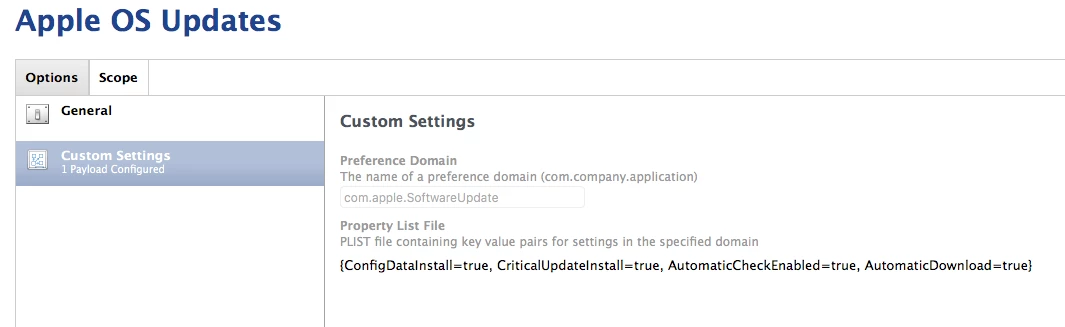
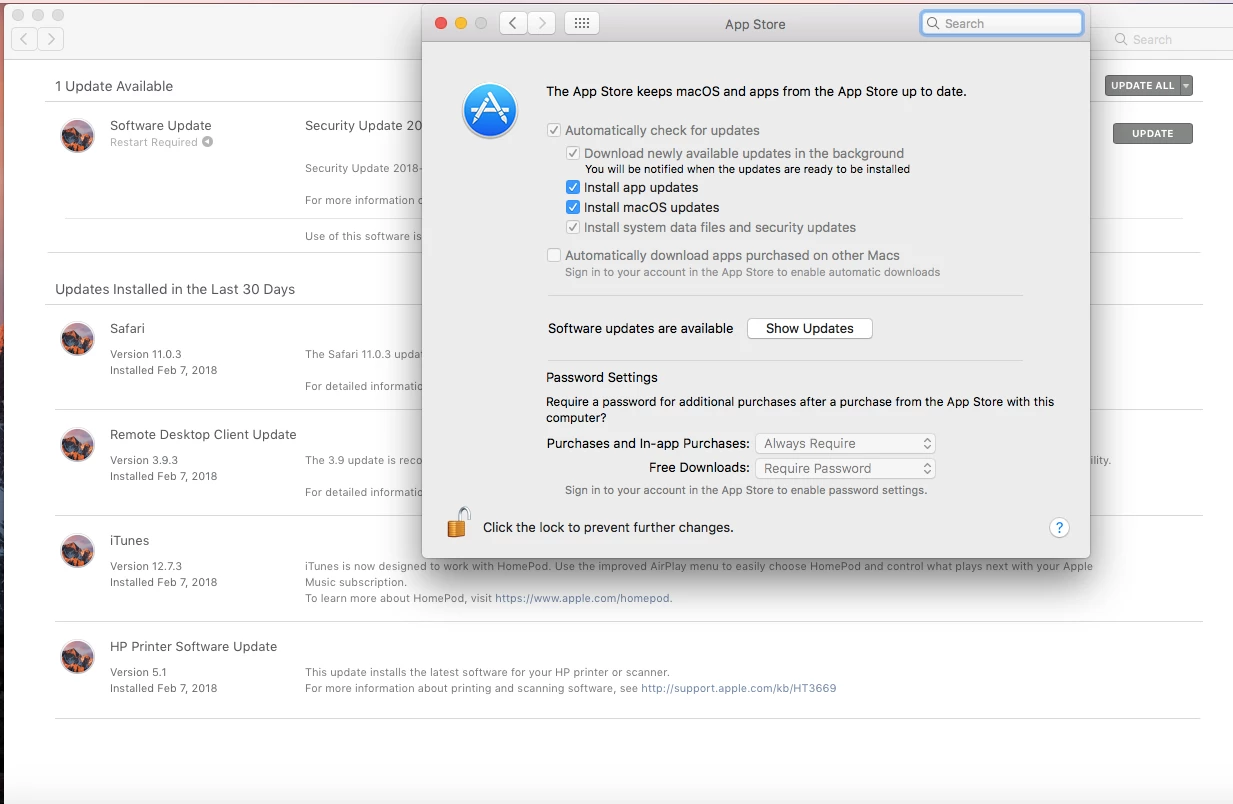
I created a configuration profile for automatic OS updates and pushed it to a test 10.12 client. After restarting the client and logging in, it automatically updated safari, remote desktop client, itunes, and HP printer software. However, it did not install "Security Update 2018-001 10.2.6".

What am I overlooking to get security updates automatically installed?
7 replies

Forum|alt.badge.img+12
  • Valued Contributor
  • February 7, 2018

If it is a MacBook, is it connected to power? I know missing that will often inhibit Sec Updates...


Forum|alt.badge.img+23
  • Valued Contributor
  • February 7, 2018

I believe this update requires a restart.

Until Apple provide a mechanism to force a Mac to run its latest OS build, part of an Apple consumer-like experience with regard to patching and updates is some form of reminding, nagging, or forcing periodic restarts, especially when restart-required updates are pending.

Each org is different, so you’ll have to see what your users and management will accept, but some of the approaches, from least intrusive to most intrusive include...

  • teaching users to pay attention to and execute on update notifications
  • creating additional Notification Center or dialog “nags” when updates are pending.
  • forcing the restart after a restart-required update has been pending for more than X days.
  • tying necessary configuration profiles to a “compliance group”, giving users an incentive to stay up to date.

If you’re curious as to how to do any of the above, I’ve written a bunch of scripts and policies/workflows around this and will anonymize them and share soon.


Forum|alt.badge.img+6
  • Author
  • Contributor
  • February 7, 2018

It is a notebook, but it is connected to power. I realize it does require a restart, but I was hoping it would at least install.


Forum|alt.badge.img+23
  • Valued Contributor
  • February 7, 2018

@mccallister macOS updates that require a restart install at restart. They cannot install in the background.

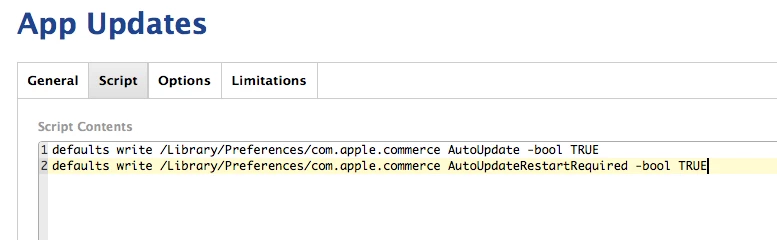
On the currently supported macOS versions (10.11+), when App Store preferences are configured as you've described in the original post, updates that do not require a restart are automatically downloaded and installed. Updates that require a restart are downloaded and cached. Once cached, macOS displays reminders in Notification Center urging the user to restart. The update(s) will install at the next restart.

The methods I described in my previous post are useful when the macOS Notification Center reminders are ignored by users.


Forum|alt.badge.img+6
  • Author
  • Contributor
  • February 7, 2018

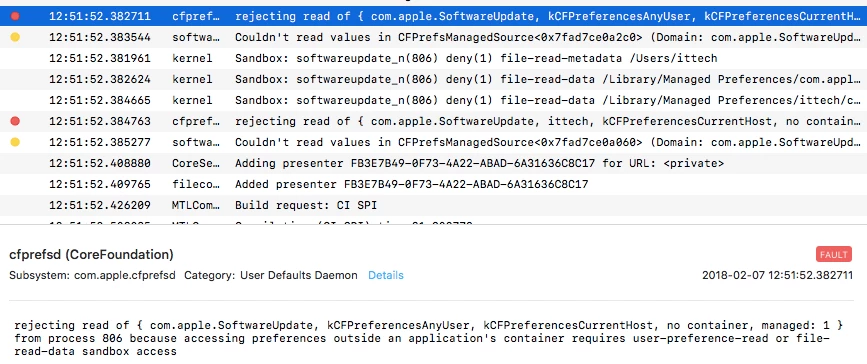
It never did do the security update after a restart. It looks like this method may not be a viable solution anyway because it did not do any updates at all on a 10.13 client. See errors from console. Back to the drawing board I guess.


Forum|alt.badge.img+23
  • Valued Contributor
  • February 7, 2018

That looks like some sort of permissions issue. It's doesn't appear that software update is failing, but rather, it's not able to read its preferences. I'd suggest examining how those preferences are being set and anything else on the Mac that may be affecting cfprefsd. softwareupdate, or the files these tools need to reference.


Forum|alt.badge.img+13
  • Honored Contributor
  • February 7, 2018

@mccallister

we use a similar profile along with a profile for an internal SUS and the update installed. What you could do to test , would be to get a machine that is setup the way you would like it to be. Grab the plist and use mcxToProfile to generate the mobileconfig. Upload and test. This was on 10.12.6