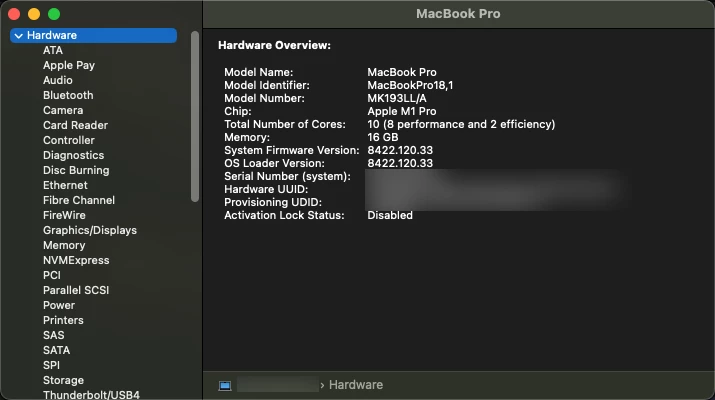
The hardware overview says the same. Z12U000SEFN/A is a valid model number though, it's a built-to-order Mac with following specs: Apple BTO IMAC 24" M1‑chip 8C CPU/8C GPU 16GB, 256GB GIGABIT MM MAGIC KBD TOUCH ID NUM AZERTY - GREEN
Each model ID would need to be accounted for in the script.
Just add more and update the existing if statements to turn MK193LL/A in to the color verb you are wanting.
You need to add something like this, and you would need an if statement for each model number you want to cover. I would also put an if statement for if the Model Number does not equal one of your options so the script does not error. Id also add a function to skip all this mess if its not an iMac.
#!/usr/bin/env bash
serialNumber=$(system_profiler SPHardwareDataType | awk '/Serial/ {print $4}')
modelNumber=$(system_profiler SPSoftwareDataType SPHardwareDataType | awk '/Model Number/ {print $3}')

if [ "Z12U000SEFN/A" == "$modelNumber" ]
then
	echo "Someone got a ping iMac"
	scutil --set ComputerName "pink $serialNumber"
else
	echo "thank god its not pink"
fi

if [ "MK193LL/A" == "$modelNumber" ]
then
	echo "Good, someone has the only correct color; space gray"
	scutil --set ComputerName "Space Gray $serialNumber"
else
	echo "Its not space gray?!?! What is wrong with this person"
fi
This will probably turn in to a reasonable long script, but thankfully it should not be a complicated one and it will repeat a lot. So once you have the verbiage down its just copy past and make adjustments.