Question

Setting Safari Homepage in Mojave with SIP

  • April 29, 2019
  • 42 replies
  • 177 views

Show first post

42 replies

bwoods
Forum|alt.badge.img+14
  • Honored Contributor
  • July 4, 2020

@sdagley and @a.holley. Apologies for not responding. Jamf created a Jamf ID for me and I can't access my old account. I'm noticing that my script above doesn't work anymore until I grant full disk access to my Code Runner in 10.15.5. I still need to test it while running from Jamf. This post gave me some help with this https://discussions.apple.com/thread/8637915.


bwoods
Forum|alt.badge.img+14
  • Honored Contributor
  • July 4, 2020

@a.holley just tested, my original script using Jamf, it still works. I think you may need to reconfigure your PPPC settings to give the jamf binary full disk access to your builds. You should be able to fix this with the PPPC utility. @jhorn SIP is still enabled on all of my builds.

When testing with Code Runner, remember to add "sudo" to the commands. You also need to ensure that safari is closed during testing. Please reach out if you need any help with this. I am now @bwoods.


Forum|alt.badge.img+5
  • Contributor
  • May 12, 2021

Anyone confirm this is working for them with Safari 14.x? I get:

2021-05-12 15:37:27.894 defaults[46370:361899] Rep argument is not a dictionary Defaults have not been changed.

even when running locally….


bwoods
Forum|alt.badge.img+14
  • Honored Contributor
  • May 14, 2021

Script above is still working.


Forum|alt.badge.img+3
  • New Contributor
  • February 7, 2022

Script above is still working.


@bwoods, If we relaunch the safari again it opens with the default apple page. 


bwoods
Forum|alt.badge.img+14
  • Honored Contributor
  • February 7, 2022

@user-aj what OS version are you running? What is the output of the script?


Forum|alt.badge.img+3
  • New Contributor
  • February 7, 2022

@user-aj what OS version are you running? What is the output of the script?


MacOS Monterey, it relaunched once with the correct homepage and in safari preferences it shows the default one. After quitting the safari and relaunch it going to the default again.

bwoods
Forum|alt.badge.img+14
  • Honored Contributor
  • February 7, 2022
MacOS Monterey, it relaunched once with the correct homepage and in safari preferences it shows the default one. After quitting the safari and relaunch it going to the default again.

Will do some testing. Haven't looked into this on Monterey yet. Will get back to you.


bwoods
Forum|alt.badge.img+14
  • Honored Contributor
  • February 24, 2022
MacOS Monterey, it relaunched once with the correct homepage and in safari preferences it shows the default one. After quitting the safari and relaunch it going to the default again.

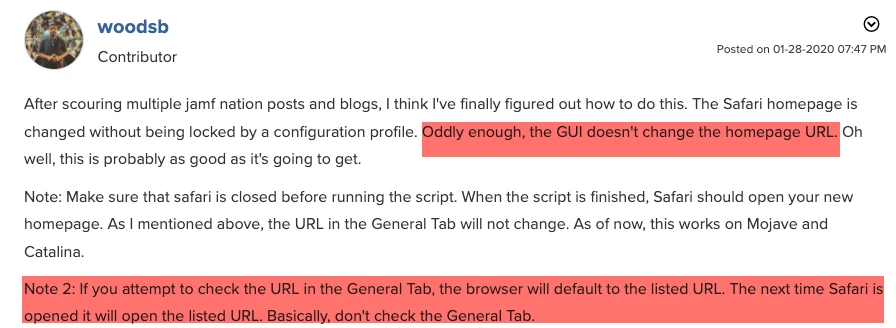
@user-aj It works the same for me on Monterey, but I do understand what you're saying. I mentioned this behavior when I initially created the script. You can't check the safari preferences, or it will revert. Haven't figured a way around this.


sdagley
Forum|alt.badge.img+25
  • Jamf Heroes
  • February 24, 2022
MacOS Monterey, it relaunched once with the correct homepage and in safari preferences it shows the default one. After quitting the safari and relaunch it going to the default again.

@user-aj Unless you're looking to set the Safari home page and not prevent your users from (easily) changing it the Configuration profile approach mentioned by @jconte earlier in this post works in Monterey.


bwoods
Forum|alt.badge.img+14
  • Honored Contributor
  • February 24, 2022

@user-aj Unless you're looking to set the Safari home page and not prevent your users from (easily) changing it the Configuration profile approach mentioned by @jconte earlier in this post works in Monterey.


Yeah, a configuration profile is the way to go if you don't want them to change it. My org just wants the landing page for the initial setup. They can change it whenever they like afterward.


Forum|alt.badge.img+3
  • New Contributor
  • February 25, 2022

Yeah, a configuration profile is the way to go if you don't want them to change it. My org just wants the landing page for the initial setup. They can change it whenever they like afterward.


Our requirement is to land the home page for initial setup and change it afterward. After testing it listed the homepage once launched, but gone without changing it


sdagley
Forum|alt.badge.img+25
  • Jamf Heroes
  • February 25, 2022

Our requirement is to land the home page for initial setup and change it afterward. After testing it listed the homepage once launched, but gone without changing it


@user-aj You could use a Configuration Profile to make the initial setting, and then provide a Self Service mechanism to exclude the user from that Configuration Profile to "unlock" the setting.


bwoods
Forum|alt.badge.img+14
  • Honored Contributor
  • February 25, 2022

Our requirement is to land the home page for initial setup and change it afterward. After testing it listed the homepage once launched, but gone without changing it


For my script, you basically just have to avoid checking the URL in Safari preferences. If you don't check, it'll open on your page every time. I figured if a user is going into Sefari prefs and checking the URL, they're going to change it anyway. 


Forum|alt.badge.img+7
  • Valued Contributor
  • July 15, 2022

@bwoods 

I believe the script stopped working since the elimination of Python 2 in (I believe) 12.3.


Forum|alt.badge.img+7
  • Valued Contributor
  • July 18, 2022

Changing the CurrentUser variable to 

CurrentUser=`stat -f "%Su" /dev/console`

fixed the issue


bwoods
Forum|alt.badge.img+14
  • Honored Contributor
  • July 19, 2022

@bwoods 

I believe the script stopped working since the elimination of Python 2 in (I believe) 12.3.


Forgot to post this since that change: 


#!/bin/bash HomePage='http://jamfnation.com' CurrentUser=$( scutil <<< "show State:/Users/ConsoleUser" | awk '/Name :/ && ! /loginwindow/ { print $3 }' ) # Set Safari Homepage com.apple.Safari defaults write /Users/$CurrentUser/Library/Containers/com.apple.Safari/Data/Library/Preferences/com.apple.Safari.plist HomePage -string $HomePage defaults write /Users/$CurrentUser/Library/Containers/com.apple.Safari/Data/Library/Preferences/com.apple.Safari.plist NewWindowBehavior -int 0 defaults write /Users/$CurrentUser/Library/Containers/com.apple.Safari/Data/Library/Preferences/com.apple.Safari.plist NewTabBehavior -int 0 chown $CurrentUser /Users/$CurrentUser/Library/Containers/com.apple.Safari/Data/Library/Preferences/com.apple.Safari.plist # Flush Preference Cache killall cfprefsd