

Let me start by saying I had no training, no Jump start and Jamf Admin documentation is very limited on details.
I'm running Casper Suite 9.96 and I'm stuck with thick imaging since the 120 systems I have are of all ages but fully functional.
I've got the NetBoot image in place (10.12 since I can't get 10.10 to work with Casper Imaging), Prestage configuration is based on serial number (Changes computer name, Image automatically enabled, erases the drive, boots to it afterwards, uses admin account created from the configuration, installs 4 pkgs, runs the 2 scripts mentioned below, installs a printer and creates 2 local accounts ), Casper Imaging starts and it's deploying the dmg created with Autocaspernbi.
The issue I'm having is running post imaging scripts and dock items from policy (Triggers used:)
Enrollment Complete, set to run once per computer). Specifically, the policy I have to execute the scripts is launching and executing but I'm getting mixed results. For one, one of the scripts is supposed to disable Wifi, another is supposed to enable cups, the dock items should be removed to bare minimum and it's supposed to check and install any updates (From Apple servers). 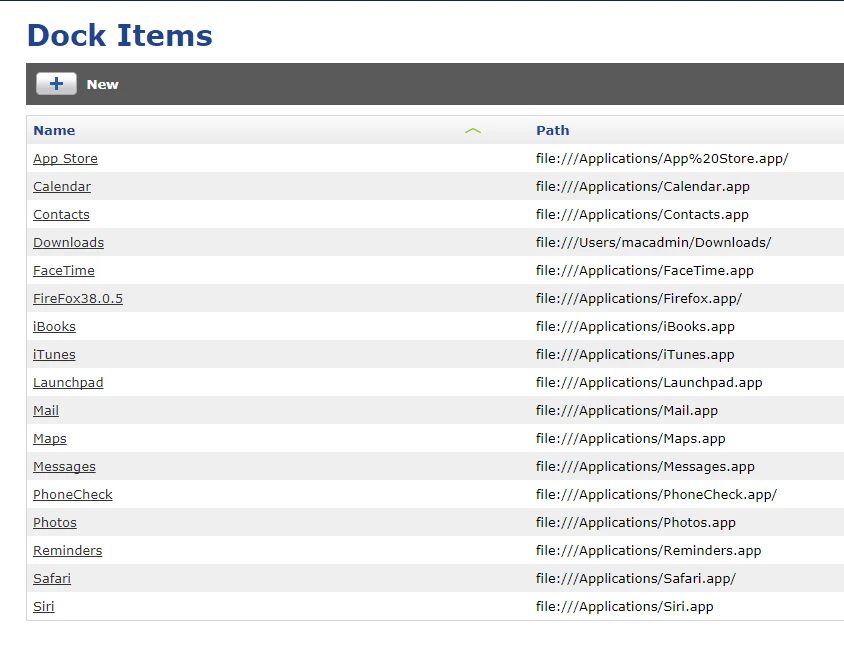
What I end up is that cups is enabled but some dock items are replaced with '?', others aren't removed at all and wifi is still enabled.
Here is the script to disable wifi:
WFINT=$(networksetup -listallhardwareports | awk ' /Airport|Wi-Fi/ {getline; print $NF }')
if [ "$WFINT" != "" ]; then
echo "Disabling Wi-Fi on $WFINT"
networksetup -setairportpower $WFINT off
fi
What am I doing wrong?

