Question

Share how to disable help us improve Microsoft office 2016 pop up on - Mac. How can I turn this off automatic?

  • January 18, 2019
  • 6 replies
  • 32 views

Forum|alt.badge.img+5

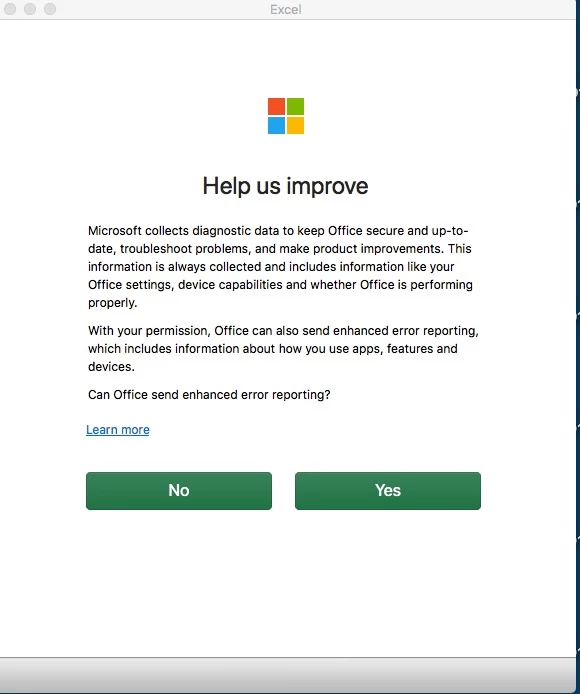
The Office problem - First time I open Word or Excel, a pop up appears asking me if I want to Share Help US Improve
.
I don't want this pop up to appear.

Regards,
Sidharth Bhalla.

6 replies

dsavageED
Forum|alt.badge.img+8
  • New Contributor
  • January 18, 2019

It's likely related to an article previously on https://derflounder.wordpress.com/ so you should be able to use a custom Configuration Profile.


Forum|alt.badge.img+13
  • Contributor
  • January 18, 2019

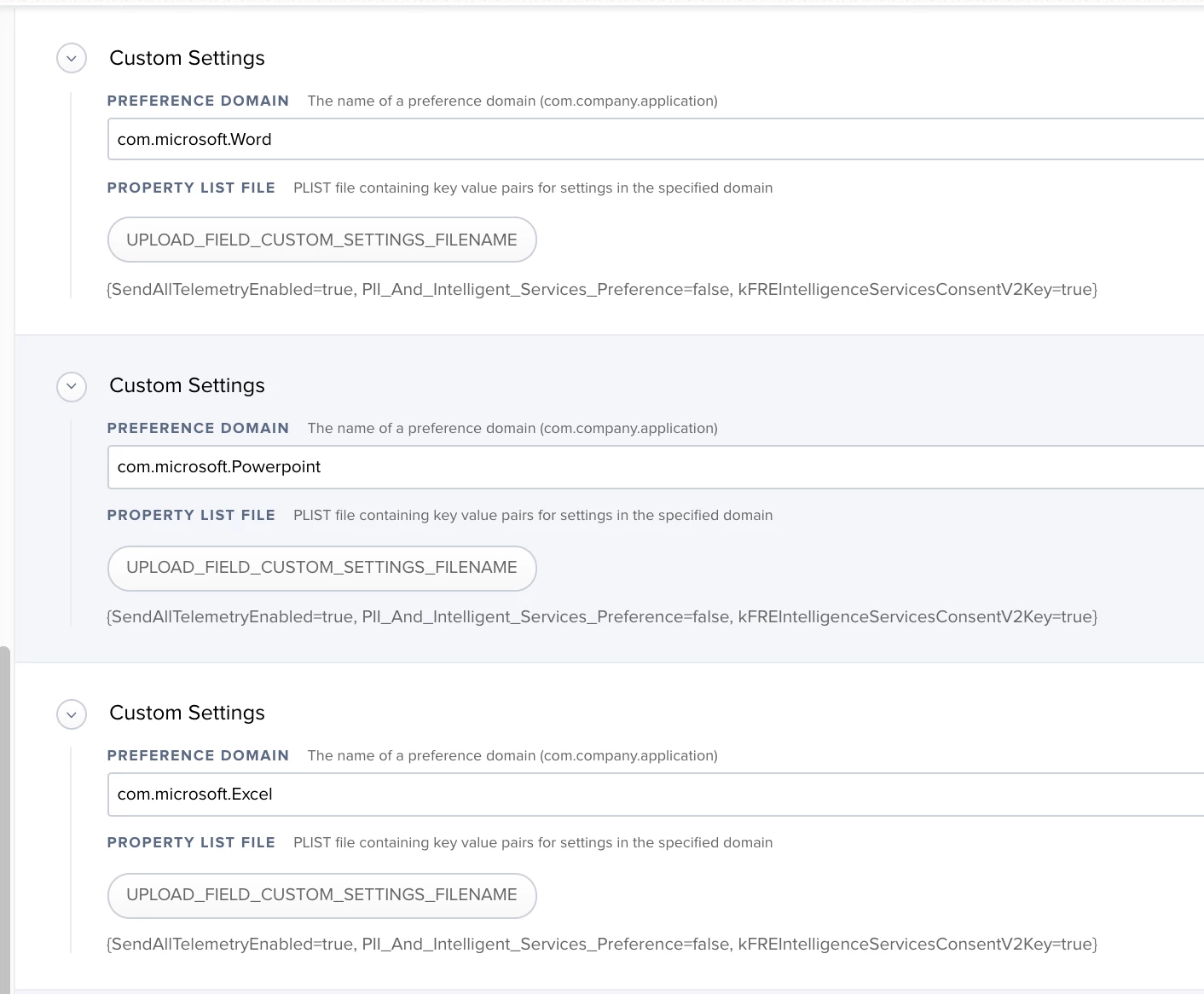
You need to set the following pref keys in each office app's preferences domain: PII_And_Intelligent_Services_Preference=false and kFREIntelligenceServicesConsentV2Key=true.

That will stop the prompt from appearing. Keep in mind you need to set it for each office application installed.

Edit: I need another coffee, I swear I thought I saw you were trying to suppress the intelligent services dialog. Please disregard my post.


mm2270
Forum|alt.badge.img+24
  • Legendary Contributor
  • March 14, 2019

Reviving this thread because, I have all the setting Rich mentions in his blog here installed via Config Profile, but it does not suppress these particular "Help us improve" windows for Office 2019. Maybe it worked under the previous 2016 versions, but if so, it doesn't anymore.

I'm trying to figure out what settings get applied after each app is launched and we dismiss those dialogs so they don't show up again. I thought I had it, but apparently not, because after a fresh setup, and making sure all the necessary profiles were in place, those windows still come up :(
Anyone figure this one out and willing to share? If I manage to come up with something that works, I will definitely post back with the solution.


Forum|alt.badge.img+9
  • Valued Contributor
  • April 23, 2019

@mm2270 you ever figure out how to suppress the help us improve popup? i'm running into this after migrating users from CND office 2019 to VPP.


JoshRouthier
Forum|alt.badge.img+8
  • Valued Contributor
  • April 24, 2019

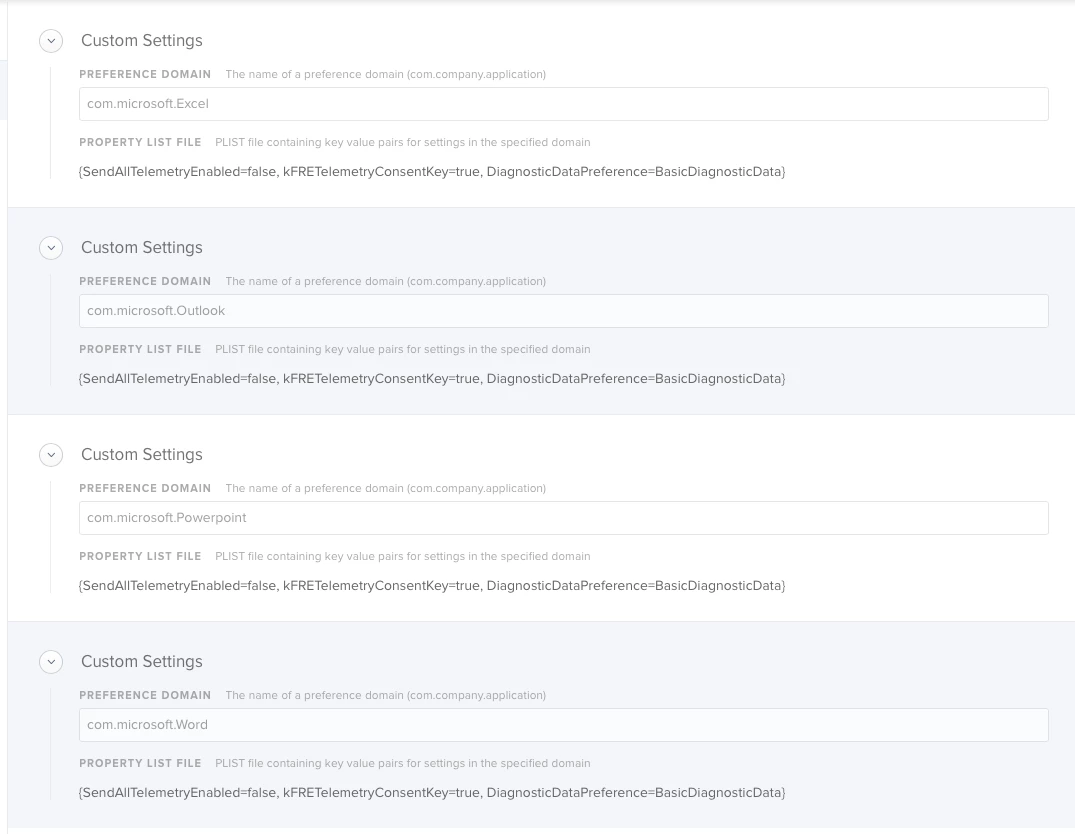
I actually just stumbled across setting this in a Jamf webinar video on "How to manage Microsoft Office 2019 for Mac" and @pbowden shows the 3 keys for disabling the "Help Us Improve" dialog. The settings are app specific, so you will need to specify them for each app domain.
- SendAllTelemetryEnabled (-bool True/False)
- kFRETelemetryConsentKey (-bool True/False)
- DiagnosticDataPreference (-string BasicDiagnosticData/FullDiagnosticData)

Hopefully this helps!

.


Forum|alt.badge.img+9
  • Valued Contributor
  • April 25, 2019

@JoshRouthier

Thanks a Ton this absolutely helped. After at CDN to MAS migration these started popping up. No MAS!