Question

Show off your reporting dashboard!

  • May 4, 2020
  • 64 replies
  • 543 views

Forum|alt.badge.img+23

Jamf Pro has built-in dashboards, but many admins want the flexibility of Business Intelligence (BI) or reporting tools. JNUC 2019 introduced integrations with some of the most popular tools. We have been hard at work creating resources to help you get the most out of your data, and now we want to see your dashboard!

If you have a great dashboard to share, please post it here! If you have tips or tricks that helped you build it, share it with your fellow admins. Remember to sanitize any sensitive data before posting.

Integrating Jamf with Splunk

64 replies

Forum|alt.badge.img+3

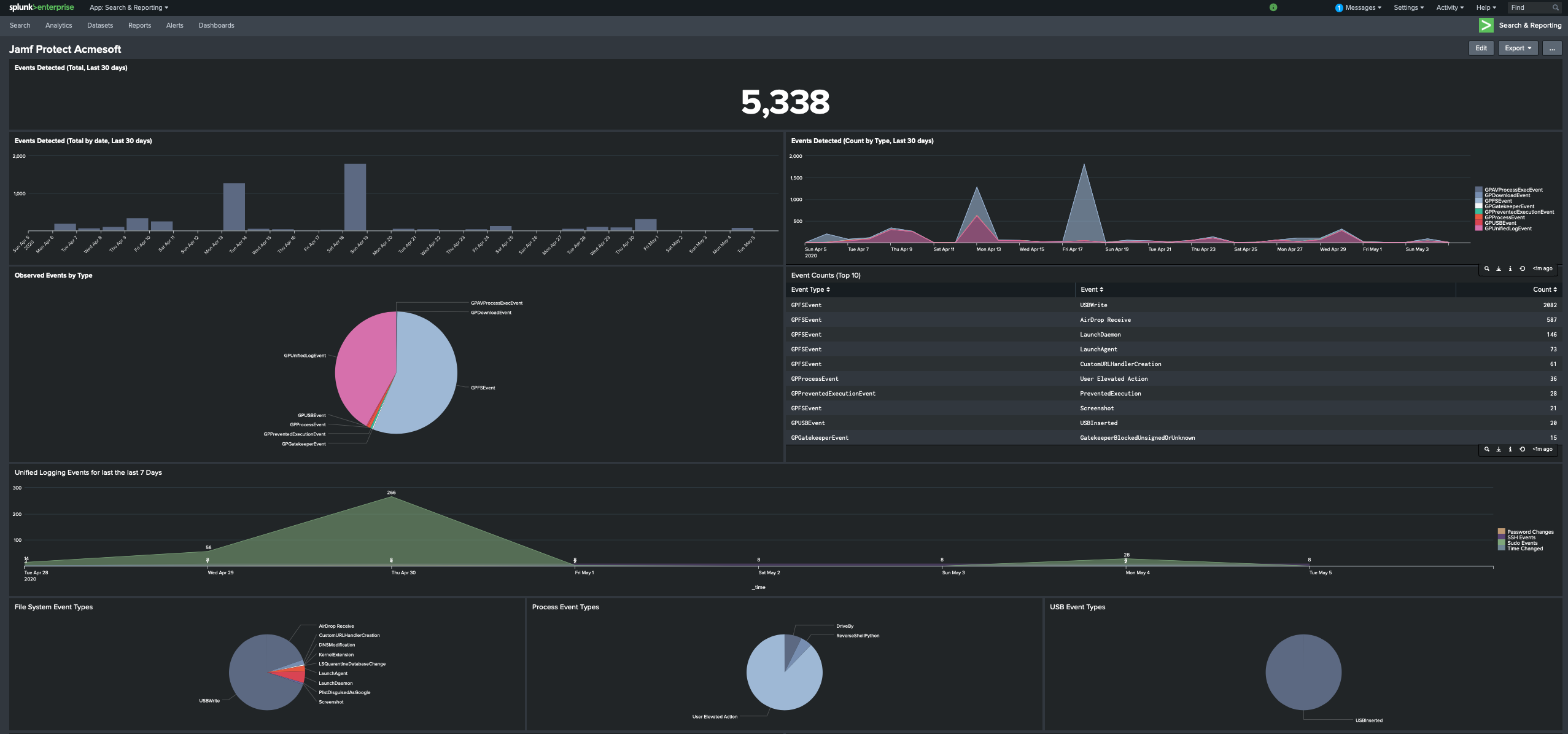
This is an example dashboard that I use for Jamf Protect with Splunk! I know that using Splunk as a SIEM is a standard for most SOCs and the data was easy to search and create visualizations. Really looking forward to see others dashboards for inspiration!


DBrowning
Forum|alt.badge.img+25
  • Esteemed Contributor
  • May 5, 2020

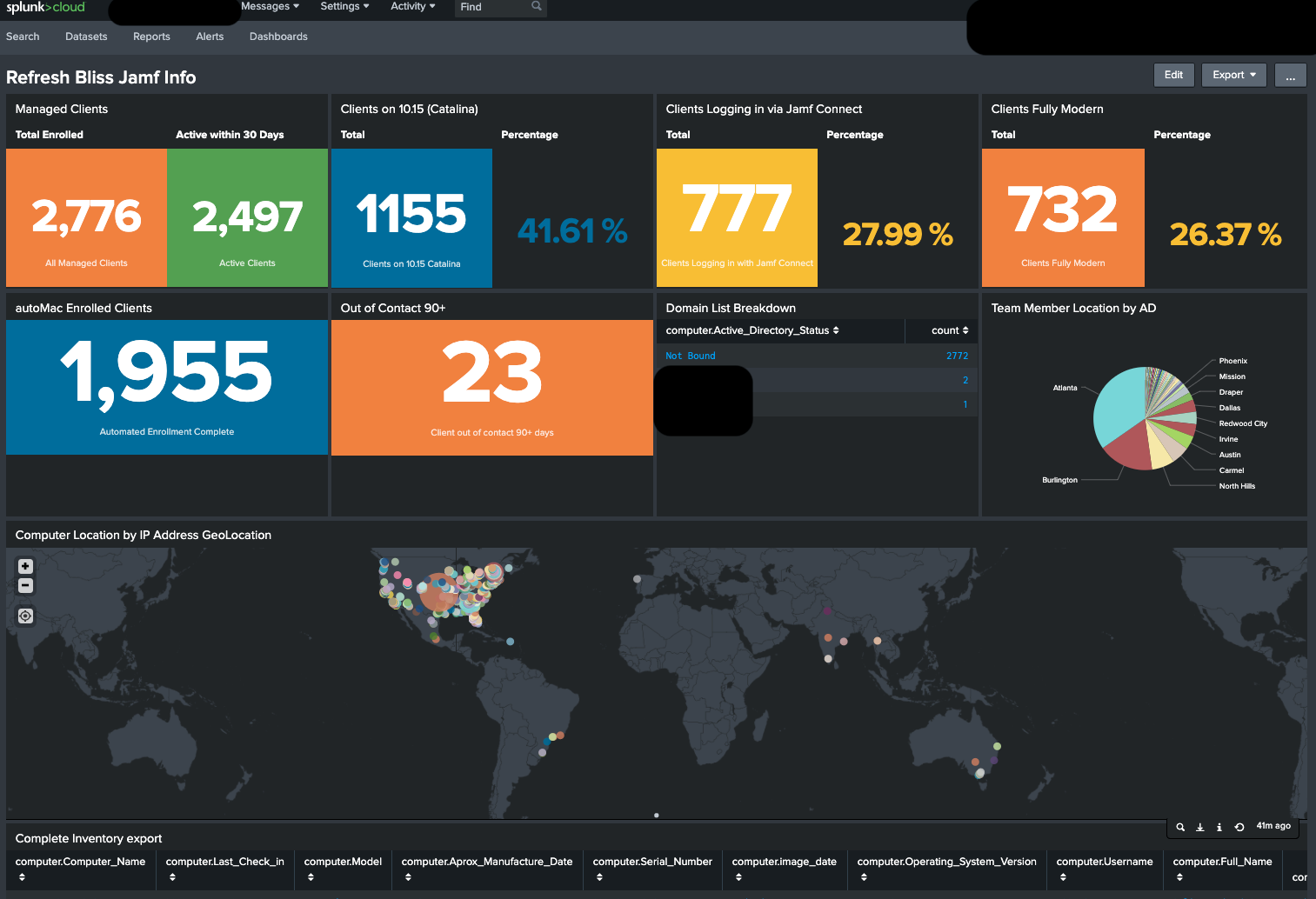
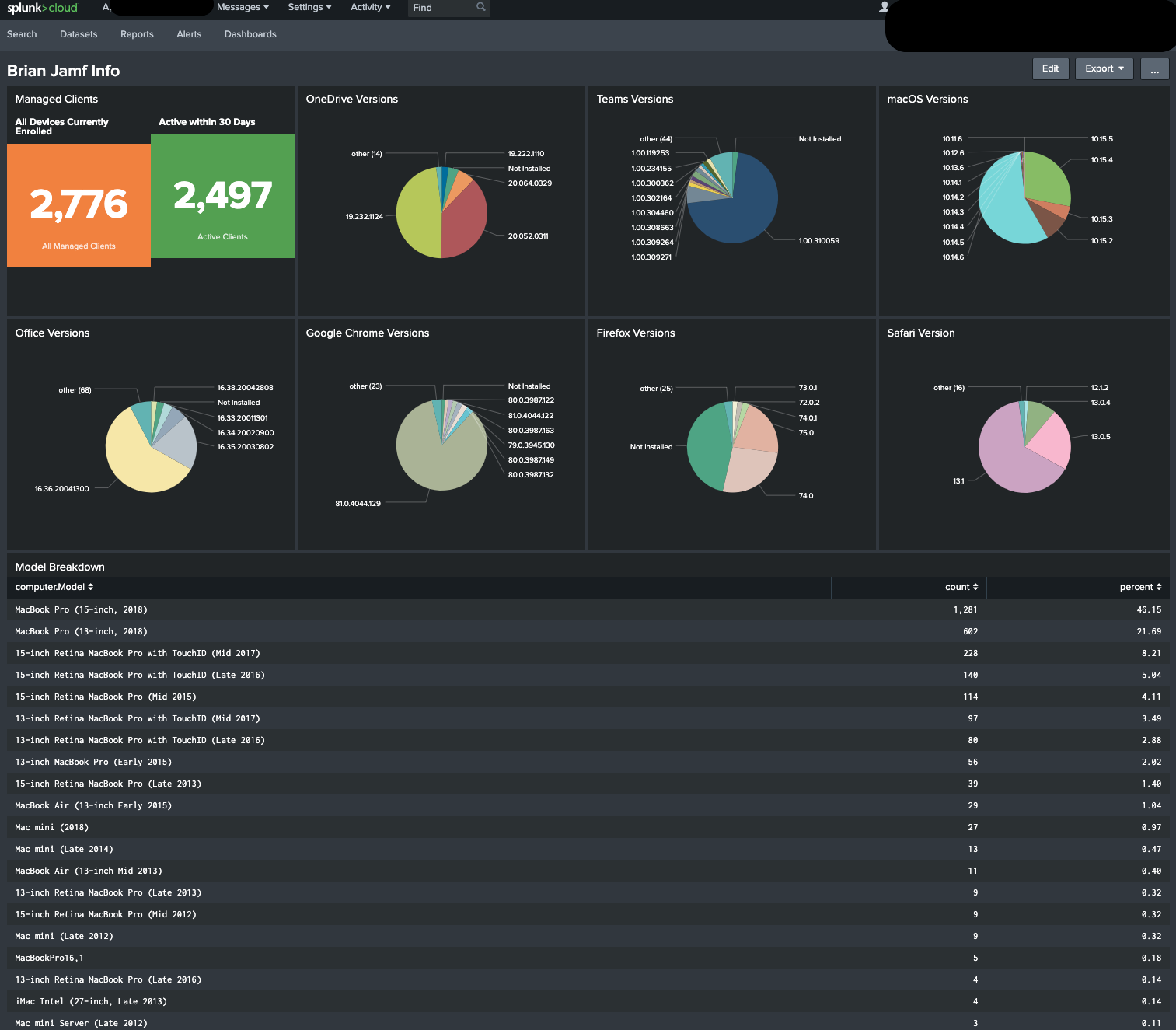
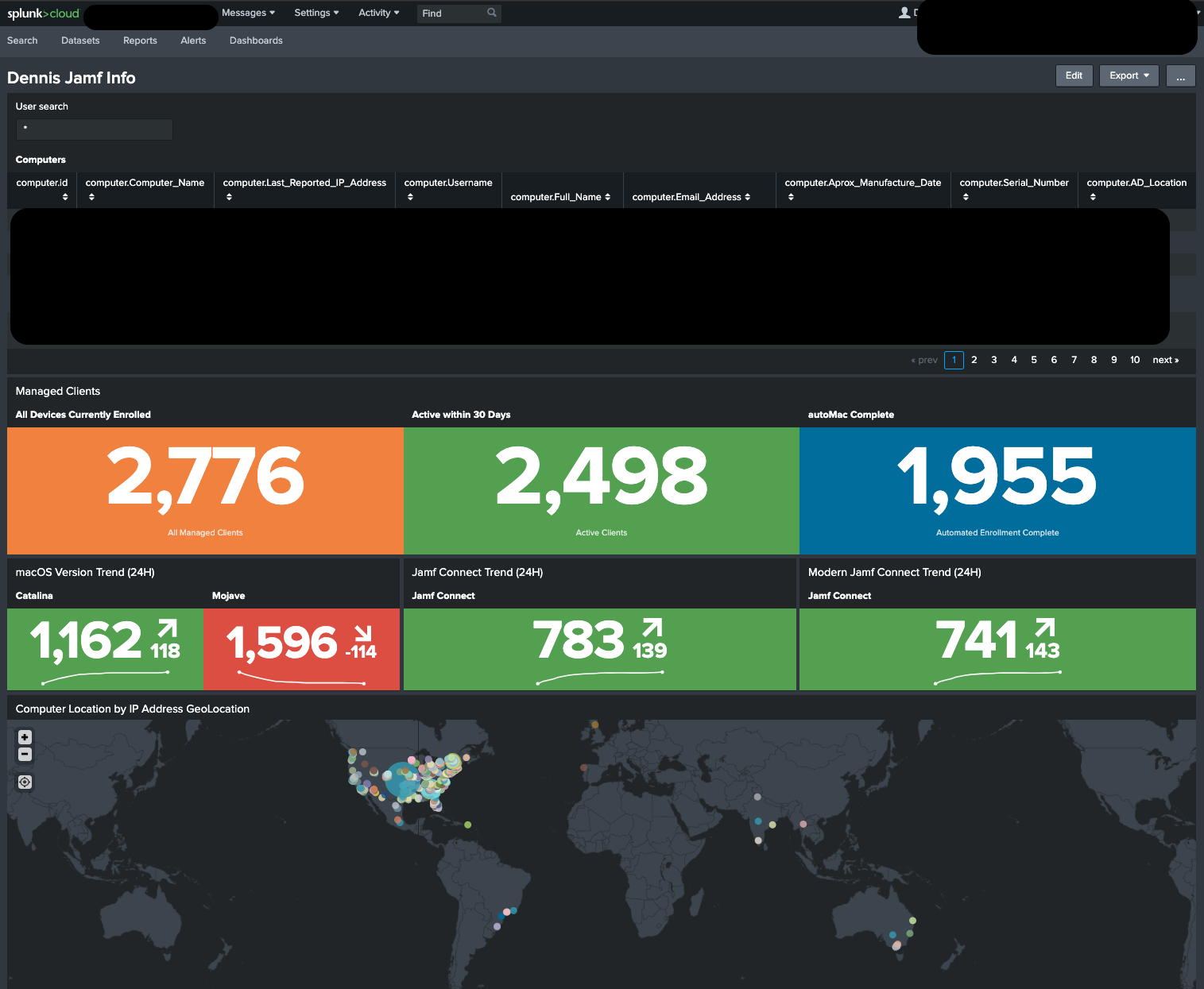
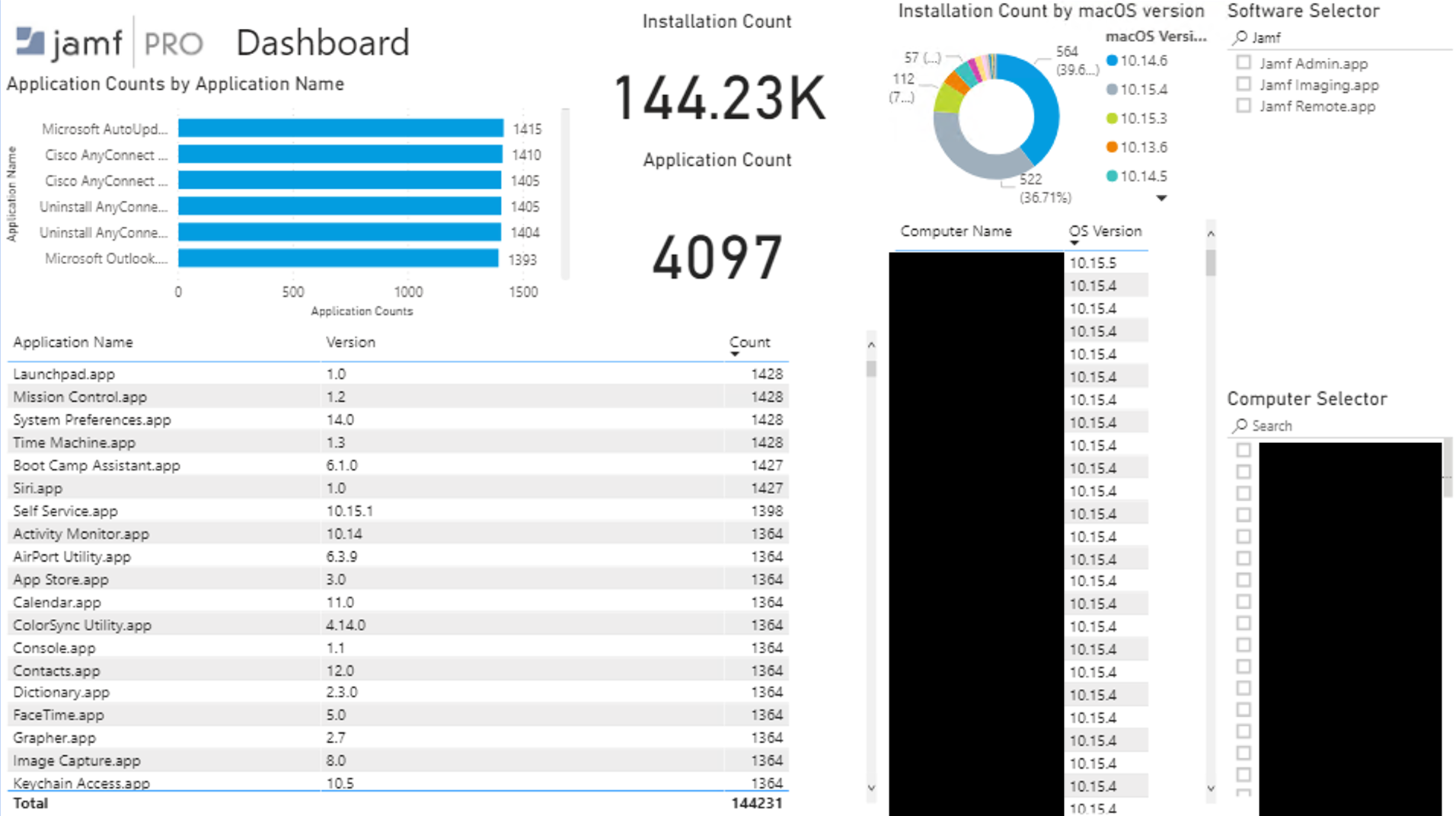
Here are a some we use.


Forum|alt.badge.img+9
  • Employee
  • May 5, 2020

Mind sharing the search string that split off the App Versions from the app?


DBrowning
Forum|alt.badge.img+25
  • Esteemed Contributor
  • May 5, 2020

assuming you have the jamf splunk plugin installed. We have an Extension Attribute to pull versions of the apps we care about. Those EAs are listed in the advance search that splunk reads. Then its a pretty simple search:

index=name sourcetype=JamfModularInput | rare limit=20000 "computer.*EA_Name*"

Forum|alt.badge.img+9
  • Employee
  • May 6, 2020

Darn, If you are pulling from /JSSResrouce/computers the data comes in as a nested object in computers.applications.application and I have been having a hard time wrangling this.


ThijsX
Forum|alt.badge.img+20
  • Employee
  • May 11, 2020

@ddcdennisb Just curious, where did you get those funky colour themes for Splunk?


DBrowning
Forum|alt.badge.img+25
  • Esteemed Contributor
  • May 11, 2020

@txhaflaire are you talking about the colors used for the Numbered items like these?


ThijsX
Forum|alt.badge.img+20
  • Employee
  • May 11, 2020

@ddcdennisb Exactly and can you share the query you use for the active within 30 days and inactive for 90+ days ?


DBrowning
Forum|alt.badge.img+25
  • Esteemed Contributor
  • May 11, 2020

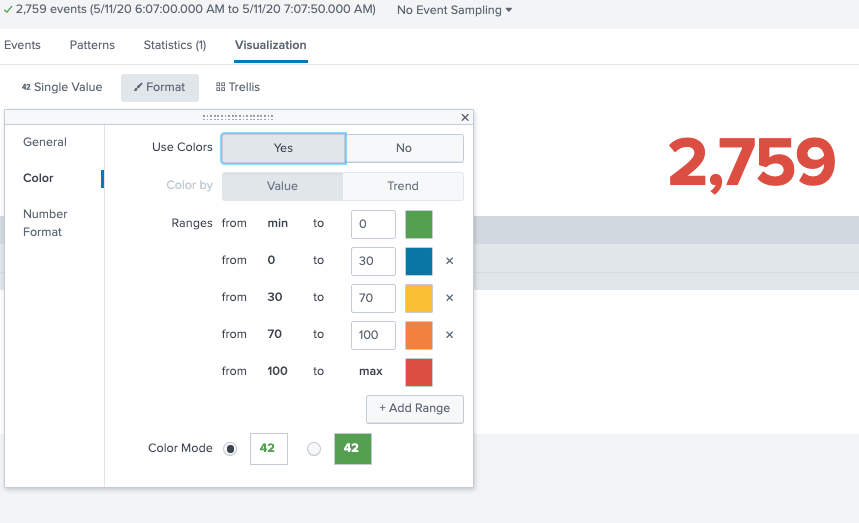
@txhaflaire For the colors, Its a single Value Visualization. When you looking at the format for it, you can Set colors for the values.

For the Active 30 Days and Inactive 90+, I have smart groups that are part of my Advanced search that Splunk reads its data from. So the search is like this:

index=app sourcetype=JamfModularInput computer.Computer_Group.Computer_Group_Membership.Group!="Out of Contact 30+"|rare limit=20000 "computer.name" | stats sum(count)

and

index=app sourcetype=JamfModularInput computer.Computer_Group.Computer_Group_Membership.Group="Out of Contact 90+" | rare limit=20000 computer.name | stats sum(count)

bejohnson
Forum|alt.badge.img+4
  • New Contributor
  • May 11, 2020

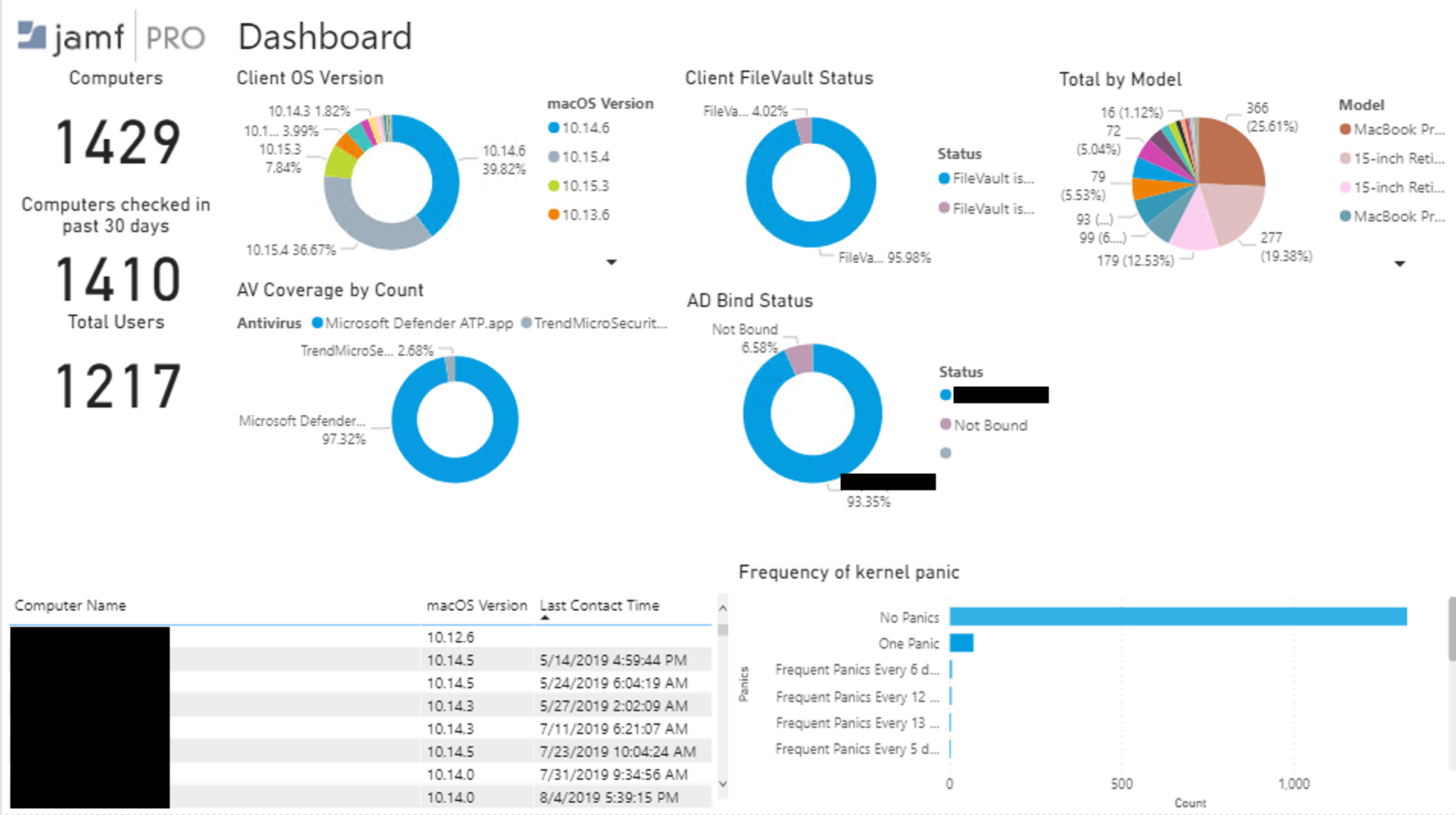
Here is one that I have been working on that is still growing. I'm using PowerBI for the reports using the published Jamf Pro PowerBI connector.


Forum|alt.badge.img+1
  • New Contributor
  • May 11, 2020

This search time regex worked for me for pulling the version of an application:

| rex "<Available_Update>Google Chrome.app</Available_Update><Application_Version>(?<Ex_Chrome_Version>[^<]*)"

Basically says look for this string about Google Chrome, then grab everything after the "Application_Version" until you see a less than sign (which denotes the beginning of the end tag for "Application_Version"). Hop this helps you all in extracting versions.


Forum|alt.badge.img+15
  • Valued Contributor
  • May 11, 2020

@bejohnson That looks great! I haven't even looked at using Splunk in my environment, but, the dashboard you have looks like something that would put permanent ear-to-ear grins on my Management.

Does anyone have any links to detailed instructions on how to install, configure, and, setup Splunk/dashboards? I would greatly appreciate it. Thanks!


Forum|alt.badge.img+23
  • Author
  • Employee
  • May 11, 2020

Forum|alt.badge.img+15
  • Valued Contributor
  • May 11, 2020

Thank you @jamf_sam! I'm certainly going to look into it.


ThijsX
Forum|alt.badge.img+20
  • Employee
  • May 12, 2020

@ddcdennisb Ah check! can you show screenshots of the Jamf Pro side, as i can't select in an Advanced Search to export the Computer Group, i can but only under the tab "Export Only".

Or did you create an particular Advanced Search with computers member of that group and create an new modular input in Splunk?


DBrowning
Forum|alt.badge.img+25
  • Esteemed Contributor
  • May 12, 2020

@txhaflaire For my advanced search I used the "Export Only" checkbox for Computer Group. When Splunk pulls the data, the groups are in there.


Forum|alt.badge.img+19
  • Valued Contributor
  • May 12, 2020

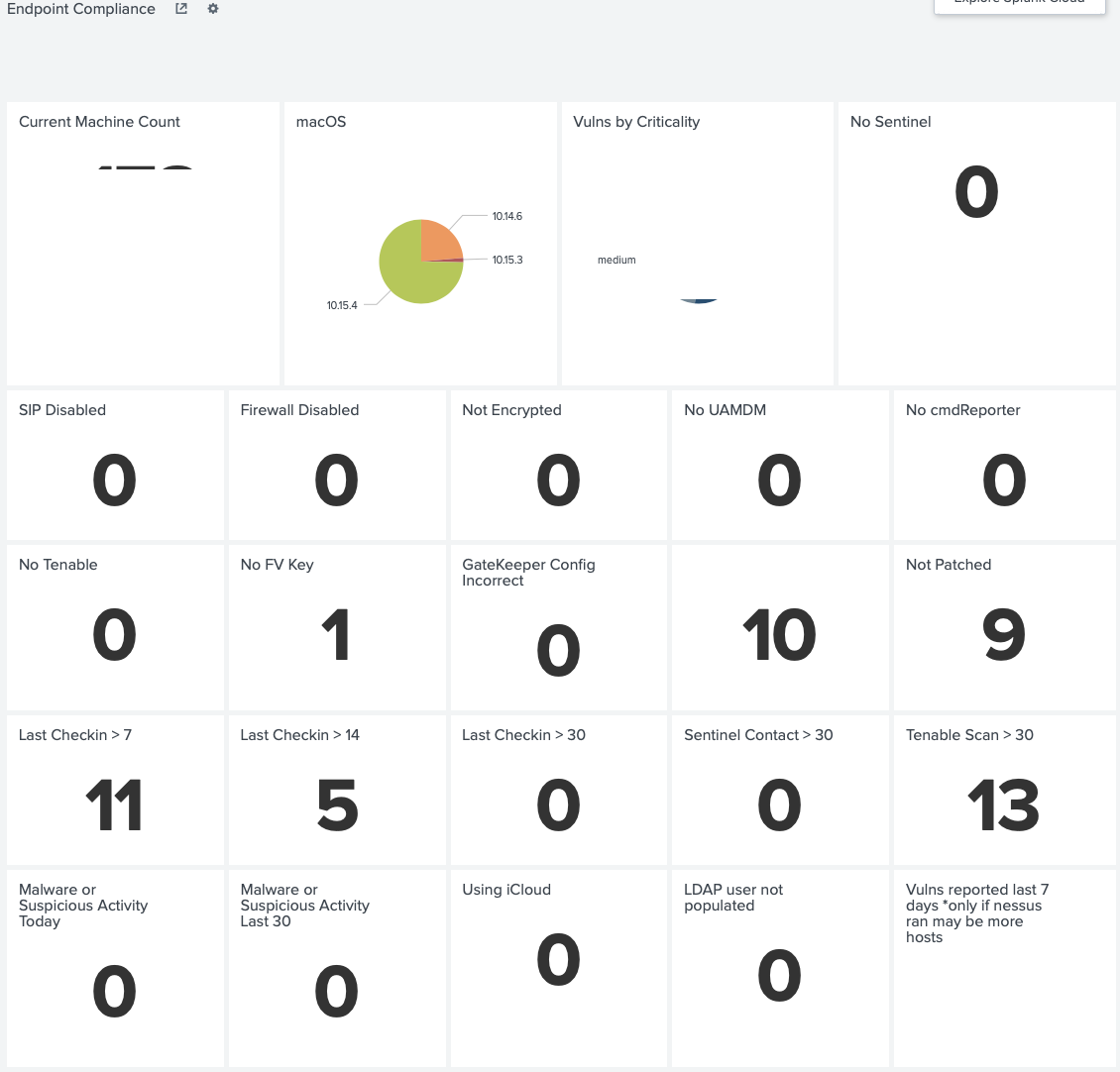
One of our dashboards... with redactions


mgshepherd
Forum|alt.badge.img+11
  • Contributor
  • May 14, 2020

These are some great dashboards. @bejohnson , I see you're tracking frequency of Kernel Panics. How often is JAMF collecting inventory from your machines? weekly?


bejohnson
Forum|alt.badge.img+4
  • New Contributor
  • May 20, 2020

@mgshepherd A python script is used as an Extension Attribute result so the output is due to the averaging of results in the script.


jmahlman
Forum|alt.badge.img+17
  • Valued Contributor
  • July 21, 2020

@bejohnson What does your EA look like?


Forum|alt.badge.img+6
  • New Contributor
  • July 22, 2020

I also would be interested in the EA if you can share since we would like to track KPs as well.


bejohnson
Forum|alt.badge.img+4
  • New Contributor
  • July 22, 2020

@jmahlman This was implemented by @jhbush before I was here. He made a comment in this post https://www.jamf.com/jamf-nation/discussions/23976/kernal-panic-reporting


Forum|alt.badge.img+8
  • New Contributor
  • July 22, 2020

@bejohnson mind sharing how you configured that dashboard with PowerBI?


Forum|alt.badge.img+23
  • Author
  • Employee
  • July 22, 2020

@evaldes We just published a Power BI segment in our Jamf Pro Reporting Solution series on YouTube.

Here is a link to Part 1 for Power BI.
You can see an overview of all our reporting solution videos here.


Forum|alt.badge.img+8
  • New Contributor
  • July 22, 2020

@jamf_sam thanks! I was in the web series at 6am lol... it sparked my interest doing the Reporting, and yeah I have been building the dashboard from scratch lately, and I'm no expert but having fun with this...