Solved

Software restriction does not work - help - Mojave

  • September 25, 2018
  • 7 replies
  • 62 views

Forum|alt.badge.img+4

Hello,

we want to block the MacOS Mojave update. I scope to all devices and set the Software restrictions as following:
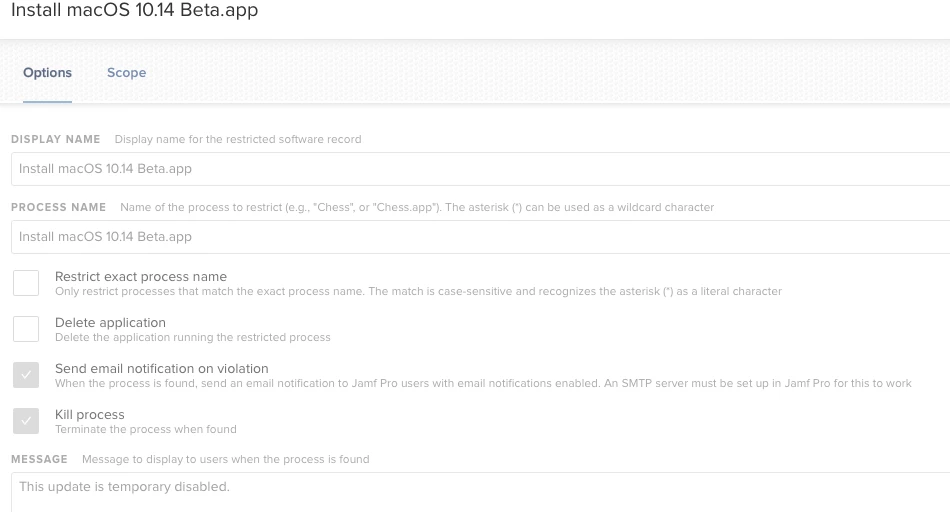
I made 3 additional restrictions which block:

Mojave
installAssistent
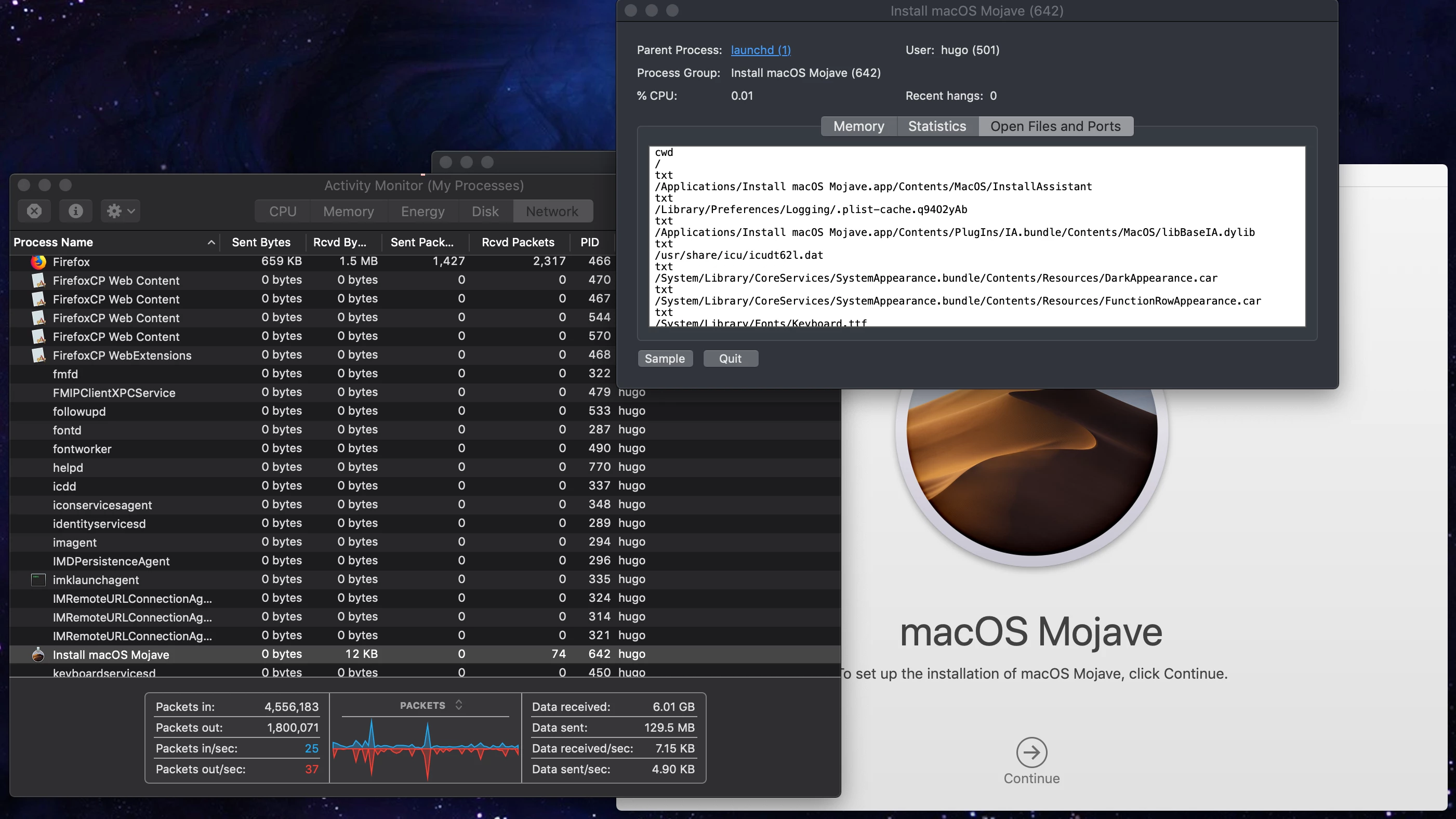
osinstallersetupd (process found in activity monitor)

I can still load it from the AppStore and install if after it. What am I doing wrong?

Best regards
Maurice Fiedler

Best answer by nateburt

"macOS Mojave.app" is the name of the download I just got from the App Store

Correction: it downloaded without "Install", but is now named "Install macOS Mojave.app" - which follows their conventional naming.

7 replies

Forum|alt.badge.img+8
  • Contributor
  • Answer
  • September 25, 2018

"macOS Mojave.app" is the name of the download I just got from the App Store

Correction: it downloaded without "Install", but is now named "Install macOS Mojave.app" - which follows their conventional naming.


Hugonaut
Forum|alt.badge.img+15
  • Esteemed Contributor
  • September 25, 2018

I always approach with both the Process name & application.

'Restrict Exact Process Name' & restrict the process 'Install macOS Mojave' - should do the trick


Forum|alt.badge.img+26
  • Honored Contributor
  • September 25, 2018

My restricted software is preventing Mojave updates.

The Process Name is set to:

Install macOS Mojave.app

I have set "Restrict exact process name" enabled.

I have not tested if the results are the same if you do not include the file extension ".app".


Forum|alt.badge.img+4
  • Author
  • Contributor
  • September 26, 2018

Thank you guys it finally worked. We added all your suggestions. As @Hugonaut said it is probably the best to add as much as possible :)


Hugonaut
Forum|alt.badge.img+15
  • Esteemed Contributor
  • September 26, 2018

Glad to help!


rstasel
Forum|alt.badge.img+13
  • Valued Contributor
  • November 26, 2018

Anyone finding this not working recently? I've got Jamf Pro 10.8, and it just DOESN'T work. Created 4 different restrictions based on InstallAssistant, osinstallersetupd, "Install macOS Mojave" and "Install macOS Mojave.app". I can still launch the installer on machines. =-/


rstasel
Forum|alt.badge.img+13
  • Valued Contributor
  • November 26, 2018

Oh, no, it works (sorta). Clearly jamf is just looking at running processes every 30 seconds or so and killing any disallowed ones it finds. =/