Question

“This Apple ID Can’t Be Used to Purchase Apps” pop-up

  • June 26, 2019
  • 5 replies
  • 70 views

Forum|alt.badge.img+7

Setting up new student iPads with federated Apple IDs and everything is working great EXCEPT that the “This Apple ID can’t be used to purchase apps” message pops up on the screen every two minutes.
Somebody please tell me there is a way to make this stop. TIA!

5 replies

Forum|alt.badge.img+19
  • Contributor
  • June 26, 2019

Are you scoping apps to the devices without specifying VPP?


Forum|alt.badge.img+7
  • Author
  • Contributor
  • June 26, 2019

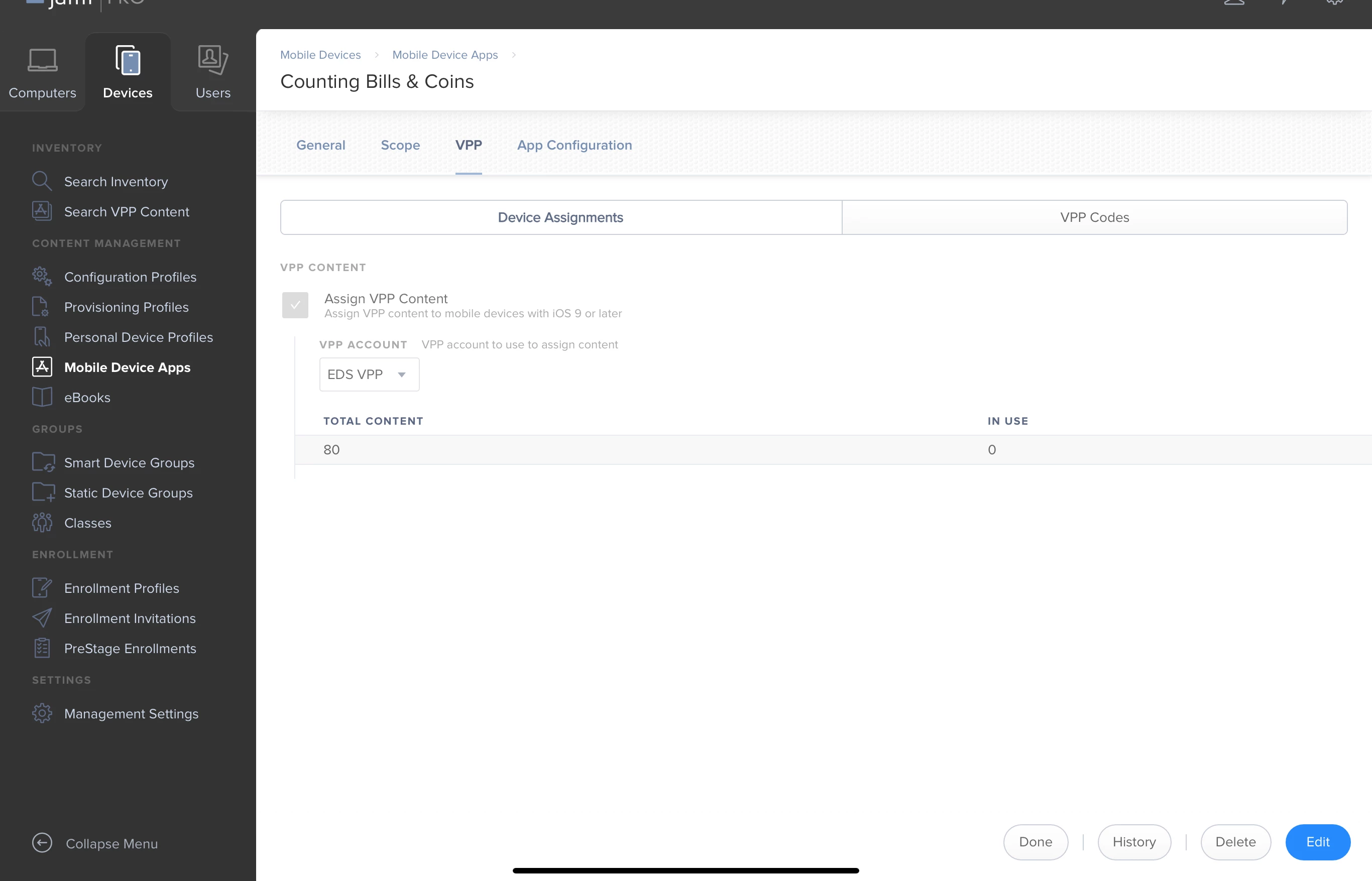
Nope. At least I don’t think I am. Here is a screenshot of one of the apps I scoped with the VPP option chosen. Is this what you mean?


Forum|alt.badge.img+9
  • Contributor
  • June 26, 2019

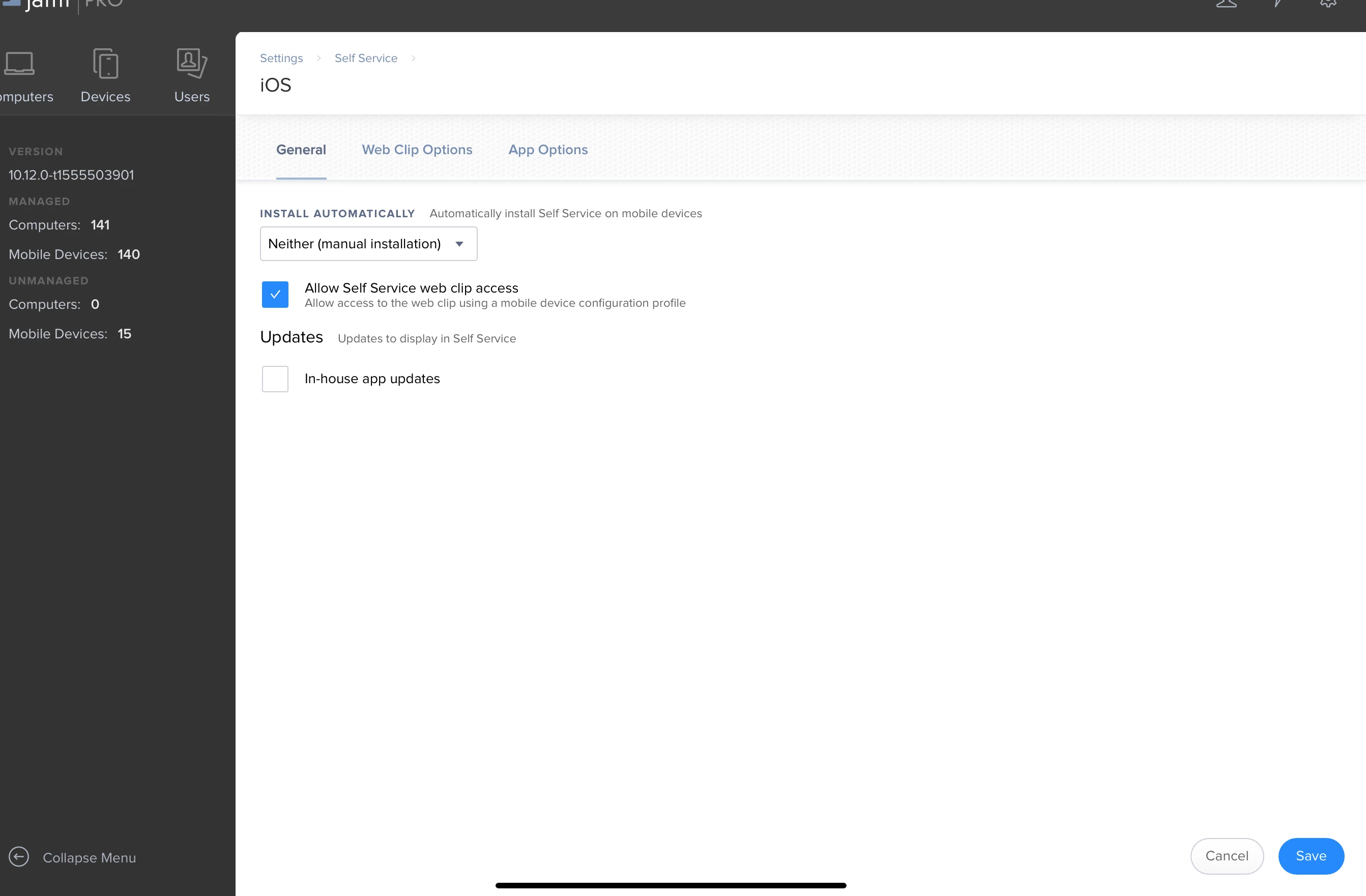
In your Jamf management interface, within Settings --> Self-Service --> iOS, do you have the option for "Install Automatically" set to "Self-Service App"?

I had the same issue initially, it was due to the Self-Service app attempting to load automatically before I had licenses allocated from my VPP account.


Forum|alt.badge.img+7
  • Author
  • Contributor
  • June 26, 2019


Forum|alt.badge.img+16
  • Contributor
  • June 27, 2019

I would look at a particular iPad's failed command list after you dismiss the message(s). Note which app installs are in that list and verify their VPP setting. That or take stock of what did install and what hasn't installed based on the scope for that device.