Question

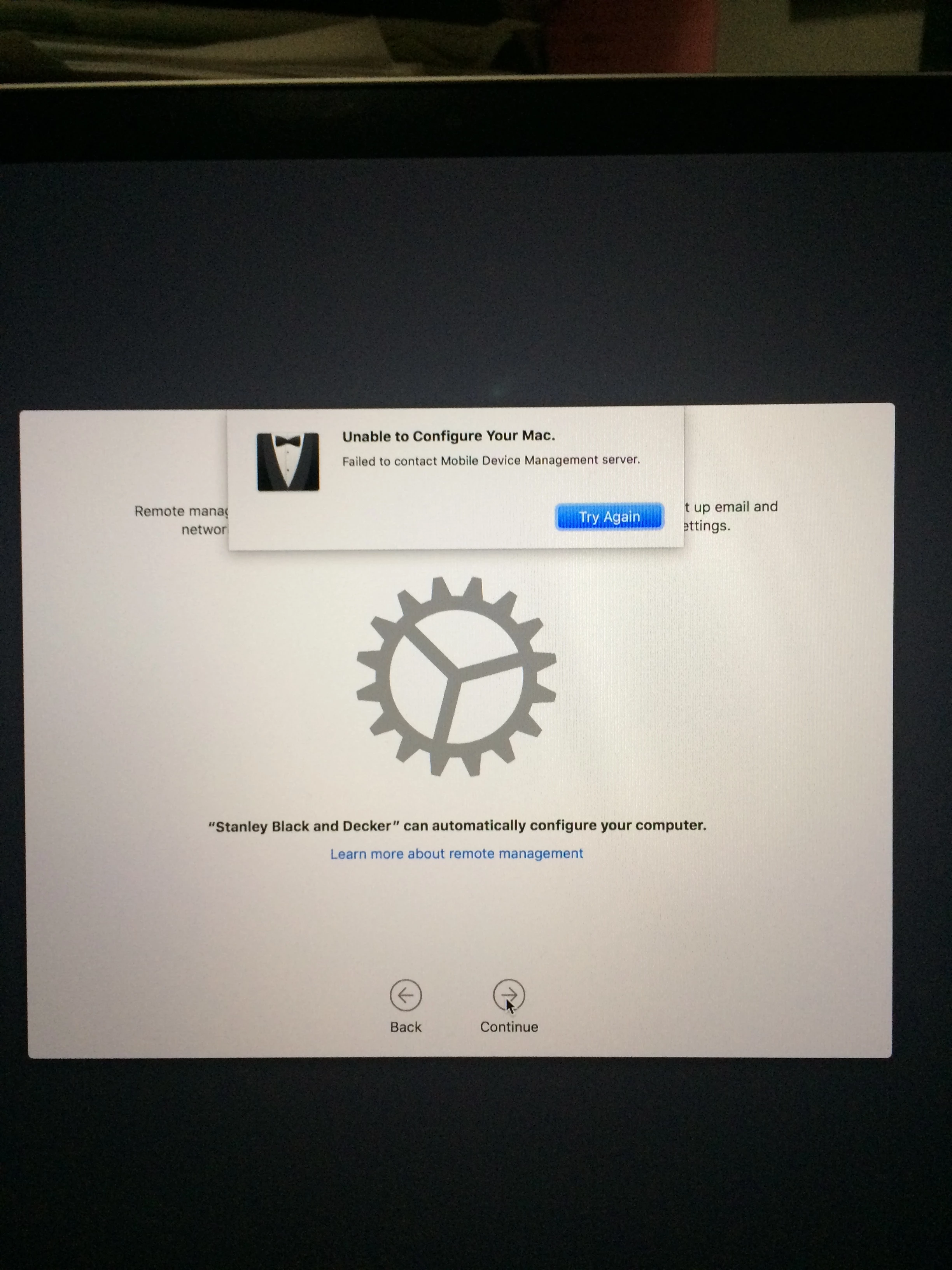
Unable to Connect to the MDM Server for your Organization

  • April 13, 2018
  • 39 replies
  • 271 views

Show first post

39 replies

Forum|alt.badge.img+1
  • New Contributor
  • July 23, 2018

I am also seeing this same issue. We just made the switch to JAMF and not a promising start....


Forum|alt.badge.img+18
  • Honored Contributor
  • July 23, 2018

This may be in relation to an open product issue with Jamf (PI-002379) which generates excess DeviceInfoAccountHash, DeviceInfoITunesActive, and ProfileList MDM commands. When these build up, MDM seems to slow down and DEP also seems affected. I would reach out to your TAM/Jamf support to see if you can confirm that you are experiencing this PI. They have a temporary fix for it until they address the issue in product.


Forum|alt.badge.img+1
  • New Contributor
  • August 7, 2018

Restarting DNS services did the trick for us


Forum|alt.badge.img+8
  • New Contributor
  • August 7, 2018

I do not know what is causing this but I do know how I was able to fix it for the systems experiencing it in my organization. I took their serial numbers and searched in "Devices" (where iOS devices would go) and found that they were all in there with the name: [No Name] After I deleted these entries and reinstalled a fresh copy of MacOS on each system they connected via DEP without issue.


Forum|alt.badge.img+9
  • Contributor
  • September 4, 2018

I ought to follow up on this for posterity...

Turns out that the 34011 error relates to the device being able to contact DEP servers (iprofile/albert), but not being able to reach the CRL servers (.symcb.com, .symcd.com) in order to validate that the certificate being presented to by the DEP servers has not been revoked.


Forum|alt.badge.img+3
  • New Contributor
  • October 19, 2018

Anyone has a good fix for this? My instance intermittently gets bug down with this issue. I would get this issue for a few days and suddenly, it would start working again.


anverhousseini
Forum|alt.badge.img+12
  • Valued Contributor
  • October 21, 2018

I had the same issue on different servers:
1. Check the Jamf Pro URL in the settings
2. Check the Organization Name (don‘t use special characters like „ä“)


Forum|alt.badge.img+2
  • New Contributor
  • October 22, 2018

We had exactly the same issue.
Turned out to be a policy scoped to a (static) group that did not existed anymore.
Jamf is going to fix this is in the new update.

We fixed it by re-creating the missing groups.


Forum|alt.badge.img+13
  • Valued Contributor
  • January 24, 2019

If you still having issues, then go to the deploy wsite, download the token and upload it back to the JSS..

done!


Forum|alt.badge.img
  • New Contributor
  • February 22, 2019

Hi all need your help on below error while i am trying to register my iMc to DEP

We have allowed 17.0.0.0 subnet with port allow ports 80, 5223, 2195, 2196, 443


Forum|alt.badge.img+26
  • Esteemed Contributor
  • February 22, 2019

We were recently having issues with apps not installing in iOS and in particular the Native apps at activation Apple has updated this document:

https://support.apple.com/en-us/HT201999

Our fix was to whitelist: bag.itunes.apple.com

Since we did this I am also not seeing the random messages on my prestages saying they cannot connect


Forum|alt.badge.img
  • New Contributor
  • February 27, 2019

We have the exact problem at the moment. svc-sbdjamfadmin Did you find any proper solution?


kevin_v
Forum|alt.badge.img+10
  • Valued Contributor
  • September 17, 2020

We are still having enrollment failures. This seems to be the only source of knowledge on the matter
https://nstrauss.github.io/mitigating-mac-enrollment-failures/


Forum|alt.badge.img
  • New Contributor
  • December 22, 2021

We had the same issue and I flushed DNS cache on the client machine which fixed it.

Big sur:  sudo dscacheutil -flushcache; sudo killall -HUP mDNSResponder