I just upgraded from JSS 10.2.1 to 10.7.1 and I started powering up some of my tester Macs to make sure the new jamf files were being pushed out. All is well except for the fact that the 10.13.6 Macs give the alert in Self Service (according to this) but when I go to the MDM profile, there is no Approve button. There is no way to approve it?! How do I approve them and/or make the alert in Self Service stop appearing for 10.13 Macs? If it makes a difference, the line about "Functionality may be limited..." does not appear in the window for our MDM profile.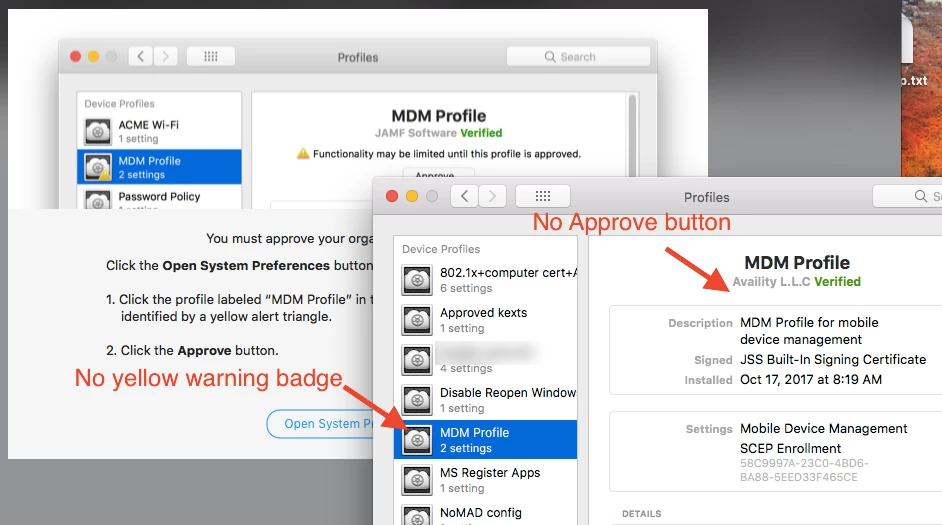

Solved
user approved MDM missing Approve button

 +21
+21Best answer by Hugonaut
IF DEP ENROLLMENT, you won't need to approve - For all Non DEP Devices, they need to be approved manually. Basically, any device you installed the quickadd / enrolled into JSS manually will need manual approval.
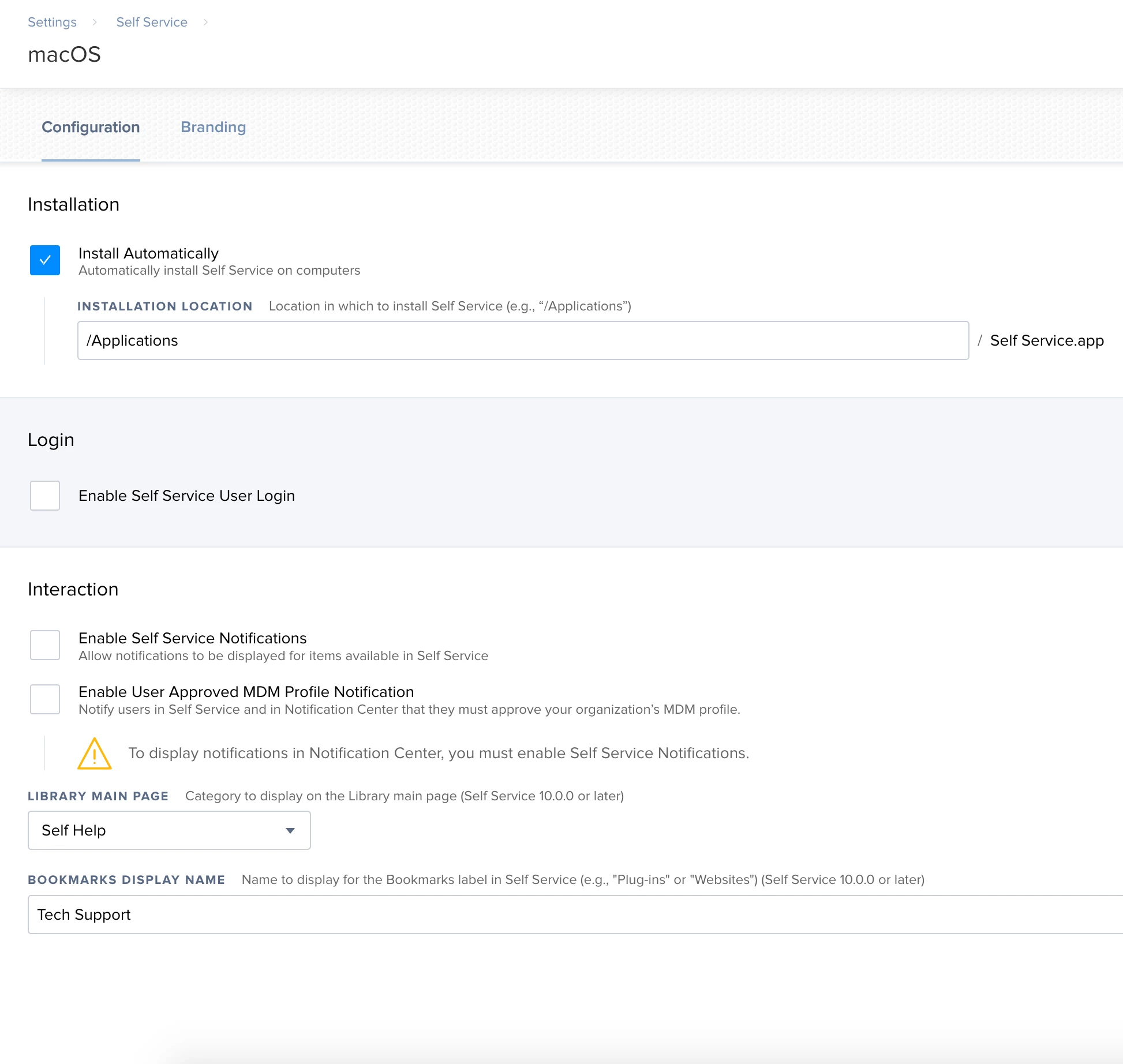
AS FOR THE SELF SERVICE POP UP - don't worry... you can change this in Your JSS -> Management Settings -> Self Service -> macOS & untick the boxes for 'Interaction'








Enter your E-mail address. We'll send you an e-mail with instructions to reset your password.