Hello All,
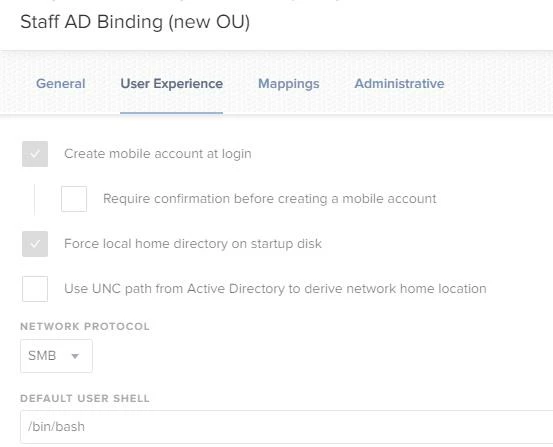
I am wondering if there is a command line through terminal or shell script to enabling "Create Mobile account on Login" and "Force Local Home Directory on Startup Disk". I know we can do this through Configuration profile but I am looking for alternatives in case if i need it.
I found some commends for enabling "Create Mobile Account on Login" but not for "Force Local Home Directory on Startup Disk".
sudo dsconfigad -mobile enable -mobileconfirm -disableor
/System/Library/CoreServices/ManagedClient.app/Contents/Resources/createmobileaccount -hAny Help appreciated in advance. (I like to achieve the end result as screenshot)