Question

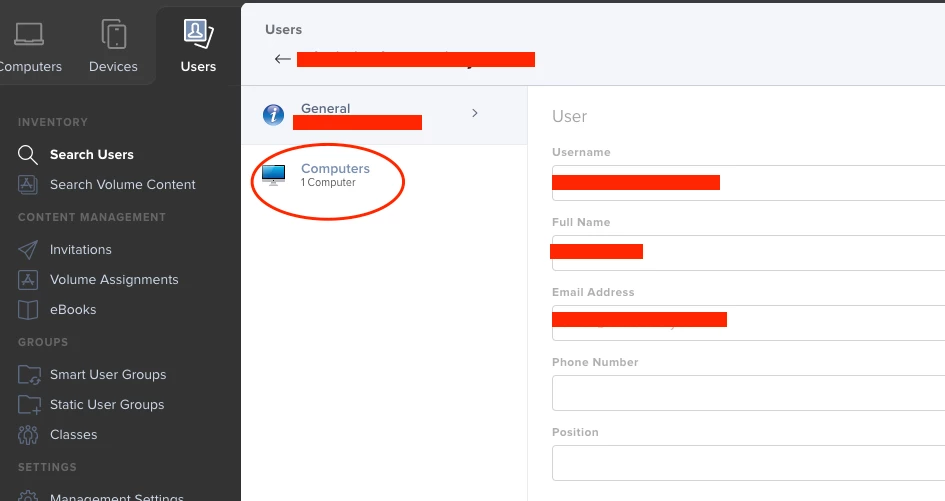
User Smart Group showing Computers Assigned

  • March 16, 2021
  • 3 replies
  • 23 views

Forum|alt.badge.img+4

Hello!
Id like to create a Smart USER Group for Users with no Computers assigned to them. Or it can go the other way, Users WITH computers assigned to them. Any ideas how to do it?

3 replies

Forum|alt.badge.img+11
  • Contributor
  • March 16, 2021

@sanbornc If you are wanting to just find all computers that aren't assigned to anyone.. You could just set the Criteria with a "Username" is blank..

If you are wanting to check for specific users.. That may have to be a custom API script as an EA to set the variable of the current logged-in user, then read the username field and match against the variable of the current logged-in user.

Just throwing out ideas


Forum|alt.badge.img+4
  • Author
  • Contributor
  • March 16, 2021

Thanks @JustDeWon Im trying to find all USERS not computers, that are not assigned to someone. The end result here is to create a report of all the employees in our organization that don't have computers assigned to them. I have imported our company wide employee roster into JAMF and assigned employees to their computers. I just need a report of the employee's who dont have any computers assigned to them yet. In Users, it lists if a Computer is assigned to a user, I just a report that says this. I was going to make s Smart Group for this, then make it s Dashboard, but maybe there is a better way to do it?


Forum|alt.badge.img+5
  • Contributor
  • May 18, 2021

I too am looking for this. I see no way to make a Smart Group, as the number of computer/devices assigned doesn't seem to be linked to any of the criteria (advanced or not) offered.