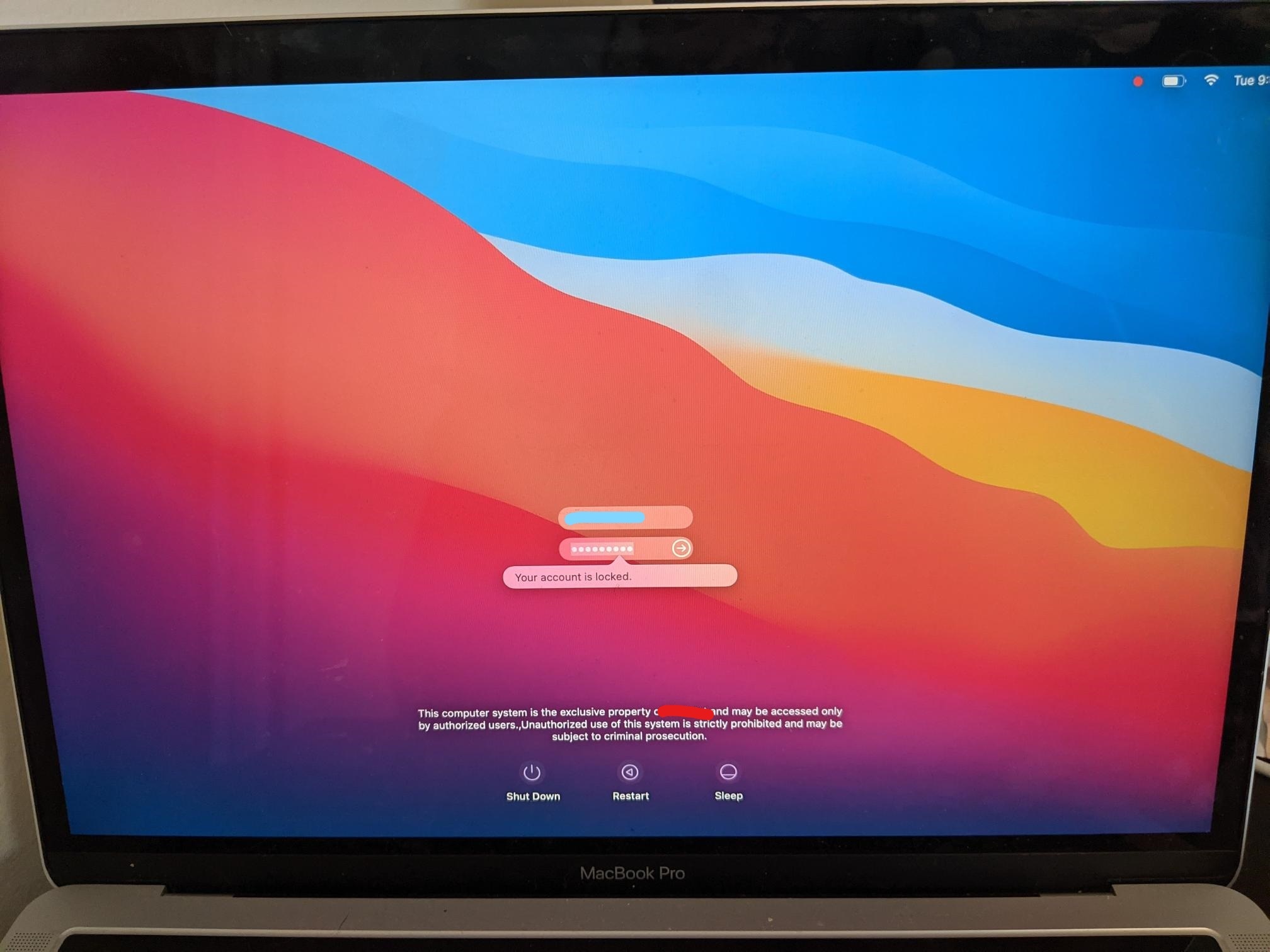
We recently started our Big Sur pilot program so I lifted the upgrade restriction for a handful of my users. One of my users, after performing the upgrade via Software Update, is facing an issue where his AD-joined account is saying "Your account is locked" when trying to log in. He has 3 other local accounts on the machine that he can log into, but no luck with his main account.
The laptop is (was) domain bound and the account is a mobile admin account. The other accounts are local admins, so that is a difference.
I've tried an SMC reset, force unbinding the laptop, creating a new (post-upgrade) local admin account (per another forum). After these steps, attempts to switch user or use the Login window appear to authenticate, but then revert to the previous screen (either the previous user's desktop, or the Login window). Eventually the "Your account is locked" message returns. I tried sending the Unlock command via the account management section of Jamf. That appeared to do nothing.
I've read in other forums that it may be related to a password policy enforced via InTune (which we use for machine compliance) or a config policy in Jamf (which I haven't utilized). Although that makes me think I would see it on more than just one of the 12 pilot users. The next step I was thinking would be to convert it from a Mobile account, but that may be much more of a hassle than I'm anticipating, so I thought I'd post here to see if anyone else has come across this. TIA.