I need help deploying zoom updates or allowing non-admins to update zoom because zoom is constantly updating. Any suggestions?

Solved
Zoom Updates
 +4
+4Best answer by mojo21221
We use the following script. Adapted it a little from original to quit out of zoom if it is open.. We have adapted it from https://www.jamf.com/jamf-nation/discussions/29561/script-to-install-update-zoom
#!/bin/sh
#####################################################################################################
#
# ABOUT THIS PROGRAM
#
# NAME
#       ZoomInstall.sh -- Installs or updates Zoom
#
# SYNOPSIS
#       sudo ZoomInstall.sh
#
####################################################################################################
#
# HISTORY
#
#       Version: 1.1
#
#       1.1 - Shannon Johnson, 27.9.2019
#       Updated for new zoom numbering scheme
#       Fixed the repeated plist modifications
#
#       1.0 - Shannon Johnson, 28.9.2018
#       (Adapted from the FirefoxInstall.sh script by Joe Farage, 18.03.2015)
#
####################################################################################################
# Script to download and install Zoom.
# Only works on Intel systems.
#

# Set preferences
hdvideo="true"
ssodefault="true"
#ssohost="xxx.zoom.us"


# choose language (en-US, fr, de)
lang=""
# CHECK TO SEE IF A VALUE WAS PASSED IN PARAMETER 1 AND, IF SO, ASSIGN TO "lang"
if [ "$4" != "" ] && [ "$lang" == "" ]; then
        lang=$4
else
        lang="en-US"
fi

pkgfile="ZoomInstallerIT.pkg"
plistfile="us.zoom.config.plist"
logfile="/Library/Logs/ZoomInstallScript.log"
processname="zoom.us"

killall "$processname" &> /dev/null
if [ $? -eq 0 ]; then
    echo "Killing $processname"
fi

# Are we running on Intel?
if [ '`/usr/bin/uname -p`'="i386" -o '`/usr/bin/uname -p`'="x86_64" ]; then
        ## Get OS version and adjust for use with the URL string
        OSvers_URL=$( sw_vers -productVersion | sed 's/[.]/_/g' )

        ## Set the User Agent string for use with curl
        userAgent="Mozilla/5.0 (Macintosh; Intel Mac OS X ${OSvers_URL}) AppleWebKit/535.6.2 (KHTML, like Gecko) Version/5.2 Safari/535.6.2"

        # Get the latest version of Reader available from Zoom page.
        latestver=$(/usr/bin/curl -s -A "$userAgent" https://zoom.us/download | grep 'ZoomInstallerIT.pkg' | awk -F'/' '{print $3}')
        echo "Latest Version is: $latestver"

        # Get the version number of the currently-installed Zoom, if any.
        if [ -e "/Applications/zoom.us.app" ]; then
        currentinstalledver=$(/usr/bin/defaults read /Applications/zoom.us.app/Contents/Info CFBundleVersion)
                echo "Current installed version is: $currentinstalledver"
                if [ ${latestver} = ${currentinstalledver} ]; then
                        echo "Zoom is current. Exiting"
                        exit 0
                fi
        else
                currentinstalledver="none"
                echo "Zoom is not installed"
        fi

        url="https://zoom.us/client/${latestver}/ZoomInstallerIT.pkg"

        echo "Latest version of the URL is: $url"
        echo "`date`: Download URL: $url" >> ${logfile}

        # Compare the two versions, if they are different or Zoom is not present then download and install the new version.
        if [ "${currentinstalledver}" != "${latestver}" ]; then

                # Construct the plist file for preferences
                echo "<?xml version="1.0" encoding="UTF-8"?>
                 <!DOCTYPE plist PUBLIC "-//Apple//DTD PLIST 1.0//EN" "http://www.apple.com/DTDs/PropertyList-1.0.dtd">
                 <plist version="1.0">
                 <dict>
                        <key>nogoogle</key>
                        <string>1</string>
                        <key>nofacebook</key>
                        <string>1</string>
                        <key>ZDisableVideo</key>
                        <true/>
                        <key>ZAutoJoinVoip</key>
                        <true/>
                        <key>ZDualMonitorOn</key>
                        <true/>" > /tmp/${plistfile}

                if [ "${ssohost}" != "" ]; then
                        echo "
                        <key>ZAutoSSOLogin</key>
                        <true/>
                        <key>ZSSOHost</key>
                        <string>$ssohost</string>" >> /tmp/${plistfile}
                fi

                echo "<key>ZAutoFullScreenWhenViewShare</key>
                        <true/>
                        <key>ZAutoFitWhenViewShare</key>
                        <true/>" >> /tmp/${plistfile}

                if [ "${hdvideo}" == "true" ]; then
                        echo "<key>ZUse720PByDefault</key>
                        <true/>" >> /tmp/${plistfile}
                else
                        echo "<key>ZUse720PByDefault</key>
                        <false/>" >> /tmp/${plistfile}
                fi

                echo "<key>ZRemoteControlAllApp</key>
                        <true/>
                </dict>
                </plist>" >> /tmp/${plistfile}

                # Download and install new version
                /bin/echo "`date`: Current Zoom version: ${currentinstalledver}" >> ${logfile}
                /bin/echo "`date`: Available Zoom version: ${latestver}" >> ${logfile}
                /bin/echo "`date`: Downloading newer version." >> ${logfile}
                /usr/bin/curl -sLo /tmp/${pkgfile} ${url}
                /bin/echo "`date`: Installing PKG..." >> ${logfile}
                /usr/sbin/installer -allowUntrusted -pkg /tmp/${pkgfile} -target /

                /bin/sleep 20
                /bin/echo "`date`: Deleting downloaded PKG." >> ${logfile}
                /bin/rm /tmp/${pkgfile}

                #double check to see if the new version got updated
                newlyinstalledver=$(/usr/bin/defaults read /Applications/zoom.us.app/Contents/Info CFBundleVersion)
        echo "Version on Mac is ${newlyinstalledver}"
        if [ "${latestver}" = "${newlyinstalledver}" ]; then
                /bin/echo "`date`: SUCCESS: Zoom has been updated to version ${newlyinstalledver}" >> ${logfile}
                echo "Zoom updated successfully"
                # /Library/Application Support/JAMF/bin/jamfHelper.app/Contents/MacOS/jamfHelper -windowType hud -title "Zoom Installed" -description "Zoom has been updated." &
        else
                /bin/echo "`date`: ERROR: Zoom update unsuccessful, version remains at ${currentinstalledver}." >> ${logfile}
                /bin/echo "--" >> ${logfile}
                echo "Zoom not updated - Installation error"
                        exit 1
                fi

        # If Zoom is up to date already, just log it and exit.
        else
                /bin/echo "`date`: Zoom is already up to date, running ${currentinstalledver}." >> ${logfile}
        /bin/echo "--" >> ${logfile}
        fi
else
        /bin/echo "`date`: ERROR: This script is for Intel Macs only." >> ${logfile}
fi

exit 0



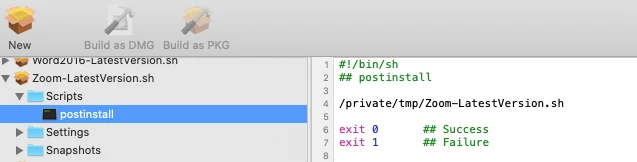
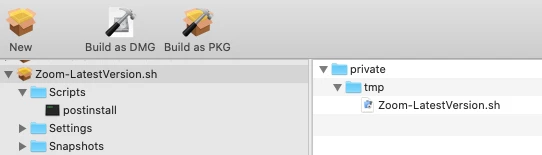

Enter your E-mail address. We'll send you an e-mail with instructions to reset your password.