As a Jamf trainer, there are two questions I’m asked time and time again:
- How much scripting is involved in the Jamf certification courses?
- How can I prepare before attending a remote instructor-led course?
If you’re planning to take a Jamf certification course and want a clearer idea of what to expect, and how to set yourself up for success, this guide is for you.
The Jamf Pro Training Path
There are three core Jamf Pro instructor-led courses, each designed to build on the previous one as your skills develop:
- Jamf 200 – Core understanding of Jamf Pro, as well as an enterprise-focused examination of the macOS and iOS platforms
- Jamf 300 – Deeper understanding of the macOS and iOS management capabilities within Jamf Pro
- Jamf 400 – Automation and APIs
Let’s take a look at what scripting knowledge is expected at each level, and how you can prepare.

Jamf 200
The Jamf 200 course provides a solid introduction to Jamf Pro, along with an enterprise-focused overview of macOS and iOS device management. For many, this is the starting point of their Jamf journey.
Scripting expectations
For the 200 we won't ask you to write a script , however we will look at the following:
- How a script is formulated
- How we can make use of scripts via Policies and Extension Attributes.
- We will also run a few commands in Terminal.
Everything you need to know is covered in the course but if you want to be the best prepared for this course then I would recommend the following.
- I would always recommend the free self-paced Jamf 100 course. This is free to take and gives you an introduction to topics that are covered in the 200, including an introduction to scripting. The course can be found here: https://www.jamf.com/training/100-course
- The Jamf Online Training Catalog (https://trainingcatalog.jamf.com/?q=scripting ) has a lot of great free training videos on our products, including quite a few on scripting. Starting from the very basics to advanced scripting. The ones marked as Beginner would set you up nicely.
- Specifically:
- Organise Scripts in Jamf Pro
- Introduction to Scripting
- Introduction to Terminal
- macOS Terminal Essentials
- Specifically:
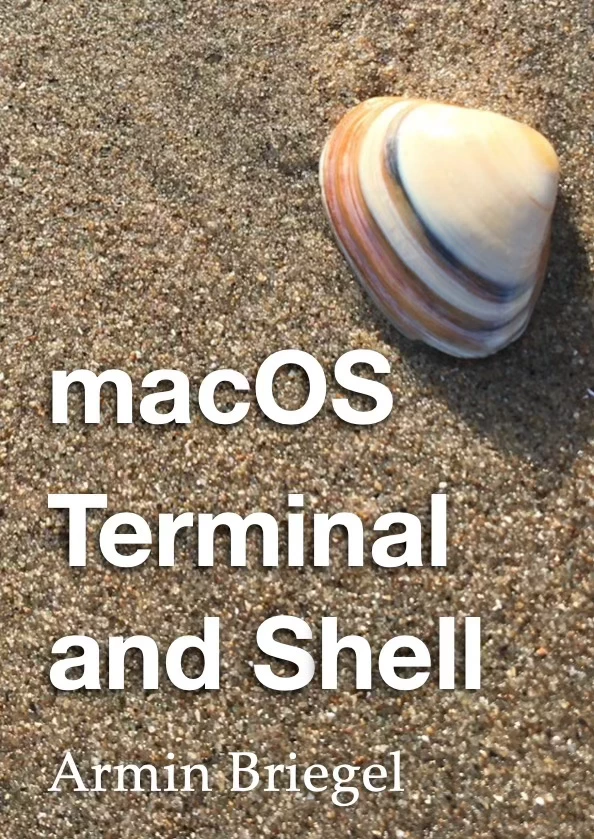
- Being familiar with Terminal would also be beneficial. One book I always recommend is "macOS Terminal and Shell" by Armin Briegel. This book can be purchased on the Apple Book Store. It covers the basics to more advanced topics.
- Finally this bash cheat sheet is a useful tool. Has lots of snippets of bash to help you out. https://devhints.io/bash
Jamf 300
The Jamf 300 builds on the 200 and goes deeper into real-world management workflows within Jamf Pro.
Scripting expectations
For the 300 we dedicate a whole day on scripting. These are the sort of topics we cover
• Variables - How to store and retrieve values
• Command substitution - How to run commands and store the results in a variables
• If statements - Conditional statements and branching
• Reading and writing to files
• Loops
- for loops
- while loops
- until loops
• Using tools such as awk, grep and tr to help
• AppleScript & jamfHelper
Like the 200 we have some great video content within the Jamf Online Training Catalog. For the 300 a lot of what you would need would be under the Scripting Essentials section. (https://trainingcatalog.jamf.com/path/scripting-essentials ).
One of the tools we cover is jamfhelper. This tool allows you to present a simple message to the user. The first time you come across this tool it can be slight overwhelming with the number of parameters its needs to configure what you want to show. To help you out, there is a great little app called "jamfHelper Constructor", to help build and preview a jamfHelper window. Through a simple app you can select how you want to configure jamfHelper and it will build the appropriate command for you. The app can be found here: https://github.com/BIG-RAT/jhc/releases
We also cover using AppleScript to show a simple message. There are a number of tutorials online that teach you AppleScript but this one nicely covers how to create messages using the AppleScript dialog command. The tutorial can be found here: https://snowprogramming.weebly.com/lesson-2---displaying-dialogs---applescript.html

Jamf 400
The Jamf 400 shifts focus toward automation, APIs, and scalable workflows. This is a significant step up and is designed for those ready to bring everything together.
Scripting expectations
The 400 is a big step up. You are expected to create a few scripts for specific scenarios as well as use the Jamf Pro APIs.
First we have a fanatic scripting prep for the 400 which can be found here. jamf.it/400prep. This has a series of ever more complex puzzles which you can try and solve. The solutions are provided from which you can learn from. By completing this your scripting skills would be in a good position.
Brushing up on your Jamf Pro APIs would be helpful. Again within the Jamf Online Training Catalog we have some great videos on the Jamf Pro APIs which you can find under the Jamf Pro API Essentials (https://trainingcatalog.jamf.com/path/jamf-pro-api-essentials)
Finally we have a quiz you can take once you have completed our online training catalog of scripting modules, which will earn you the Command Line Innovator badge. Add this industry-recognised Credly badge to your social profiles and share it with your network. This can be found https://trainingcatalog.jamf.com/get-started-with-scripting-final-quiz