Solved

PPPC Issue - The profile must originate from a user approved MDM server

  • June 21, 2019
  • 15 replies
  • 203 views

Forum|alt.badge.img+4

Hey All,

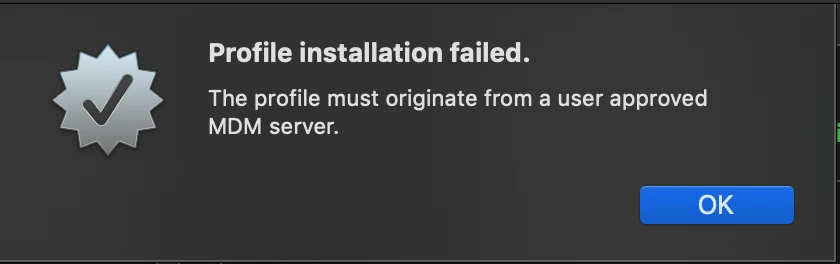
I'm running into an issue with PPPC where I can't install a profile because it must originate from a user approved MDM server?
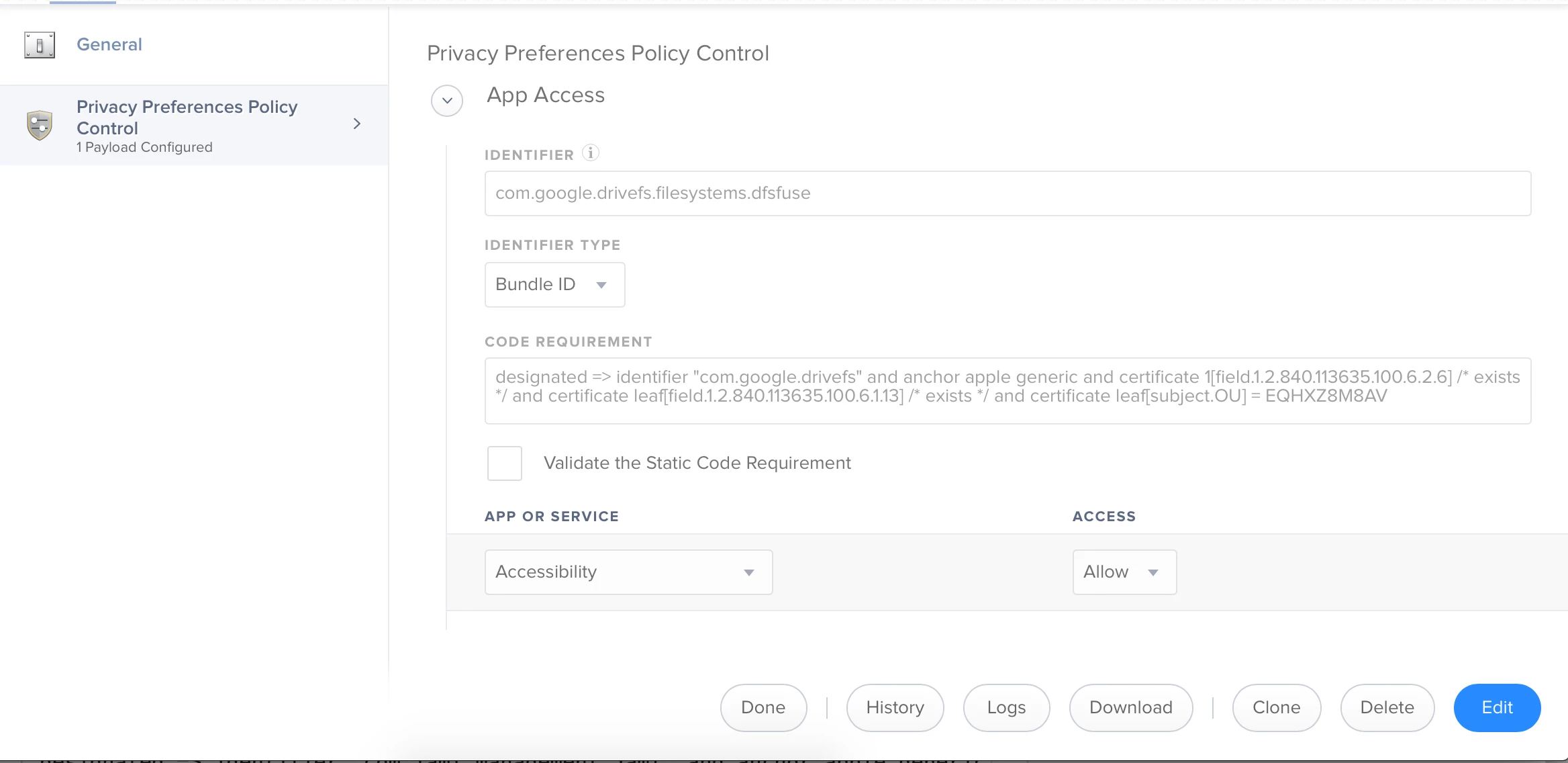
We don't use DEP here, but I've re-enrolled my machine to test with via UIE, clicked approve in system prefs, segmented profiles (I was planning on combining it with a kext profile for the same app), and I'm not sure what I'm doing wrong. Attached is a screenshot of what the PPPC payload looks like.
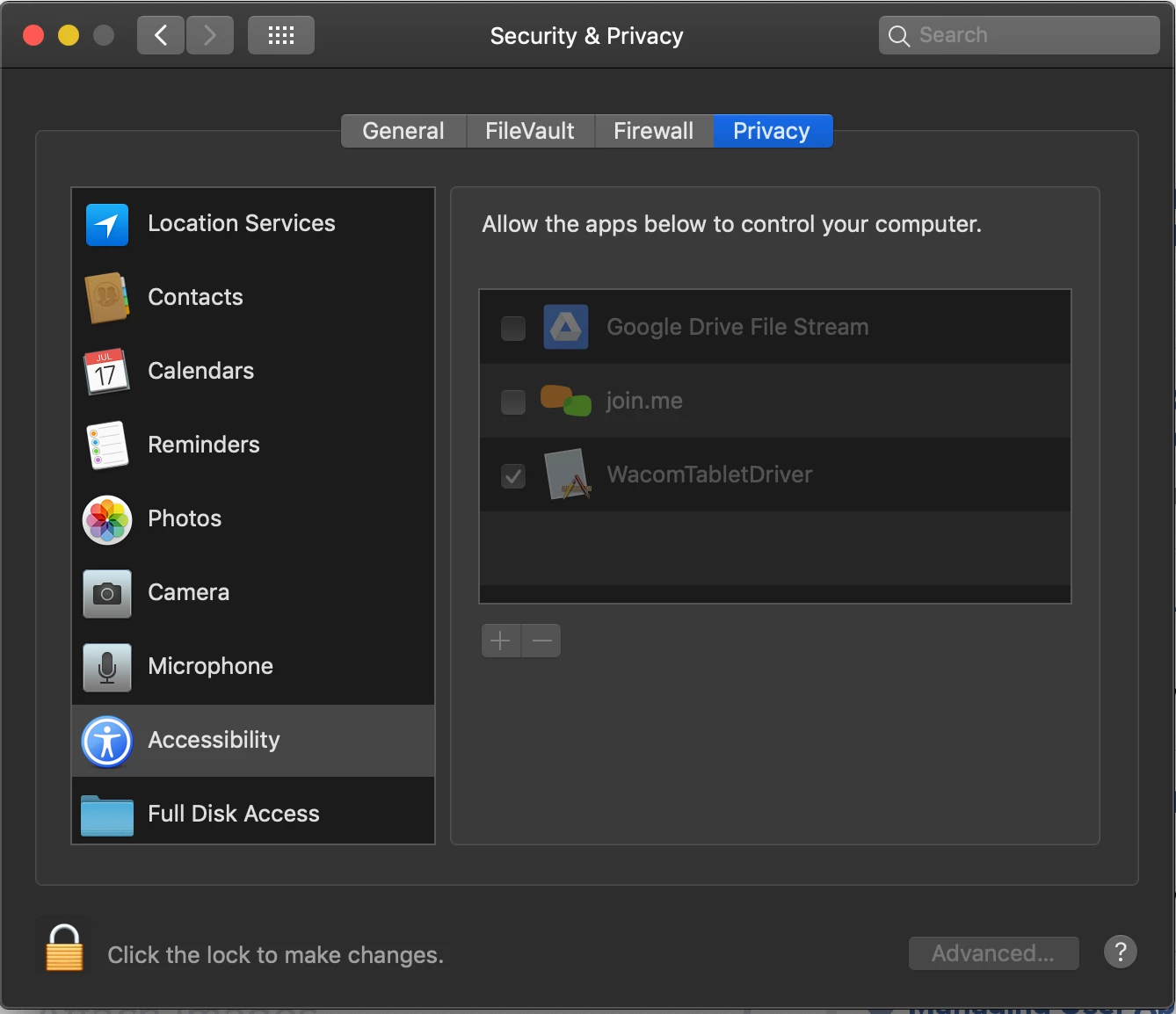
Any help would be greatly appreciated so my team doesn't have to head here and click for every machine:
Best answer by sshort

@jrosedietcher

when I scope it to the computer, it fails in the log

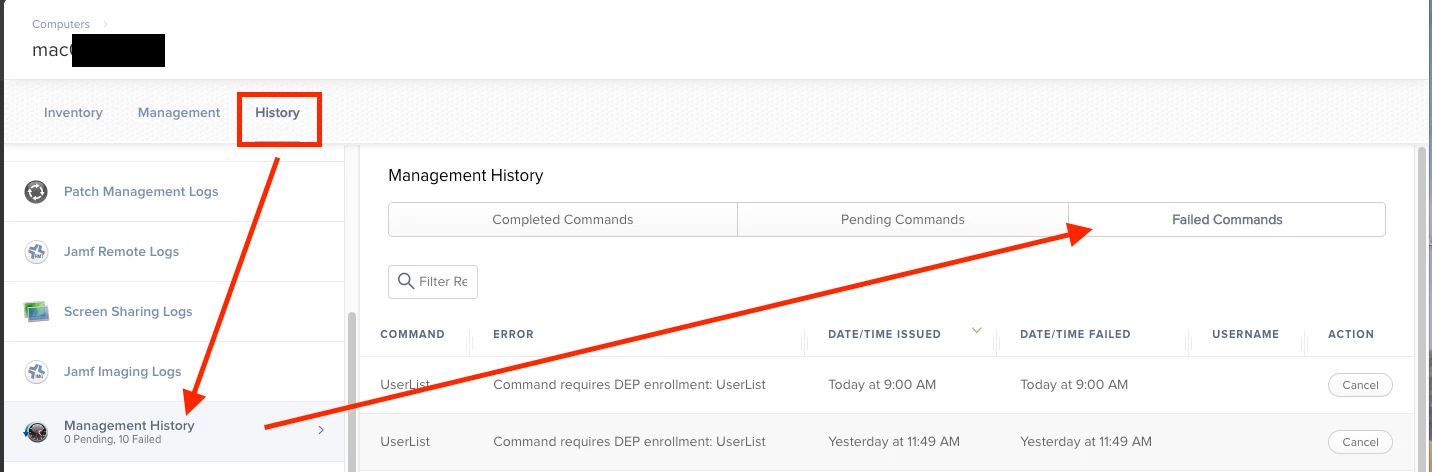
I read that to mean the logs in the Jamf web interface, but is there an error somewhere else you got? You can check out profile installation errors by clicking on the History section of a client machine.

15 replies

Forum|alt.badge.img+4
  • Author
  • Contributor
  • June 21, 2019

bump, hoping someone has an answer for this


Forum|alt.badge.img+4
  • New Contributor
  • June 21, 2019

Are you installing this profile manually, or scoping it to the computer?


Forum|alt.badge.img+4
  • Author
  • Contributor
  • June 21, 2019

when I scope it to the computer, it fails in the log. When I install manually, I get the first attached error message.


Forum|alt.badge.img+4
  • New Contributor
  • June 21, 2019

Ah gotcha, yeah you wouldn't be able to able to install it manually.. have you tried to remove the text in the code requirement? Also if you want to just test you could use the PPPC Utility: https://github.com/jamf/PPPC-Utility


Forum|alt.badge.img+15
  • Valued Contributor
  • June 21, 2019

@jrosedietcher What's the Jamf log failure message? The first error message is expected for an attempted manual installation. DEP isn't required to install the profile, so long as you meet the requirements for UAMDM (and based on your description of clicking approve in sys prefs to allow the enrollment profile means it's good to go).

Is it just this specific PPPC profile that fails? Does another PPPC profile install successfully?


Forum|alt.badge.img+4
  • Author
  • Contributor
  • June 21, 2019

thanks for the replies!

@mporter I've tried removing the text in the code requirement field but it says required and will error out if I I try to save without anything. I'll check that utility out, thanks!

@sshort I haven't tried other PPPC profiles as this is the first time I've had to create something to check those boxes in accessibility. I can try another one with a different app to see what works. Which log are you referring to? jamfsoftwareserver.log or the one in the Jamf Pro GUI?


Forum|alt.badge.img+15
  • Valued Contributor
  • Answer
  • June 21, 2019

@jrosedietcher

when I scope it to the computer, it fails in the log

I read that to mean the logs in the Jamf web interface, but is there an error somewhere else you got? You can check out profile installation errors by clicking on the History section of a client machine.


Forum|alt.badge.img+4
  • Author
  • Contributor
  • June 21, 2019

@sshort Got it. Turns out I've had the wrong code requirement in that field.

I thought I read the code signature correctly but I'll have to adjust it and try again. Thank you!


Forum|alt.badge.img+3
  • New Contributor
  • August 19, 2019

Was there ever a resolution to this? I'm having the same issue and am curious to know if you got it working. Thanks!


Forum|alt.badge.img+13
  • Valued Contributor
  • January 9, 2020

just started having this issue too...
It's been installing fine, then all of a sudden...!!!


Forum|alt.badge.img+4
  • New Contributor
  • January 23, 2020

Seeing this as well with one of our users.


Forum|alt.badge.img+13
  • Contributor
  • February 27, 2020

Bump. I have this one too.


Forum|alt.badge.img+22
  • Employee
  • February 28, 2020

Hello, I have only seen the error message "The profile must originate from a user approved MDM server" when attempting to install a PPPC profile manually on a computer, which is not supported, it must be installed via an MDM server to a computer with User Approved MDM enabled.

What error does your MDM install command show in the Jamf Pro GUI for not installing?


Forum|alt.badge.img+6
  • Contributor
  • November 3, 2020

I'm getting this too now but only on a few Macs.


r0b
Forum|alt.badge.img+1
  • New Contributor
  • November 6, 2020

Just ran into this issue on a machine, it was because the MDM profile installed on the macOS device had not been approved by the user. Asked them to go into System Preferences>Profiles and notice the profile with a yellow warning triangle, approve it and just like that everything started working again. I believe in this case the user was given a replacement machine with a fresh install of Catalina rather than their previous machine which was upgraded from Mojave, where the profile approval happened automatically.