Here is my process for setting up these printers:
Install the driver onto my config Mac.
Setup the printers in System Preferences>Printers and Scanners
Open CUPS and configure the defaults for the printers.
Add printers to Jamf Admin.
Add printers to Printer policy.
Reset printing system on config Mac and test.
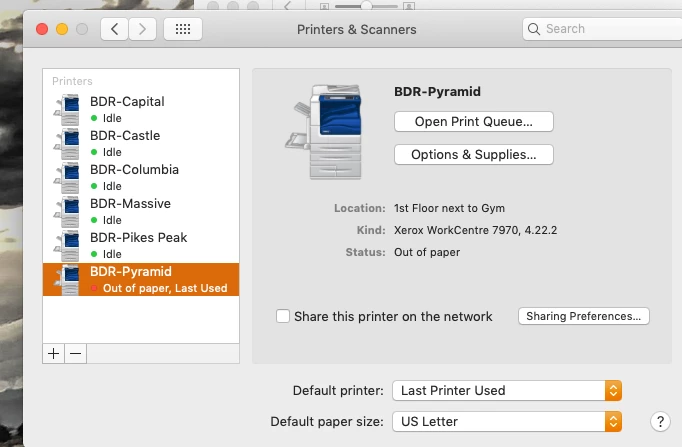
Everything seems to work but at the end, the printer is saying it is "Out of Paper" when it is not. And it stays that way. I can still print to that printer regardless of the error.
What am I doing wrong?