Leveraging a new feature of Enterprise Connect 1.9 (9), "prepopulatedUsername", started out as entering a string of code in a policy's Files and Processes > Execute Command field:
/usr/bin/defaults write /Users/`/usr/bin/stat -f%Su /dev/console`/Library/Preferences/com.apple.Enterprise-Connect.plist prepopulatedUsername -string `/usr/bin/stat -f%Su /dev/console` ; /bin/sleep 2 ; /usr/sbin/chown `/usr/bin/stat -f%Su /dev/console` /Users/`/usr/bin/stat -f%Su /dev/console`/Library/Preferences/com.apple.Enterprise-Connect.plist ; /bin/sleep 2 ; /bin/ln -s /Applications/Enterprise Connect.app/Contents/SharedSupport/eccl /usr/local/bin/eccl ; /bin/sleep 2 ; /usr/bin/su - "`/usr/bin/stat -f%Su /dev/console`" -c "/usr/bin/open '/Applications/Enterprise Connect.app'"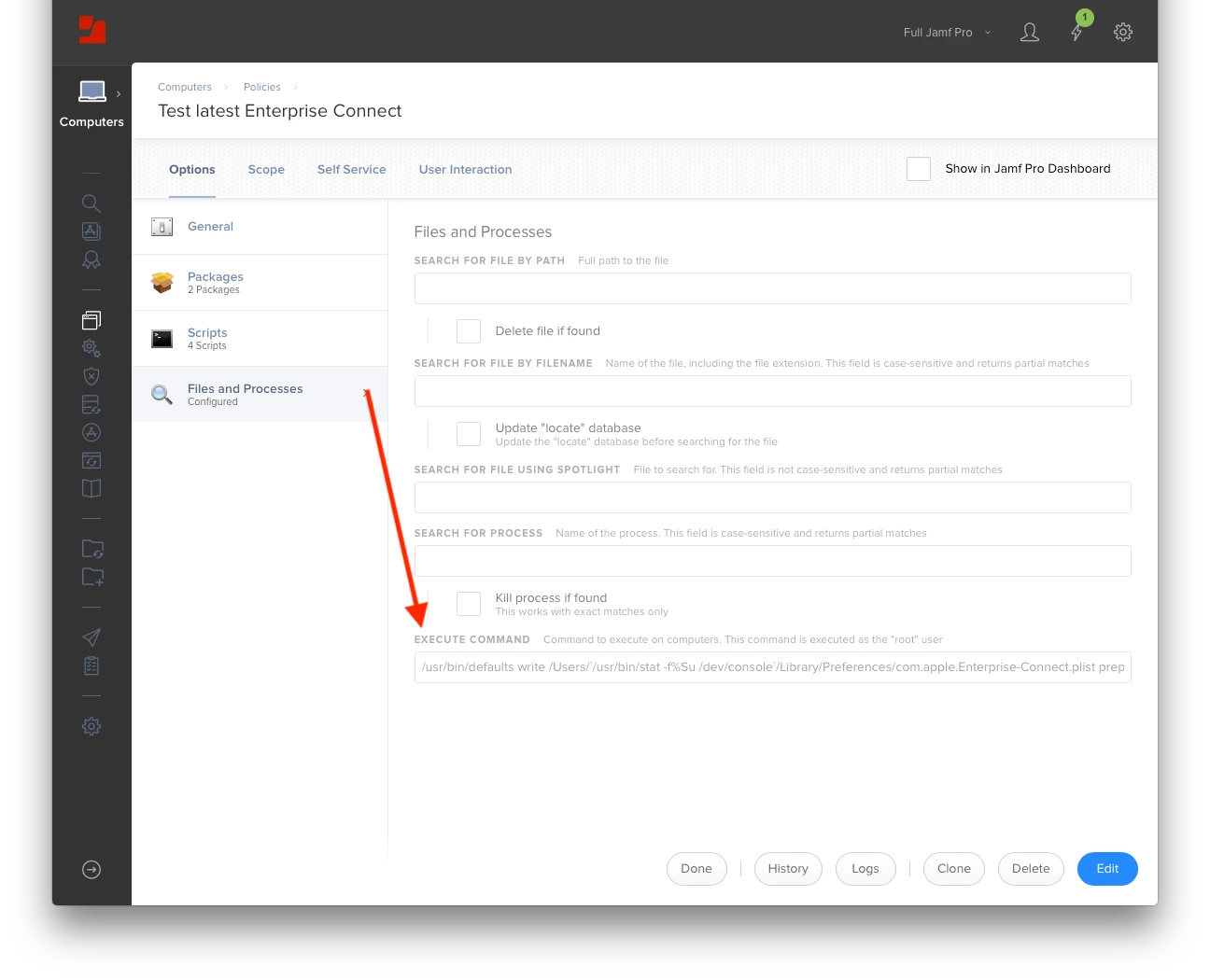
As the string of code became longer and more complex, it warranted its own script.
Set Parameter 4 to "yes" to launch Enterprise Connect after its configured.
#!/bin/bash
####################################################################################################
#
# ABOUT
#
#   Enterprise Connect Post-install
#
####################################################################################################
#
# HISTORY
#
#     Version 1.0, 16-Apr-2018, Dan K. Snelson
#
####################################################################################################

echo " "
echo "###"
echo "# Enterprise Connect Post-install"
echo "###"
echo " "


###
# Variables
###

loggedInUser=$( /usr/bin/stat -f %Su "/dev/console" )   # Get the logged in users username

# Check for a specified "launchApp" setting (Parameter 4); defaults to "no"
if [[ "${4}" != "" ]] && [[ "${launchApp}" == "" ]]; then

  launchApp="${4}"
  echo "• Using ${launchApp} as "launchApp" value ..."

else

  launchApp="no"
    echo "• Parameter 4 is blank; using ${launchApp} as "launchApp" value ..."

fi


###
# Commands
###

# Set "prepopulatedUsername" to the current logged-in user name
echo "• Set "prepopulatedUsername" to "${loggedInUser}" ..."
/usr/bin/defaults write /Users/${loggedInUser}/Library/Preferences/com.apple.Enterprise-Connect.plist prepopulatedUsername -string ${loggedInUser}

# Correct file permissions
echo "• Correct file permissions ..."
/usr/sbin/chown ${loggedInUser} /Users/${loggedInUser}/Library/Preferences/com.apple.Enterprise-Connect.plist

# Reload preferences
echo "• Reload preferences ..."
/usr/bin/su - "${loggedInUser}" -c "/usr/bin/killall cfprefsd"

# Create a link to the eccl script so it can be called like a regular CLI utility
echo "• Create a link to the "eccl" script so it can be called like a regular CLI utility ..."
/bin/ln -s /Applications/Enterprise Connect.app/Contents/SharedSupport/eccl /usr/local/bin/eccl

if [[ ${launchApp} == "yes" ]]; then
  echo "• Open Enterprise Connect ..."
  /usr/bin/su - "${loggedInUser}" -c "/usr/bin/open '/Applications/Enterprise Connect.app'"
fi

echo "Enterprise Connect Post-install script results:"
echo "• prepopulatedUsername: `/usr/bin/defaults read /Users/${loggedInUser}/Library/Preferences/com.apple.Enterprise-Connect.plist prepopulatedUsername`"
echo "• Launch Enterprise Connect?: ${launchApp}"


exit 0