
Solved

Easy way to update local account password?

  • July 19, 2017
  • 2 replies
  • 12 views

Forum|alt.badge.img+7

How can I update the password on a local account.
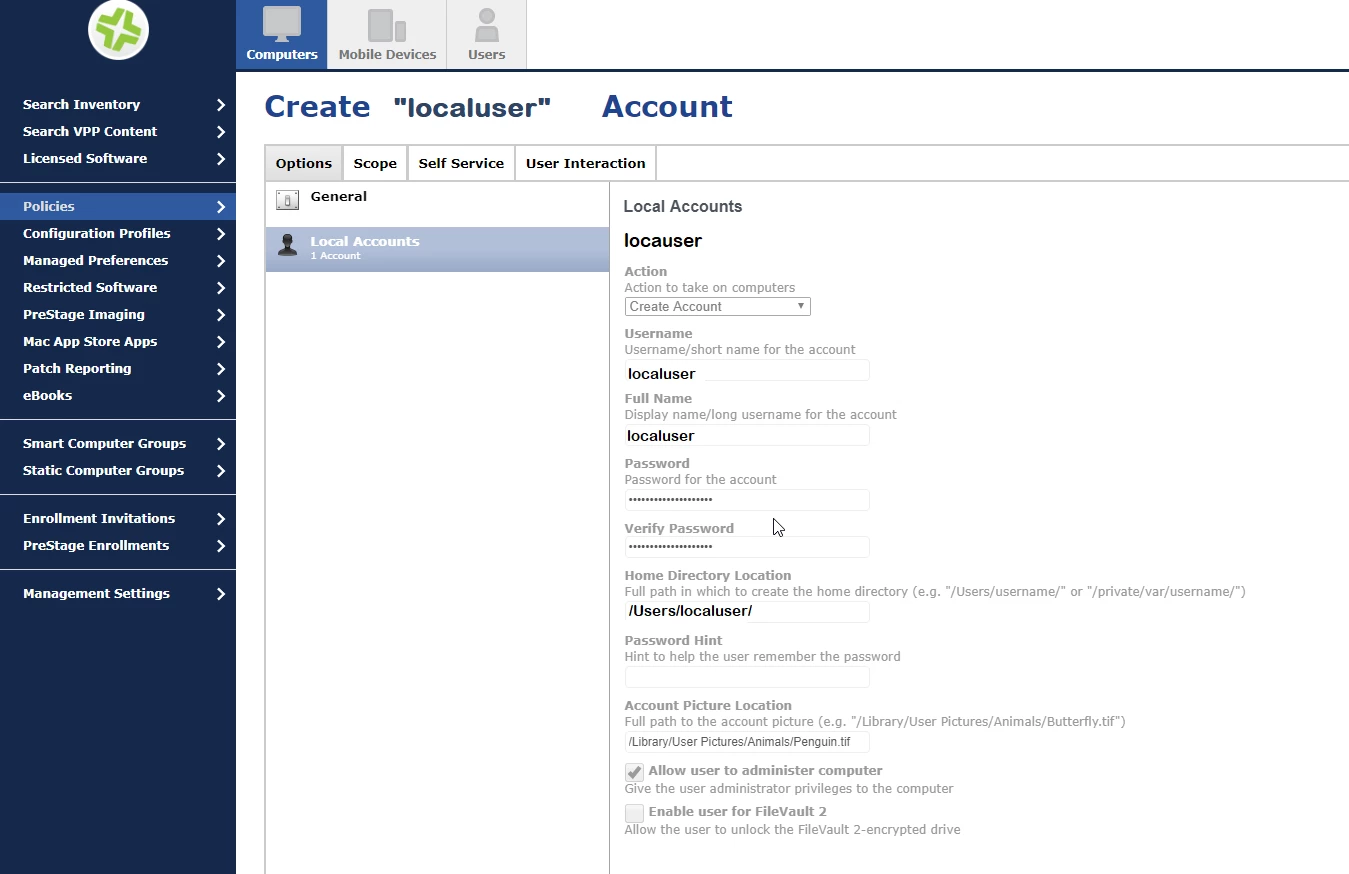
in our case we have "localuser", I see there's a place to edit/change the password, but when I edit/change the password and run the policy I get an error, because it tries to create the account.
what I want is to change the password only for the "localuser"...is there an easy way to do that?

nevermind =( I found it

under Action-> select "Reset Account Password"

thank you Jamf =)
Best answer by mm2270

@osxadmin You need to use "Reset Account Password" as the option in the Local Accounts payload. You left it on the default of "Create New Account" which is why you're getting that error.

2 replies

mm2270
Forum|alt.badge.img+24
  • Legendary Contributor
  • Answer
  • July 19, 2017

@osxadmin You need to use "Reset Account Password" as the option in the Local Accounts payload. You left it on the default of "Create New Account" which is why you're getting that error.


Forum|alt.badge.img+7
  • Author
  • Valued Contributor
  • July 19, 2017

thank you @mm2270
