Question

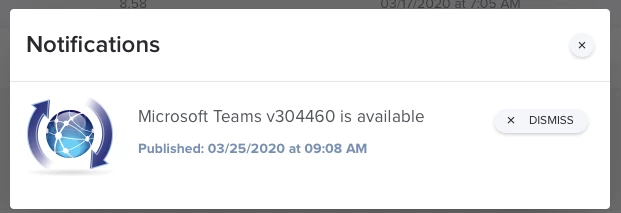
Why is Jamf Pro reporting Microsoft Teams 304460 available?

  • March 26, 2020
  • 5 replies
  • 39 views

howie_isaacks
Forum|alt.badge.img+23

My Jamf Pro servers are all reporting that. Microsoft Teams version 304460 is available, but when I download the latest package from Microsoft it's an installer for vision 300362. Why would Jamf Pro report a new version that cannot be downloaded from Microsoft? The app will auto-update as long as it's being used, so I know the version that I have installed on both of my Macs is the latest available version, 300362. Am I missing out on something? Is there some secret place to download Teams other than teams.microsoft.com/downloads and macadmins.software? I wasted valuable time yesterday updating patch policies for what I thought was a newer version of Teams đŸ¤¬

5 replies

Forum|alt.badge.img+7

Looks like MS wants people to use the updater and is dead slow with the package for both Teams and OneDrive.


howie_isaacks
Forum|alt.badge.img+23
  • Author
  • Esteemed Contributor
  • March 26, 2020

Well that’s annoying. Of course we are talking about Microsoft.


honestpuck
Forum|alt.badge.img+11
  • Contributor
  • March 31, 2020

Microsoft have a nasty habit of not updating the package at the global endpoint for MS-Teams. To always get the latest version you have to go to the version endpoint. This would be url = 'https://statics.teams.microsoft.com/production-osx/<version>/Teams_osx.pkg where <version> would be 1.3.00.362 or similar.

I have a python script I use to check the patch definition for the latest version and download it before uploading it to my JP cloud instance. If a couple of people ask nicely I could clean it up and post it on Github but I don't think it will work with the Jamf patch feed as Jamf uses a gnarly version number, another thing Microsoft have a habit of - slightly different version numbers in different places. I use the patch feed from Kinobi.


Forum|alt.badge.img+8
  • New Contributor
  • March 31, 2020

What you are seeing is "normal". The reason it reports the version as 304460 is because JAMF grabs the Bundle Version from all of the Microsoft applications, instead of the Short Bundle Version which is displayed in the Get Info window.

The Teams application and Remote Desktop apps both do this. The Microsoft Office applications have the same version info in both entries, which makes them a bit easier to handle.

This can also make setting up Smart Groups based on application versions a challenge if you didn't realize they are reported a little different.


howie_isaacks
Forum|alt.badge.img+23
  • Author
  • Esteemed Contributor
  • April 2, 2020

@howardgmac I understand the reporting on versions. I'm just saying that Jamf Pro patch management is showing a different version to be current and not the actual released version available for us to download from Microsoft.