Question

Unable to remove Skype Addin/Plugin from Outlook 0365

  • June 10, 2020
  • 3 replies
  • 22 views

Forum|alt.badge.img+7

Help needed to remove Skype plugin from outlook (0365) . Tried setting the key DisableSkypeMeeting to True on com.microsoft.Outlook , but didn't work
https://docs.microsoft.com/en-us/DeployOffice/mac/preferences-outlook

3 replies

CSCC-JS
Forum|alt.badge.img+8
  • Valued Contributor
  • June 10, 2020

Take a looking at this: https://docs.microsoft.com/en-us/skypeforbusiness/troubleshoot/server-install-or-uninstall/clean-uninstallation

I turned the above into this script

#!/bin/zsh

# https://docs.microsoft.com/en-us/skypeforbusiness/troubleshoot/server-install-or-uninstall/clean-uninstallation

killall "Skype for Business"

rm -rf /Applications/Skype for Business.app
rm -rf /Library/Internet Plug-Ins/MeetingJoinPlugin.plugin
defaults delete com.microsoft.SkypeForBusiness || true
rm -rf ~/Library/Containers/com.microsoft.SkypeForBusiness
rm -rf ~/Library/Logs/DiagnosticReports/Skype for Business_*
rm -rf ~/Library/Saved Application State/com.microsoft.SkypeForBusiness.savedState
rm -rf ~/Library/Preferences/com.microsoft.SkypeForBusiness.plist
rm -rf ~/Library/Application Support/CrashReporter/Skype for Business_*
rm -rf ~/Library/Application Support/com.apple.sharedfilelist/com.apple.LSSharedFileList.ApplicationRecentDocuments/com.microsoft.skypeforbusiness*
rm -rf ~/Library/Cookies/com.microsoft.SkypeForBusiness*
rm -rf /private/var/db/receipts/com.microsoft.SkypeForBusiness*
rmdir ~/Library/Application Scripts/com.microsoft.SkypeForBusiness
find -f /private/var/db/BootCaches/* -name "app.com.microsoft.SkypeForBusiness*" -exec sudo rm -rf {}

exit 0

Forum|alt.badge.img+4
  • Contributor
  • November 20, 2020

@CSCC-JS This script looks like it would remove the application, I am looking to do the same as the OP and just remove the add in.


Forum|alt.badge.img+8
  • Contributor
  • November 24, 2020

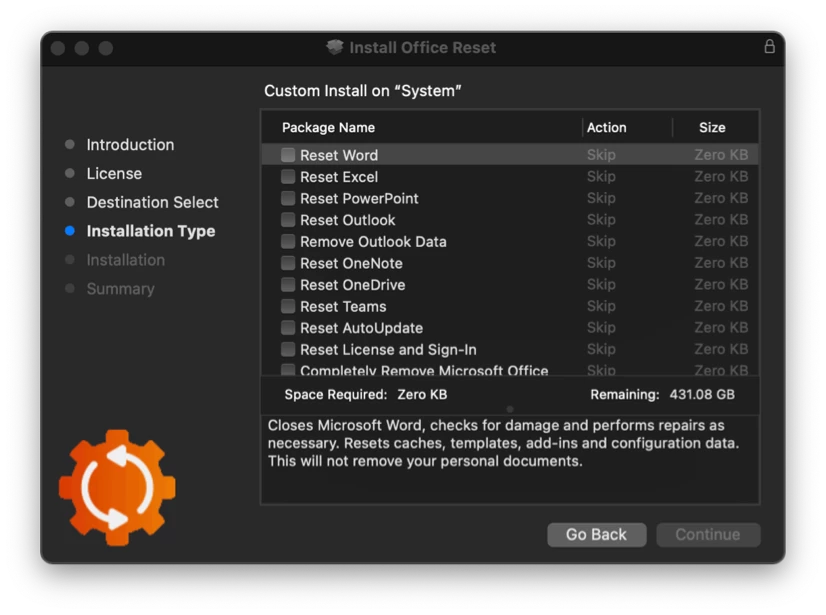
@vinu.thankachan I used the Office Reset tool that @pbowden wrote. It works great.