

Hello all,
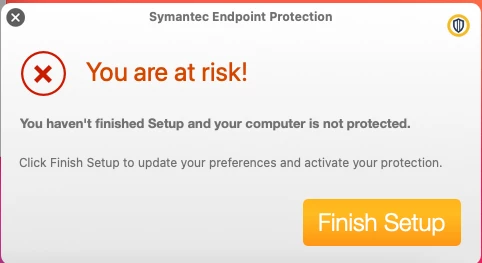
we are installing SEP on our Macs and we recently started getting these notifications at the bottom right corner and it says "YOU ARE AT RISK - FINISH SETUP".
https://knowledge.broadcom.com/external/article/198559
Symantec has a fix/workaround for this, just open the application and it will clear it. Once it has been opened all works fine.
They added a script that we use, but it isn't working every time. Do you have any ideas?
Their script:
installer -pkg /path/to/SEPRemote.pkg -target /
open -ja "Symantec Endpoint Protection"
shutdown -r +1
We install the pkg within a policy as a package and run the script afterwards:
open -ja "Symantec Endpoint Protection"
shutdown -r +1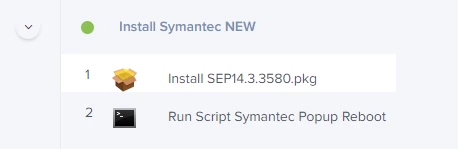
However, in the logs the client sometimes can't find the Symantec to open and comes with this "errors":
Script result: The application /Users/XXX/.Trash/Symantec Endpoint Protection.app cannot be opened for an unexpected reason, error=Error Domain=NSOSStatusErrorDomain Code=-10660 "kLSAppInTrashErr: The app cannot be run when inside a Trash folder" UserInfo={_LSLine=3665, _LSFunction=_LSOpenStuffCallLocal} shutdown: [pid 3188] Shutdown at Thu Mar 18 15:45:02 2021.
OR
Script result: The application /Users/XXX/.Trash/Symantec Endpoint Protection.app cannot be opened because it is in the Trash. shutdown: [pid 2939] Shutdown at Thu Mar 18 15:26:51 2021. shutdown: can't detach from console
How can we adjust the script to open Symantec afterwards without errors?
Thank you!

