Question

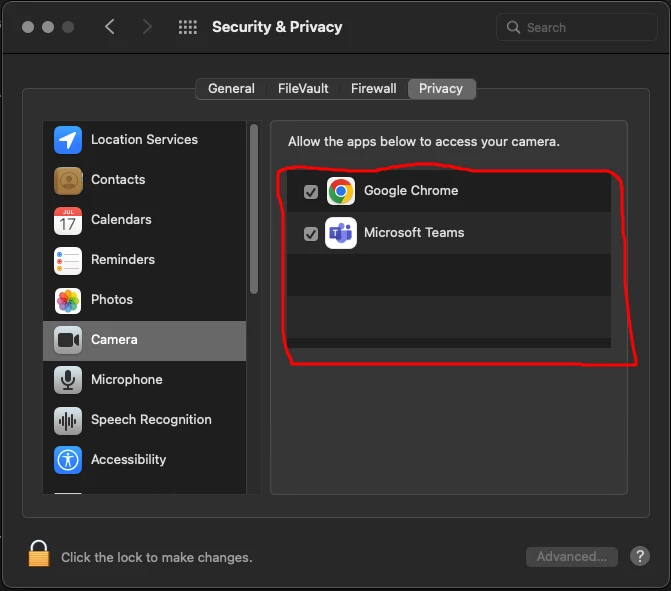
Add app to system preferences

  • April 20, 2022
  • 3 replies
  • 14 views

Forum|alt.badge.img+2
 

It is possible to pre-define applications within Jamf Pro within the option: Security and Privacy > Privacy.

3 replies

Forum|alt.badge.img+2
  • Author
  • New Contributor
  • April 20, 2022


Forum|alt.badge.img+8
  • Valued Contributor
  • April 20, 2022

configuration profile > Privacy Preference Policy Control, last I published any it just allowed or restricted end user access, not actually predefine what is allowed. Really if your end users are not local admins you still probably want to do this even though its not what you are looking for. 


Forum|alt.badge.img+20
  • Honored Contributor
  • April 20, 2022

You need to create a Privacy Preferences Policy Control profile. You can do this in the regular Jamf Pro Configuration Profile section. But, you are better off using the PPPC Utility from Jamf to build the profile: jamf/PPPC-Utility: Privacy Preferences Policy Control (PPPC) Utility (github.com)


Be aware that you can not approve Camera, Microphone, or Screen Recording. Apple considers access to these items a user privacy issue and requires the user to explicitly approve. You can, however deny access to those items for certain apps.