Question

Restrict Sierra betas and retail

  • July 18, 2016
  • 27 replies
  • 135 views

Forum|alt.badge.img+11

Does anybody have the process name for the Sierra installer, so I can add it to restricted software? I need to make sure the Sierra is not installed on any of the Macs in my environment. The Sierra installer should have a unique name, right?

27 replies

Forum|alt.badge.img+10
  • Contributor
  • July 18, 2016

I have restricted the Public Beta called Install macOS Sierra Public Beta.app. Not sure what the public release will be yet!

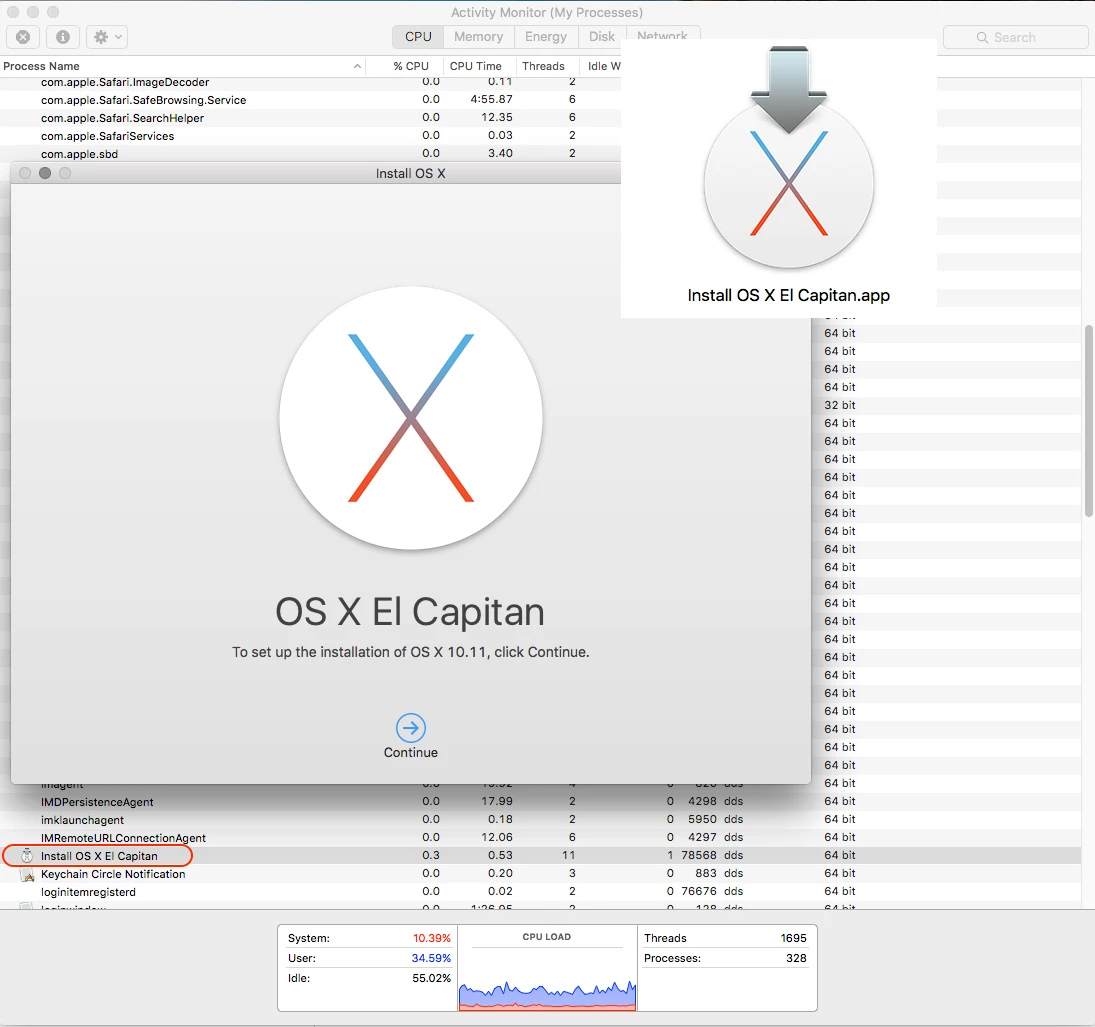
Going from previous versions of OS X:
- Install OS X Yosemite Beta.app
- Install OS X Yosemite.app
- Install OS X El Capitan Public Beta.app
- Install OS X El Capitan.app

I can only guess that it will be called Install macOS Sierra.app


emily
Forum|alt.badge.img+26
  • Hall of Fame
  • July 18, 2016

We have this profile in place in our environment:
https://support.apple.com/en-us/HT203018

There's a download link for a mobileconfig file created by Apple that doesn't allow any pre-release software or OS's. Confirmed working with pre-release Sierra in our environment.


Forum|alt.badge.img+11
  • Author
  • Valued Contributor
  • July 18, 2016

Thanks guys, I appreciate the help.


Forum|alt.badge.img+8
  • Contributor
  • September 6, 2016

This method should work for the retail version: http://macadminsdoc.readthedocs.io/MDM/CasperSuite/JSS/restrict-major-os-update/

To be tested when it is released.


Forum|alt.badge.img+11
  • Author
  • Valued Contributor
  • September 6, 2016

@ftiff I think the only problem with that method is that it will also block anything you try to install that uses osinstallersetupd, which as far as I know would also include older OS versions.

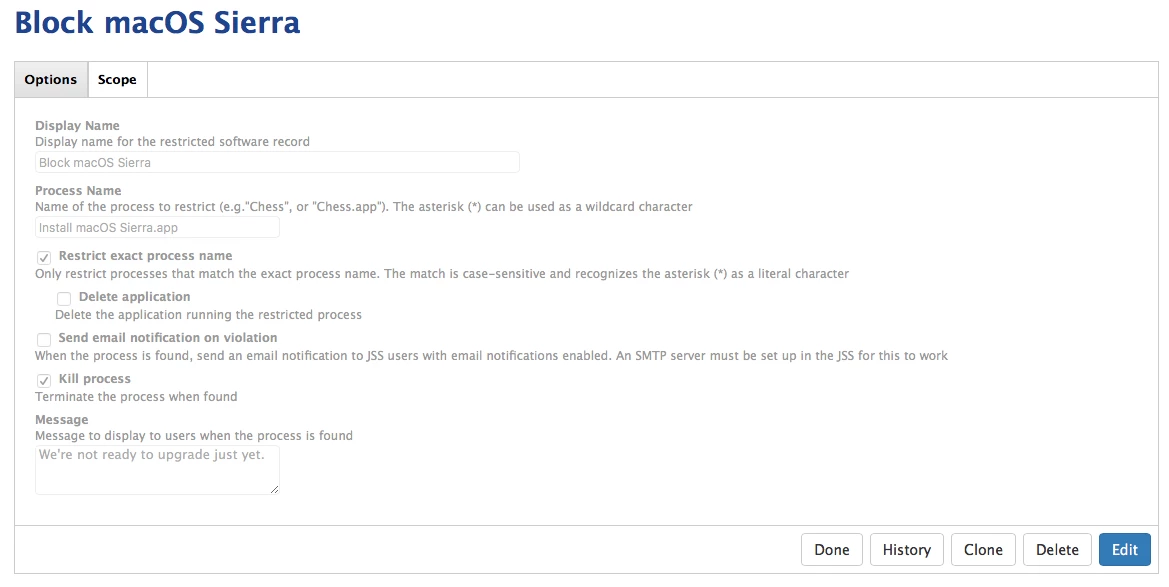
I already have beta releases deselected, I also have software update pointing to my OS X Server software update server which is blocking all updates so I have two go with the restricted software method to make sure people don't install it. The string I'm currently using to block processes is

Install macOS Sierra.app

And for the beta I'm using

Install macOS Sierra Public Beta.app

which works perfectly. And I understand using osinstallersetupd will block Sierra even if they rename it, but I'm not too worried about end users renaming the installer here.


dstranathan
Forum|alt.badge.img+19
  • Valued Contributor
  • September 6, 2016

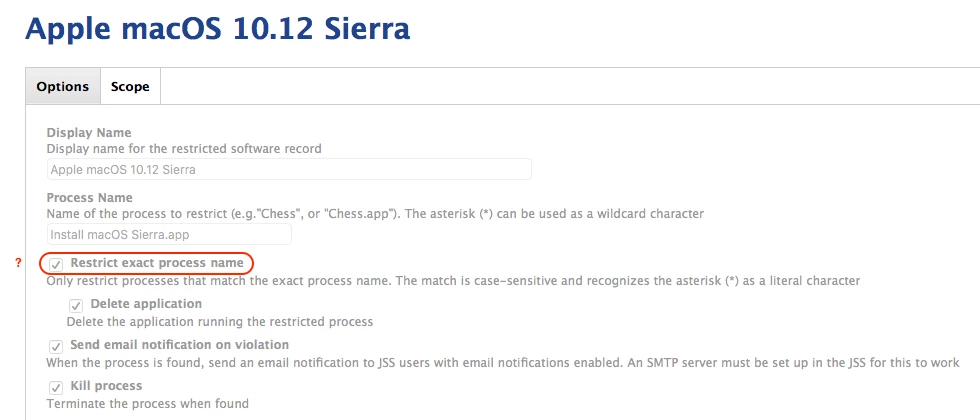
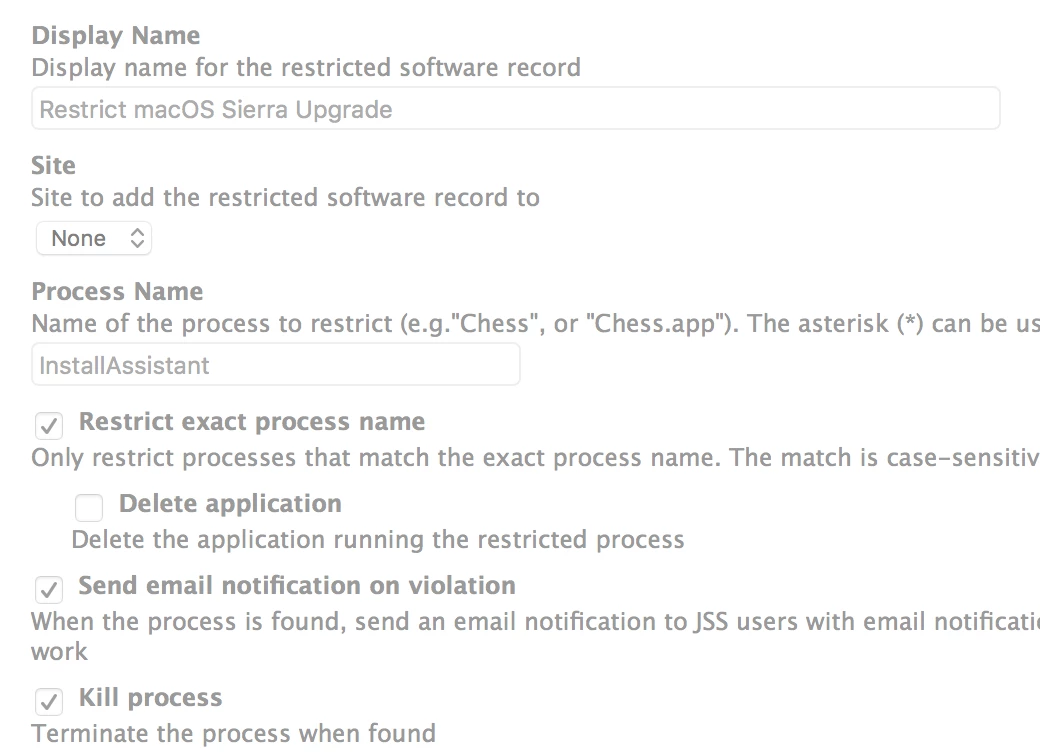
Do you also select the JSS option to "Restrict exact process name"?

I ask because while the installer app will likely named "Install macOS Sierra.app", the process itself is likely to be "Install macOS Sierra".

Here are my proposed JSS restriction settings:


Forum|alt.badge.img+11
  • Author
  • Valued Contributor
  • September 6, 2016

@dstranathan Yeah, for example in my beta restriction, I am using Install macOS Sierra Public Beta.app, using the exact process name, and it works. In fact when I tried to install the beta on my test Mac, I had forgotten to include myself in the exceptions list, and when I tried to install the beta, Casper blocked it.

Somebody correct me if I'm wrong, but I seem to remember this issue from previous OS releases too, we had to include the .app in the exact process name for it to work.


dstranathan
Forum|alt.badge.img+19
  • Valued Contributor
  • September 9, 2016

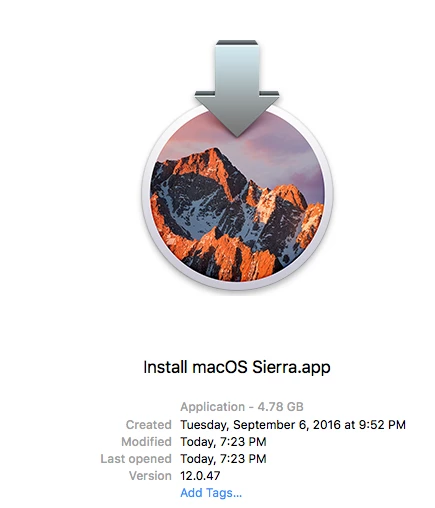
Confirmed: "Install macOS Sierra.app". No surprises here.


howie_isaacks
Forum|alt.badge.img+23
  • Esteemed Contributor
  • September 9, 2016

We have setup a restriction on our JSS as well. This weekend, I'm installing the gold master on my MacBook Pro so that I can run through using Adobe Creative Cloud, Microsoft Office, and other commonly used software. Of course I will make a complete clone of my Mac before I upgrade just in case something goes wrong :)


iJake
Forum|alt.badge.img+23
  • Contributor
  • September 9, 2016

We've also had an MDM profile in place to block betas for some time but see my post here about how we'll be blocking the actual installer process and providing our users with a walkthrough and CreateOSXInstaller package instead.


Forum|alt.badge.img+5
  • Contributor
  • September 14, 2016

I pulled down the GM candidate yesterday, and noted the name as

Install macOS Sierra.app

Software restrictions don't seem to be working for this in JSS 9.96. Opened a ticket with JAMF for clarity.


Forum|alt.badge.img+14
  • Contributor
  • September 20, 2016

Same. I can't get restrictions work. Checking activity monitor shows "Install macOS Sierra" as the process.

Update: I may have needed to be patient. The restriction is now working as expected.


dstranathan
Forum|alt.badge.img+19
  • Valued Contributor
  • September 20, 2016

Restrictions are working in 9.93 for me.

I have already put the proverbial IT smack-down on 4 end users trying to install Sierra: "Denied!"


Forum|alt.badge.img+3
  • New Contributor
  • September 21, 2016


though of share... using "InstallAssistant" works for us..


Forum|alt.badge.img+10
  • Contributor
  • September 22, 2016

Allright I'm scratching my head here. Already blocked the installer back in June using the recommended settings found in this topic (they are the same as @monogrant).

However, I noticed yesterday that somebody did upgraded to Sierra when he shouldn't be able to that. After relaunching the installer I did got the message that it's currently blocked and the process was killed as expected.

But after renaming the installer to something completely different, it launched without issues and I was able to install Sierra. Why is this possible? Shouldn't the jamf client look at the process that is running and block that? (which I presumed was the case)

I mean, now it's more "security through obscurity" because a simple rename of the .app apparently is enough to evade my policy.


Forum|alt.badge.img+4
  • Contributor
  • September 23, 2016

@skeb1ns We had that issue with El Capitan, after watching the Jamf webinar the other day they talk about that very issue if a user has the permission to change the name they can get around it.

Try doing what @msg4karth posted, that should block it!

But of course testing in your environment is key :)


peterlbk
Forum|alt.badge.img+11
  • Jamf Heroes
  • September 26, 2016

Hi all,

i managed to prohibit the install by blocking the osinstallersetupd process.

This seems an underlying process that runs the installer and its app.


Forum|alt.badge.img+5
  • Contributor
  • September 26, 2016
i managed to prohibit the install by blocking the osinstallersetupd process.

Does blocking this stop the machine from upgrading from other versions of OSX though.

i.e. If I have a ban on all OSX managed devices for the above process, would that stop them being upgraded from 10.10 to 10.11 for example? Or is that process unique to MacOS Sierra?


Forum|alt.badge.img+2
  • New Contributor
  • September 27, 2016

We set Process Name to ' Install macOS* ', it works well


Forum|alt.badge.img+20
  • Contributor
  • October 11, 2016

can multiple 'process names' be added ?

by maybe using a , or ; in between each process name ??

example
Install macOS Sierra.app,Sierra,macOS Sierra


Forum|alt.badge.img+6
  • Contributor
  • November 21, 2016

Any tips on how to prevent users from upgrading to a point release (i.e. Sierra 10.12.1)? Apple tightened some code up in that release, and it breaks our DLP app, so the security team has asked us to stop people upgrading to 10.12.1+ (since 10.12.2 is in beta now) altogether. Do you all know if the osinstallersetupd process is also involved in installing a point-release version?

Ultimately I'd like to stop Sierra updates until they can get the vendor issue with the app figured out, but still allow other installed apps from the AppStore to upgrade.

I'm going to test with the osinstallersetupd method mentioned above, but I'm working remote currently and only have 1 Mac which already has 10.12.1 on it. Also looking at manipulating /Library/Preferences/com.apple.SoftwareUpdate.plist to force disable allowing OS updates...


Forum|alt.badge.img+8
  • Contributor
  • November 21, 2016

Are you using Websense/Forcepoint by any chance?


Forum|alt.badge.img+6
  • Contributor
  • December 13, 2016

ftiff, indeed we are. Now that 10.12.2 is out, I'm proactively blocking that as well, though they told us via our TAM that they hadn't noted any particular incompatibility (more than what they had with the 10.12.1 update). They were able to give us a FP WebProxy that works with 10.12.1, but no DLP so far.

For now I'm using a softwareupdate --ignore "macOS 10.12.2 Update" to prevent it until they can verify it is compatible, and disabled updates from Mavericks/El Cap too since OS updates seem to install the very latest point release from what I've seen so far.


Forum|alt.badge.img+8
  • Contributor
  • December 13, 2016

Thanks for the update. In short, we've had enough with websense and will move to Intel Security. Ok the MacAdmin side, it's easier to deploy, easier to administer, it's compatible with 10.12.1 (haven't checked 10.12.2 but should be) and it plays better with the system in general. Support is good, admin interface is awesome. Then it's not up to me to judge the effectiveness, but it also seems to work as good (if not better).


Forum|alt.badge.img+8
  • Contributor
  • July 25, 2017

FYI, v9.97 of the JSS resolved this by adding the "Allow installation of macOS beta releases" boolean option in the Software Update payload under Configuration Profiles. This makes it block only beta updates rather than all OS updates.