Solved

Problems enrolling iPads

  • July 30, 2018
  • 5 replies
  • 25 views

Forum|alt.badge.img+7

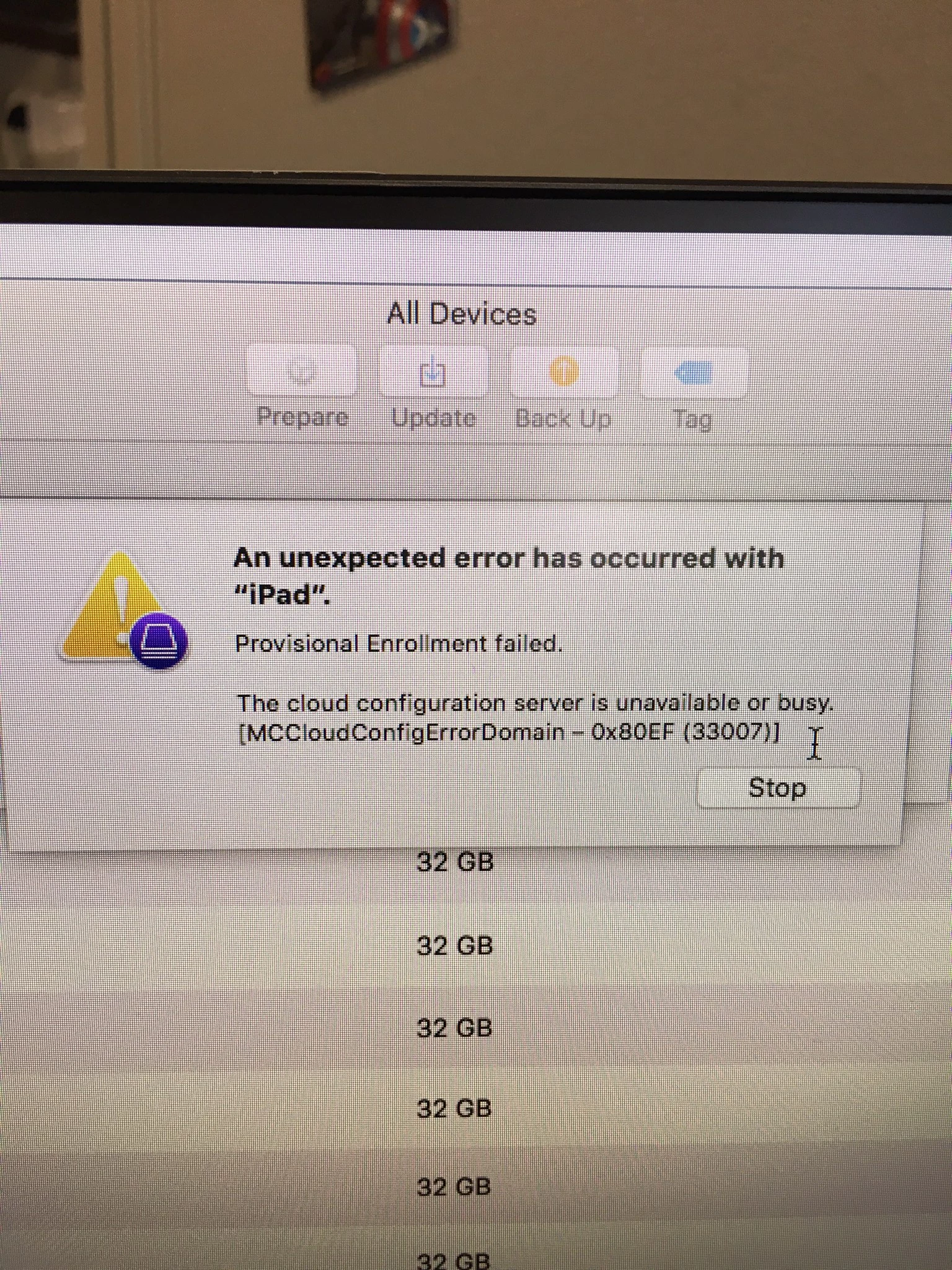
Trying to enroll some New iPads into DEP and Jamf using configuration but I keep getting this error msg. It only happens on the new iPads our older fleet are enrolling fine

Best answer by Rhinehart

didn't work called apple and found out that the ipads were still enrolled in our purchasing agents DEP.

5 replies

Forum|alt.badge.img+11
  • Contributor
  • July 30, 2018

Try again. We get this message as well, especially if provisioning multiple iPads at once. I chalk it up to a slow jamf jss.

We use 4 MacBook Airs with Configurator 2 to prepare iPads. Tried preparing 8 at a time and we would get errors like this. We then tried 4 at a time (1 per MacBook Air instead of 2 per MacBook Air) and it seemed to work much better.


Forum|alt.badge.img+4
  • Contributor
  • July 31, 2018

experiencing similar errors with DEP recently also. i suspect changes are occurring with the back end DEP infrastructure in preparation for ios12....which doesnt help me now :(


Forum|alt.badge.img+7
  • Author
  • Contributor
  • July 31, 2018

I don’t think it a slowness issue, it only happens with the new iPads. All the ones we bought last year and before go through fine.


Forum|alt.badge.img+7
  • Author
  • Contributor
  • July 31, 2018

I just found this on the apple forums, I’ll try when I get back to wor

Hi,

I had the same problem and i've tried anything in Apple Configurator and i've checked a lot of forum.
I finally found that, after you reinitiliaze the iPAD, if the iPAD is not connected on the wifi and I try to enrolling it manually, i had the error 0x80EF. If I connect the iPAD to the wifi, and retry to enrolling it, it work.

Sorry for my english, I hope it will help you.


Forum|alt.badge.img+7
  • Author
  • Contributor
  • Answer
  • August 6, 2018

didn't work called apple and found out that the ipads were still enrolled in our purchasing agents DEP.