
Question

Mapping shares randomly works and then doesn't

  • November 1, 2018
  • 3 replies
  • 17 views

Forum|alt.badge.img+7

So i've been using a script since the Jamf jump start which has been working a treat but recently its become sporadic and randomly works when it feels?!
I found that it adds a keychain entry for each drive and removing these was kicking it back in but now this isn't fixing it either.

Script is:

!/bin/bash

if [ "$3" == "" ]; then user=/bin/ls -l /dev/console | /usr/bin/awk '{ print $3 }'
else user=$3
fi

echo User logging in is $user

sudo -u $user /usr/local/jamf/bin/jamf mount -server "$4" -share "$5" -type "$6" -username "$user" -visible &

exit 0

So I have separate policies to map each drive and these run based on AD memberships. (See attached screens)
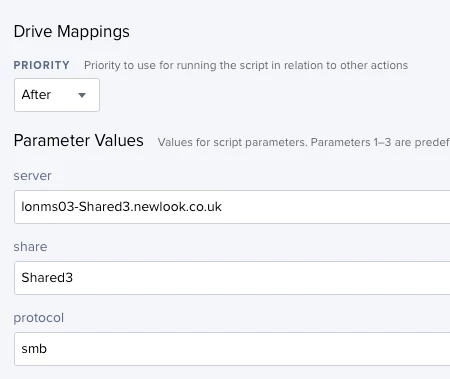
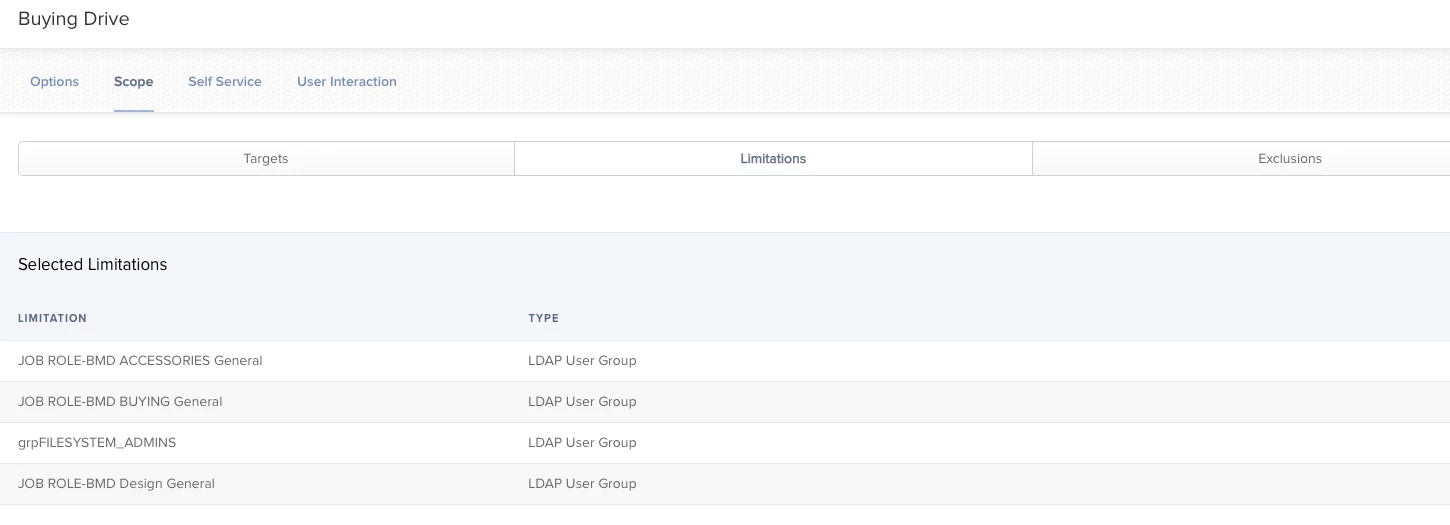
Mapping the drives manually works fine so theres nothing wrong with users permissions or their group memberships its just these policies seem to pick and choose when they run and who they run for?!?!

Policie logs do show some differences but they all say completed and show no errors.(see attached screens)
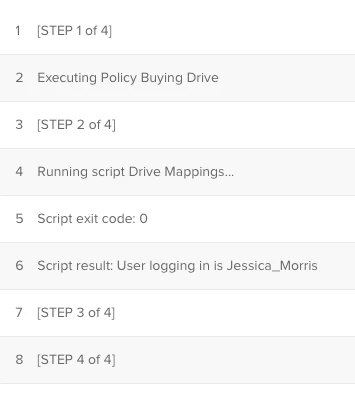
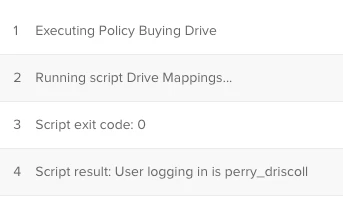
Any ideas or changes to the script you can think i need?

3 replies

dsavageED
Forum|alt.badge.img+8
  • New Contributor
  • November 1, 2018

We have a script that does this and is ran from Self Service. The biggest difference is we use AppleScript to mount the share...

mount_volume() {
script_args="mount volume "${smb_mount}""
# If the home volume is unavailable take 2 attempts at (re)mounting it
tries=0
while ! [ -d /Volumes/${subject} ] && [ ${tries} -lt 2 ];
do
    tries=$((${tries}+1))
    sudo -u ${user_name} | osascript -e "${script_args}"
    sleep 5
done
}

This is still working for us, so perhaps might be worth a try?


Forum|alt.badge.img+7
  • Author
  • Contributor
  • November 1, 2018

How do you plug in different shares to that one script?


dsavageED
Forum|alt.badge.img+8
  • New Contributor
  • November 1, 2018

Sorry, the full script was in the link, the code excerpt was simply the main difference. We are in the fortunate position of having a common naming scheme for server resources, full code for mounting is:

#!/bin/bash
# College or support unit (chss, cmvm, csce, sg)
unit=$4
#unit="chss"

# Subject area or group
subject=$5
#subject="div"

user_name=`ls -l /dev/console | awk '{print $3}'`

smb_mount="smb://${user_name}@$unit.datastore.ed.ac.uk/$unit/$subject"

smb_path="smb://$unit.datastore.ed.ac.uk/$unit/$subject"

mount_volume() {
script_args="mount volume "${smb_mount}""
# If the home volume is unavailable take 2 attempts at (re)mounting it
tries=0
while ! [ -d /Volumes/${subject} ] && [ ${tries} -lt 2 ];
do
    tries=$((${tries}+1))
    sudo -u ${user_name} | osascript -e "${script_args}"
    sleep 5
done
}

if ! [ -d /Volumes/${subject} ]; then
    mount_volume
fi
exit 0;