In Jamf Pro, We have policies to install the 2024 Microsoft Office suite LTSC during our Provision policy which is a script that calls each policy to install individual pieces of software we want to install on a Mac.
Here is the order for the Microsoft install we have 2 policies:
1. Install 2024 Microsoft Office 16.106.26020821.pkg
(This is the older version from February. Testing. I tried the lastest version too)
Ever since I can remember this has worked exactly as intended. The Office suite is installed then the volume serializer is installed to activate the license. At first launch it opens to the templates/recent documents page.
However, over the last couple weeks of testing, the activation is no longer applying. I’ve tried everything I can to try and deactivate the license/reactivate it, but the only fix appears to be completely removing all office components, and reinstalling them - only then does the volume serializer work.
I thought this might be as a result of the latest Office apps, so I reverted to using older versions of the pkg files but the problem remains.
Has anyone found a fix for this?
Best answer by ubcoit
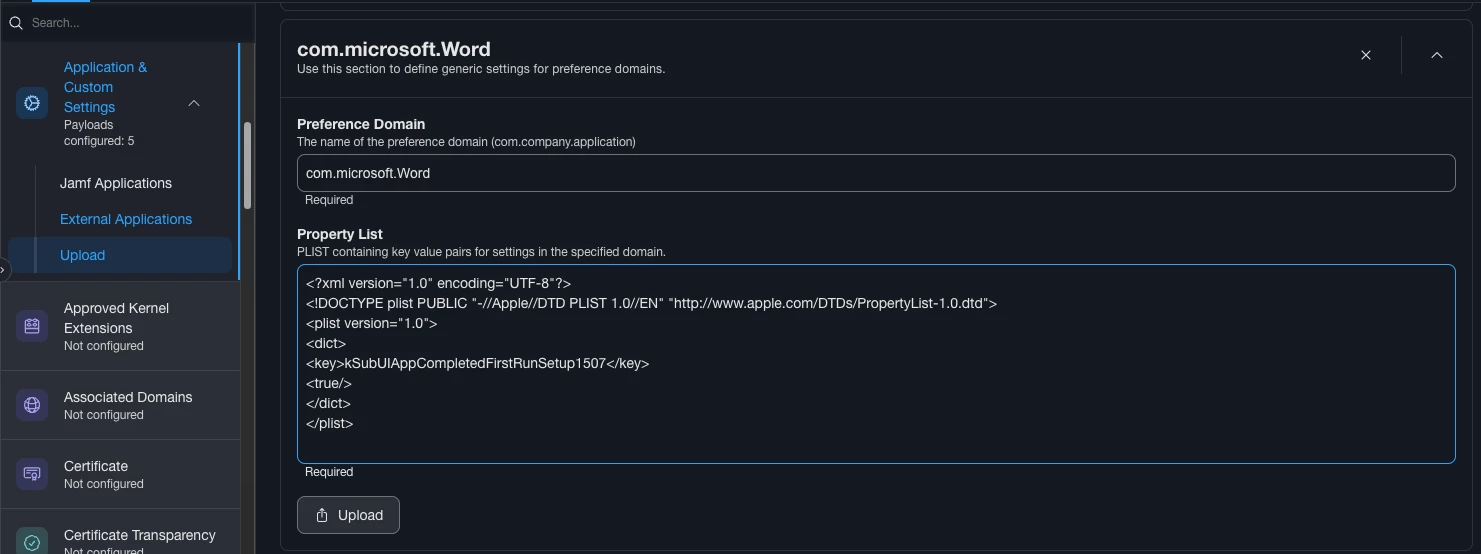
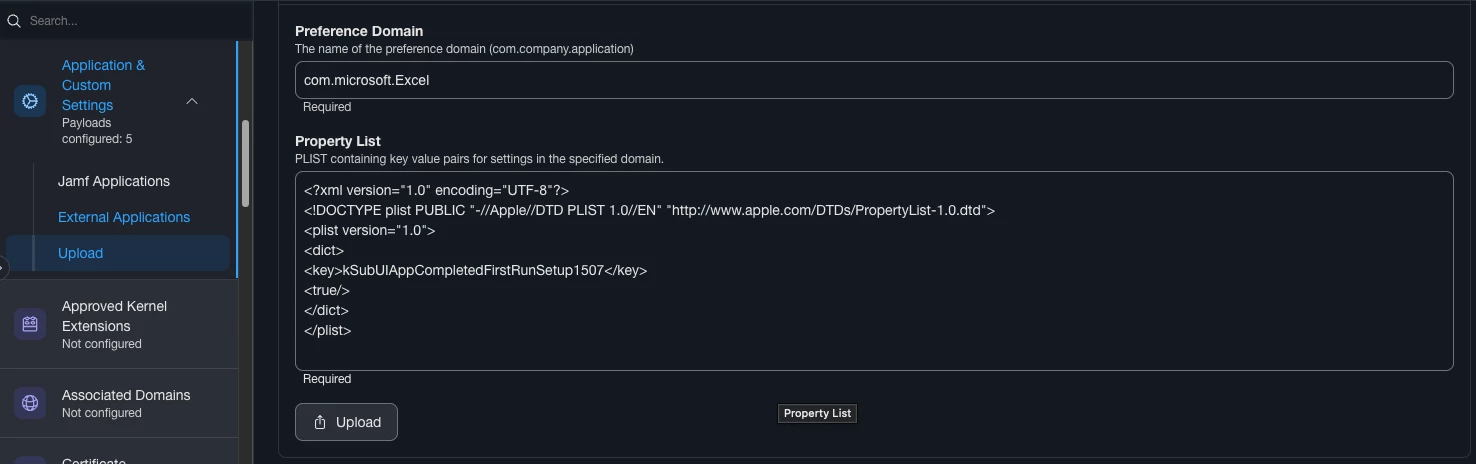
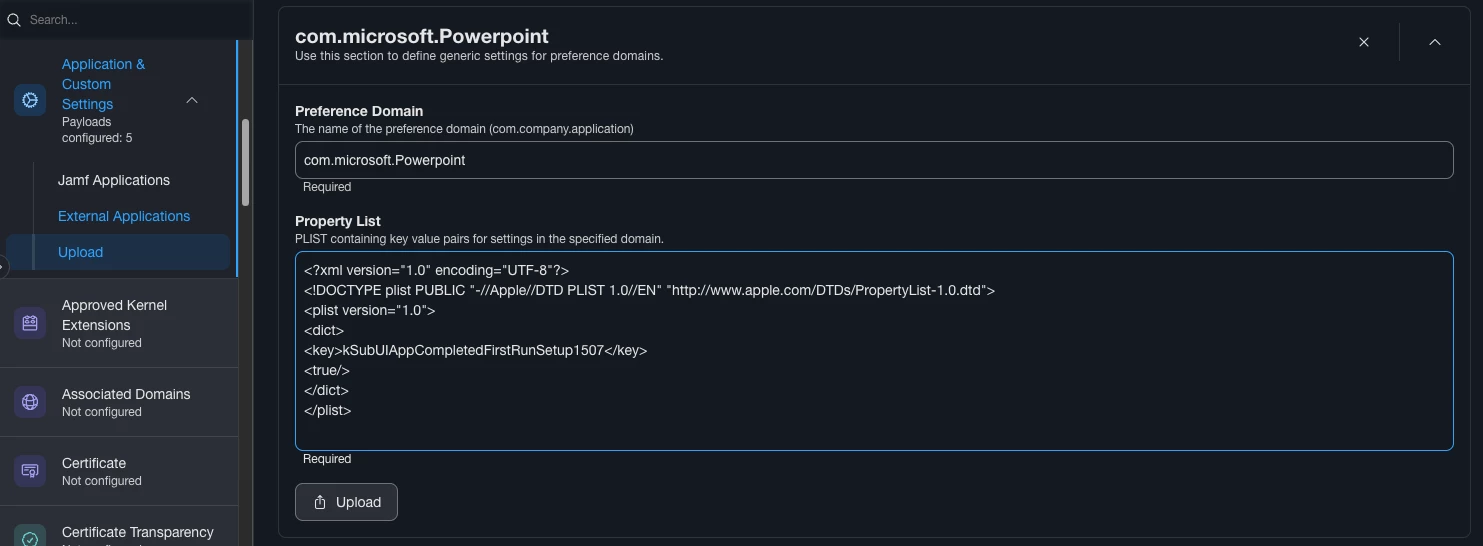
Yes, we started seeing this on June 3. Lots of testing of versions etc. I discovered that it began March 17 with version 16.107.1 in my testing but others seem to have reported it sooner. Anyways, browsing the Macadmins slack channel I found a solution. You can either do local plist files for the system, per user or config profile(s). I just went with system wide plist files on fresh machines. If any need the fix I’ll handle that with a separate Jamf policy.
Yes, we started seeing this on June 3. Lots of testing of versions etc. I discovered that it began March 17 with version 16.107.1 in my testing but others seem to have reported it sooner. Anyways, browsing the Macadmins slack channel I found a solution. You can either do local plist files for the system, per user or config profile(s). I just went with system wide plist files on fresh machines. If any need the fix I’ll handle that with a separate Jamf policy.
Running into this too. But not sure what the process is. Tried running the bash script on a system that already has Office and serializer installed but still getting the login prompt.
Running into this too. But not sure what the process is. Tried running the bash script on a system that already has Office and serializer installed but still getting the login prompt.
Not sure what I’m missing. TIA.
I’m not sure on the bash script way, but adding these to my existing MS Office configuration profile worked.