Solved

5GB size of DB

  • November 26, 2018
  • 5 replies
  • 21 views

Forum|alt.badge.img+7

Hello, we have 2000 iPads being managed and our database size is almost 5GB. Is this too big for the number of the iPads that we manage?

Thanks

Best answer by m_donovan

My mobile_device_management_commands is at 721MB and I have 20K iOS.

5 replies

Forum|alt.badge.img+10
  • Valued Contributor
  • November 26, 2018

I would expect your database to be much smaller. Some things to look at would be the table sizes for icons and locations. Both of those can get bloated due duplicate entries. If they are in the GB size you can get with your jamf support contact to get some database commands to clean them out.


Forum|alt.badge.img+7
  • Author
  • Contributor
  • November 26, 2018

@m.donovan Thanks for your reply.

Looks like this is our culprit - mobile_device_management_commands 3.63 GB


Forum|alt.badge.img+10
  • Valued Contributor
  • Answer
  • November 26, 2018

My mobile_device_management_commands is at 721MB and I have 20K iOS.


Forum|alt.badge.img+8
  • Valued Contributor
  • November 27, 2018

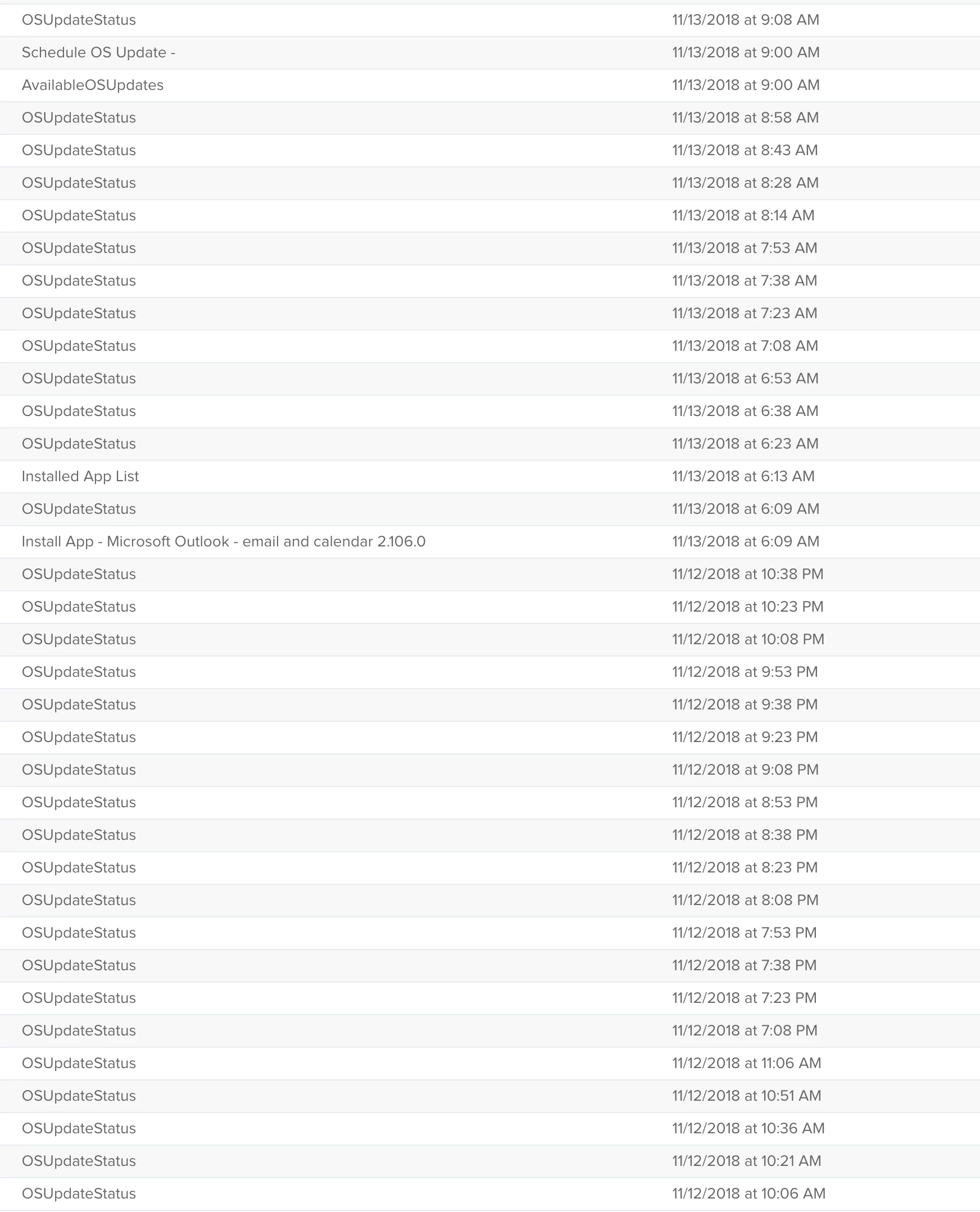
We had the similar issue. Our issue was with OSUpdateStatus keeps repeating itself forever until the device is updated to the latest OS.

This doesn't seem to happen anymore on iOS 12 devices but older iOS 11 devices are getting this in the log which causes 10000+ records per device. Right now, I have the log flushing set to 2 weeks so this table is about 1 GB but hopefully once all the devices are updated to iOS 12, we won't this issue again.


Forum|alt.badge.img+7
  • Author
  • Contributor
  • November 27, 2018

@tak10 holy crap!! How many devices do you have in your institution if I may ask.