Question

802.1x - eapolclient popup issue

  • May 25, 2021
  • 13 replies
  • 611 views

Forum|alt.badge.img+8


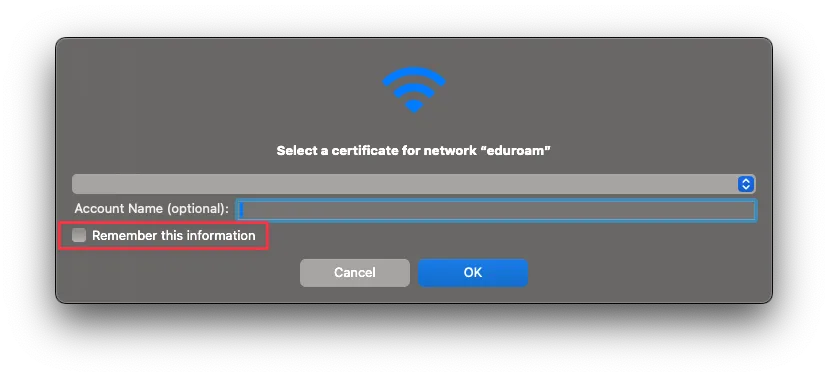
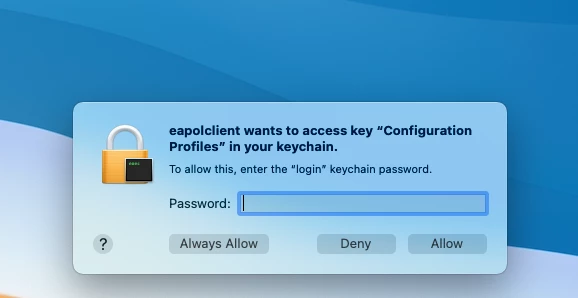
Our 802.1x network has been working for more then a years, but again and again I have seen the isse, where users first time they connect got the attached image. The user certificate is located in the users login keychain - I don´t know if that has anything to do with it

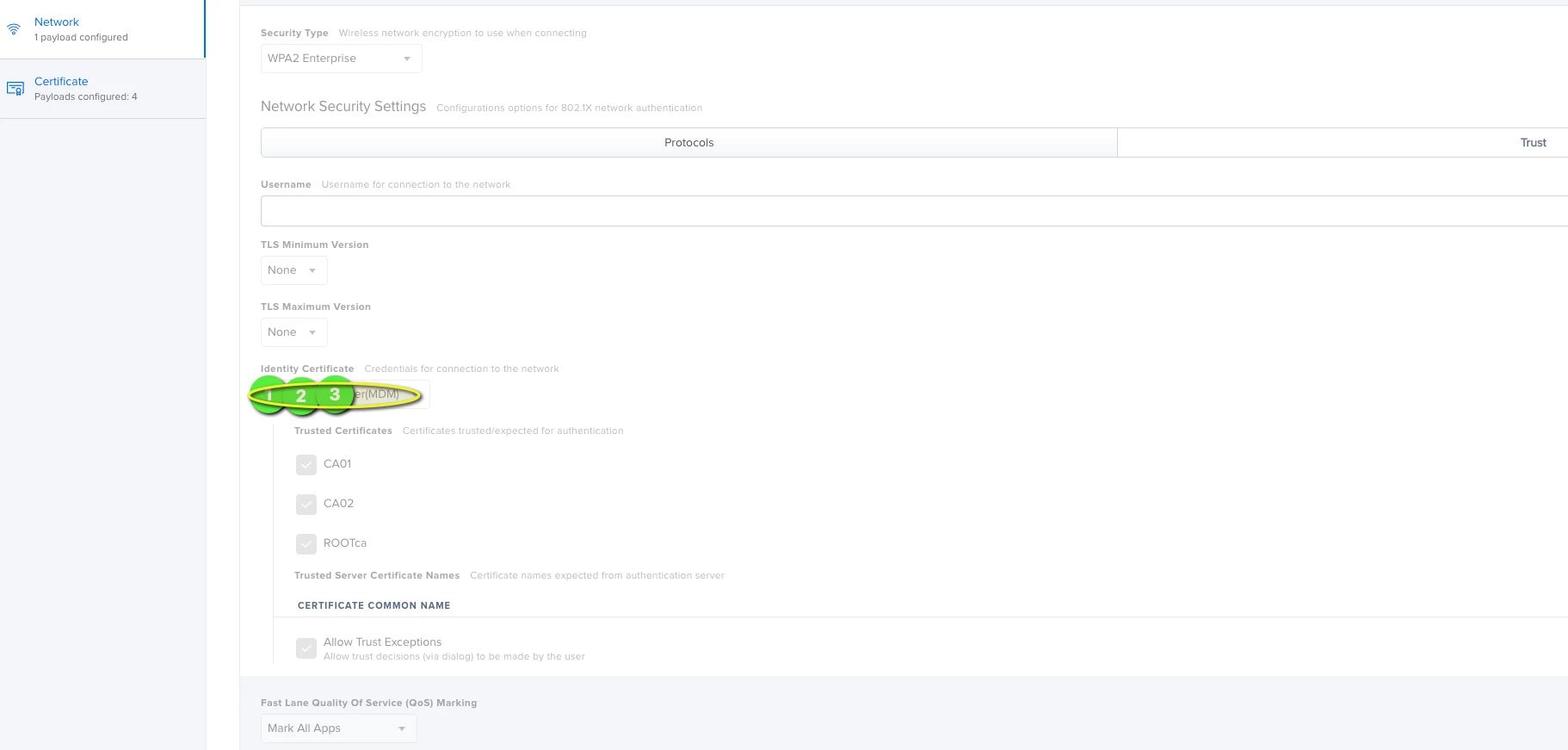
We use network payload - and just asking me if this somehow can be stopped so this popup will not appear anymore.
13 replies

Forum|alt.badge.img+10
  • Contributor
  • May 27, 2021

Actually I also have this issue - quite annoying. Anyone know if this is possible to solve?


Forum|alt.badge.img+2
  • New Contributor
  • June 9, 2021

Seconded... having the same exact popup for a first time login. Did you all sort anything out?


Forum|alt.badge.img+8

We actually had this issue for long time and some weeks ago made a apple support case. After sending logs etc, they just came back that this popup should actually not appear and it is a product issue. So they await more feedback from the the dev team

Seems very strange that for over an year no one else has rapported this and to my knowledge I can even find someone who managed to get this working without this eapolclient

so I await apple, but will propably take several releases before something is out


Forum|alt.badge.img+7
  • Contributor
  • May 23, 2022

Has anyone seen an update to this?  We are still seeing this running 12.4


Forum|alt.badge.img+1
  • New Contributor
  • January 5, 2023

I think, there is nothing happend.
I still can see this on 13.0.1 with an asking for AdminCred, as we have to deploy new machine certs (802.1x)

Didn't find any solution on my side...


Forum|alt.badge.img+8
  • Author
  • Contributor
  • January 12, 2023

We now place certificates in system keychain - there no popup appear


Forum|alt.badge.img+1
  • New Contributor
  • March 1, 2023

We now place certificates in system keychain - there no popup appear


Our certificates were already placed in system keychain and we're having this same issue. Prompt from eapolclient for access to the system keychain.


Forum|alt.badge.img+3
  • New Contributor
  • July 6, 2023

Our certificates were already placed in system keychain and we're having this same issue. Prompt from eapolclient for access to the system keychain.


Are they well trusted ?


Forum|alt.badge.img
  • New Contributor
  • February 19, 2024

Also having this problem in 2024, why did this thread go dead ?


nanderson
Forum|alt.badge.img+3
  • New Contributor
  • February 29, 2024

I'm also seeing this. I have submitted tickets to Apple and worked with Jamf. So far no solution...


Forum|alt.badge.img+5
  • New Contributor
  • March 15, 2024

I've just been banging my head against this one, too. However, I have found that it only seems to happen when the “Remember this information” box is ticked. 

For this example, it's a Wi-Fi connection.

— Connect > Select Certificate > Untick “Remember this information”: No prompt

— Connect > Select Certificate > “Remember this information” ticked by default: Prompted

It makes sense, I suppose. It's trying to write that back to something in the system keychain where a standard user doesn't have permissions. Manually marking the certificates as “Always Trust” makes no difference.

Despite not selecting to remember, it seems to.


Forum|alt.badge.img
  • New Contributor
  • April 18, 2024

This method does not work when you have Dot1X Authentication using EAP-TLS, macOS always keep asking for your user and password to unlock Keychain. To Solve this problem is necessary to expand your certificate's private key in Keychain, get info of private key, access control and than click on allow all applications to access this item, save it and you are done.


Forum|alt.badge.img
  • New Contributor
  • September 30, 2024

Hi community. You want to add the eapolclient to the applications exempt from certificate access control. Add the following app (see path below) in the Keychain Access App to the list of apps that can always access the certificate required to establish the 802.1X / EAP-TLS secured WiFi access. 

/System/Library/SystemConfiguration/EAPOLController.bundle/Contents/Resources/eapolclient

Source: https://twocanoes.com/eap-tls-on-macos-11/