Solved

Add URL's to Self Service

  • November 29, 2012
  • 8 replies
  • 161 views

Forum|alt.badge.img+8

I would like to add URL's to self service to be on the left hand corner of the page when a user opens self service is there any way I can do this on Casper?

Thanks!!
Nicholas

Best answer by technicholas

Never mind figured it out thanks!

8 replies

Forum|alt.badge.img+8
  • Author
  • Contributor
  • Answer
  • November 29, 2012

Never mind figured it out thanks!


Forum|alt.badge.img+10
  • Contributor
  • November 29, 2012

For anyone stumbling on this:

Settings ---> Computer Management Framework Settings ----> Self-Service -----> Plug-ins


Forum|alt.badge.img
  • New Contributor
  • April 2, 2015

Thanks! I did need that...


Forum|alt.badge.img+1
  • New Contributor
  • November 4, 2015

Adding a Self Service Plug-in
1. Log in to the JSS with a web browser.
2. In the top-right corner of the page, click Settings  .
3. Click Computer Management.
On a smartphone or iPod touch, this option is in the pop-up menu.
4. In the "Computer Management - Management Framework" section, click Self Service Plug-ins  .
5. ClickNew  .
6. Enter a display name and description, and choose a priority for the plug-in.
7. Choose "Self Service Plug-in Bundle" or "URL Plug-in" from the Plug-in Type pop-up menu.
8. Configure the plug-in using the options on the pane.
9. Click Save.
The plug-in is available in Self Service the next time computers check in with the JSS.


Forum|alt.badge.img+16
  • Honored Contributor
  • November 4, 2015

You can also use a policy to do this. You'll have to do this through the "Files and Processes"->"Execute Command" section. Just use

open https://www.google.com

and that will open Google.com in the user's default web browser.

Less ideal than using the Self Service plugins, but depending on your setup you may not actually have access to add those into Self Service. This route accomplishes the same thing without needing those permissions.


chris_kemp
Forum|alt.badge.img+20
  • Jamf Heroes
  • November 4, 2015

Actually, we just implemented something like this to clean up the number of links we had in the Self Service sidebar. We created a category and grouped them underneath, using:

open -a /Applications/Safari.app https://insert-relevant-URL-here

Besides cleaning up the sidebar, this ensures that the links are launched in Safari rather than whatever the default browser may be set to. Useful if you have sites that require the use of a particular browser (which is necessary, in our case).


Forum|alt.badge.img+8
  • Valued Contributor
  • October 18, 2017

@chris.kemp Can this be done for the iOS Mobile Device Self Service?


STANDINGROBOT
Forum|alt.badge.img+1
  • New Contributor
  • December 14, 2023

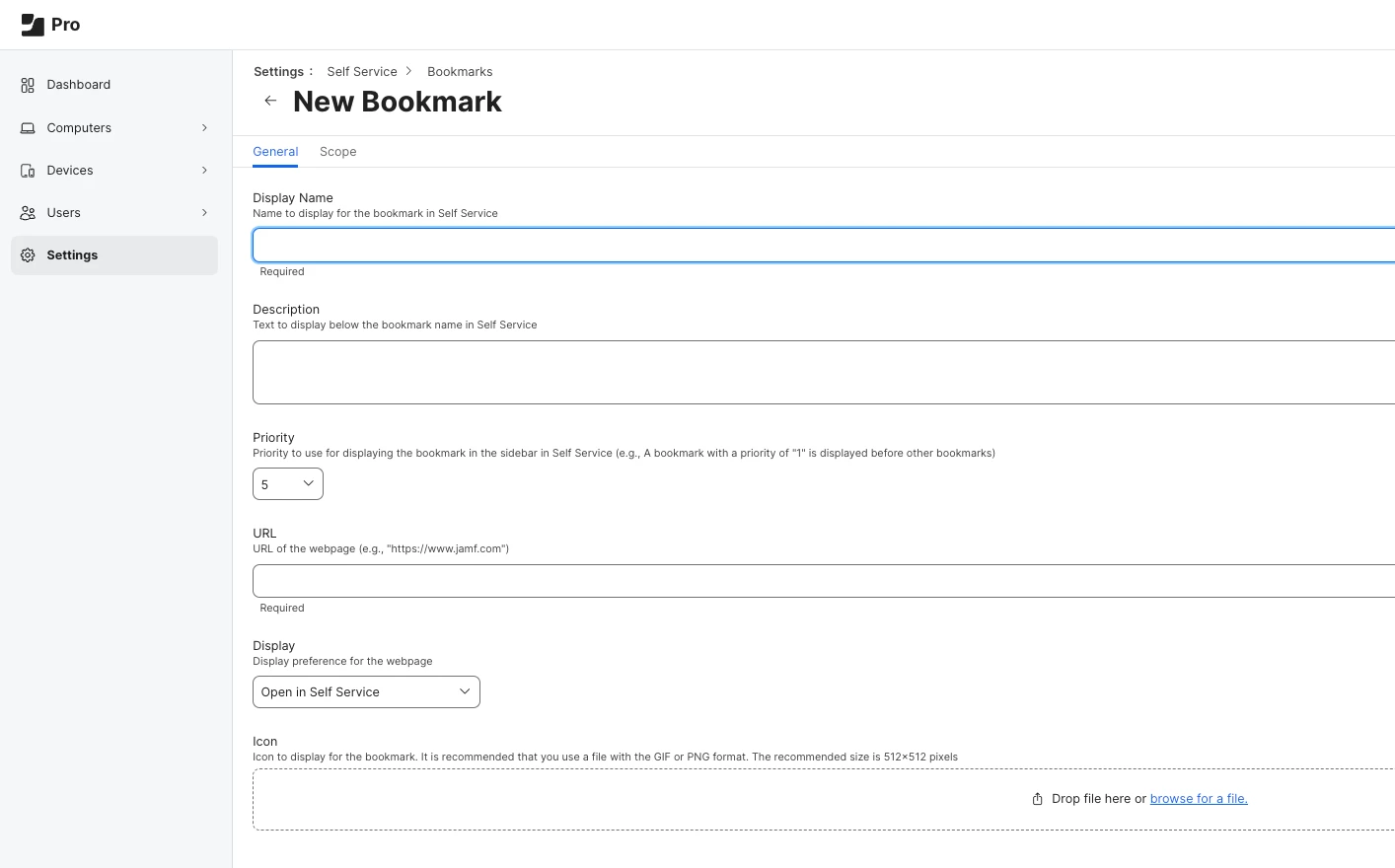
Just to update this as I found it during a google search for adding URL's to Self-Service. 

SETTINGS --> SELF SERVICE --> BOOKMARKS