Question

Adding macOS Catalina to the restriction list

  • June 3, 2019
  • 50 replies
  • 178 views

Forum|alt.badge.img+6

Apple just announce macOS Catalina.

Anyone already add this to their software restriction list to prevent users installing the beta version?

Or do we need to wait for the package to be uploaded to the developer's website?

Thanks in advances.

50 replies

Forum|alt.badge.img+8
  • Contributor
  • June 3, 2019

I was about to do this, but someone pointed out on MacAdmins Slack channel that you can prevent macOS Beta with a configuration profile as well. It's located in the Software Update restrictions. If you don't have a software update server, you can leave that area blank as it'll just pull from Apple's servers. I didn't know this and created a profile just for this.


Forum|alt.badge.img+6
  • Author
  • Contributor
  • June 3, 2019

@Merkley I'll give this a try and once the download is available in the Dev section I'll try to install it and see if it'll block it.
Thanks for pointing that out.


Forum|alt.badge.img
  • New Contributor
  • June 3, 2019

Thanks @Merkley , I added the configuration profile as well. Good stuff!


ThijsX
Forum|alt.badge.img+20
  • Employee
  • June 3, 2019

Ok so i got the beta running on a VM now.

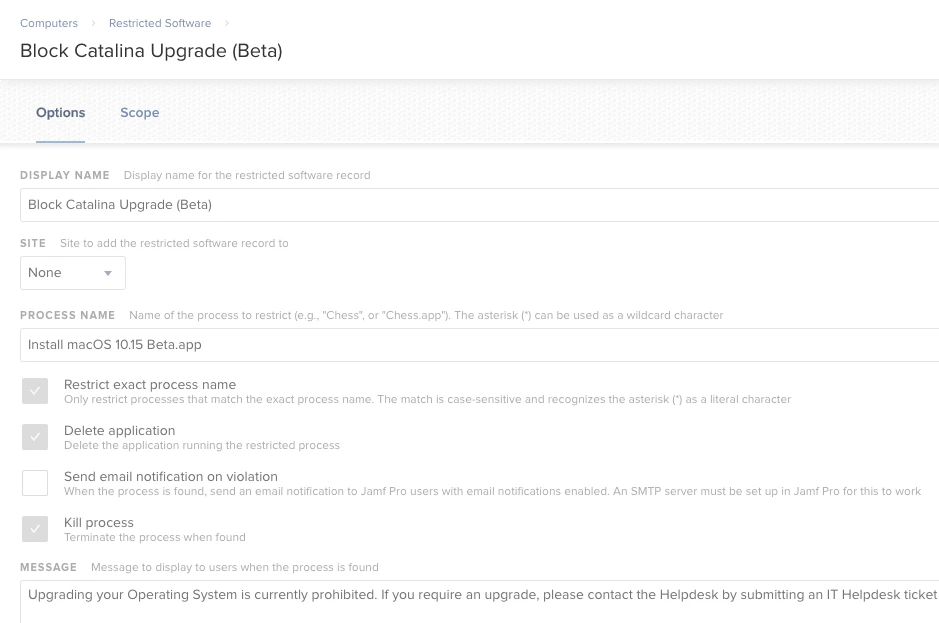
Appnam listed in Applications for now: Install macOS 10.15 Beta.app
Processname still: osinstallsetupd be warned if you block this one, it block other installations.

Current build number: 19A471T

And like mentioned earlier, you can block BETA profiles with an Configuration Profile scoped out to your devices.


Forum|alt.badge.img+6
  • Author
  • Contributor
  • June 3, 2019

@txhaflaire I tried to installing the Dev beta access tool into one of our test device and it brings me to the App Store update section but it's blank. Is that normal?


ThijsX
Forum|alt.badge.img+20
  • Employee
  • June 3, 2019

@bmee

  1. Install the beta.pkg that you receive which installs the profile.
  2. Proceed to "Software Updates" located in the System Preferences pane.
  3. Check for updates, and proceed with downloading and installing the upgrade.

Check before trying 10.15 all your previous beta profiles are neat removed.
It did not bring me to the Mac App Store.


Forum|alt.badge.img+6
  • Author
  • Contributor
  • June 3, 2019

@txhaflaire that works. weird that it brings me to the update section in the app store after the install is done.
thanks for the help all.


Forum|alt.badge.img+16
  • Valued Contributor
  • June 3, 2019


This is what I did.


Forum|alt.badge.img
  • New Contributor
  • June 3, 2019

I did the profile block initially. Thinking about switching to restricted software instead. Much like what @strayer did in their comment.


ThijsX
Forum|alt.badge.img+20
  • Employee
  • June 3, 2019

The Config profile can prevent installing the macOS beta profiles which changes the apple update server settings etc.

The config profile does not prevent installing the beta installer itself, as far i know


sdagley
Forum|alt.badge.img+25
  • Jamf Heroes
  • June 4, 2019

I find the technique of blocking the process InstallAssistant recommended by @mm2270 in the thread Restricted Software: macOS Mojave 10.14 works great to handle all of the macOS installers in a single shot. You can still call the startosinstall tool to initiate an install via a script from Jamf Pro with this block in place, unlike a block on the Install .app itself.


Forum|alt.badge.img+10
  • Valued Contributor
  • June 4, 2019

Did the same as @strayer


Forum|alt.badge.img+3

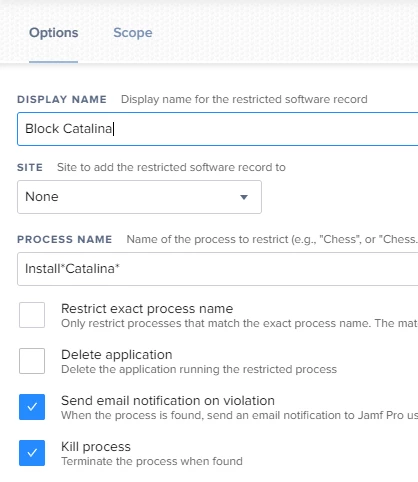
Hi All - just trying to "prep" for when full blown Catalina gets released, and impacts all our endpoint protection... would something like the below work?

We also block InstallAssistant, but there are exceptions to this (such as machines on 10.13 that we want upgraded to Mojave, etc), so i just want to make sure no-one can utilise these exceptions and go from 10.13 > 10.15.


Forum|alt.badge.img+9
  • Valued Contributor
  • October 7, 2019

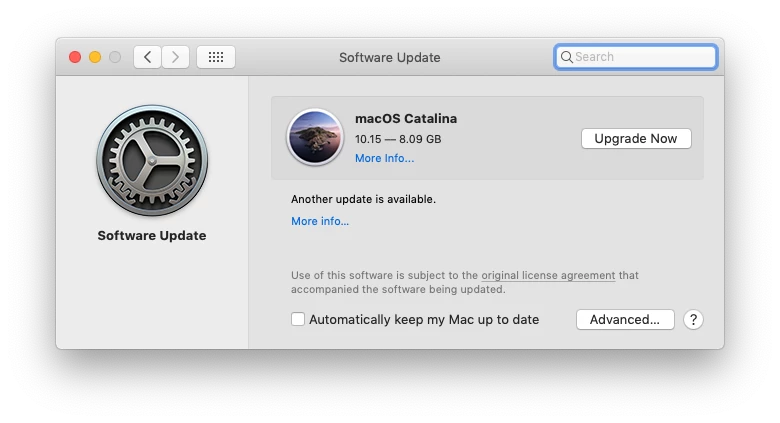
Is macOS Catalina officially out? It is already showing up for me in Software Update System Pref pane. It's also showing up as default boot via Internet Recovery. I need to block this app from downloading and offering to install.


Forum|alt.badge.img+13
  • Valued Contributor
  • October 7, 2019

@itupshot

Looks like it is widely available, all of my devices are showing it. Downloads are choked off right now so I'm unable to see the final .app name to block


Forum|alt.badge.img+13
  • Valued Contributor
  • October 7, 2019

The Process Name is: Install macOS Catalina
The name of the application is: Install macOS Catalina


Forum|alt.badge.img+9
  • Valued Contributor
  • October 7, 2019

@dcgagne

Yes. This is frustrating. Hopefully, they used the same naming convention of the last few OS versions. I'm going to use that for now.

EDIT:
@tnielsen Thank you!


Forum|alt.badge.img+8
  • Contributor
  • October 7, 2019

Can anyone confirm that blocking "Install macOS Catalina" is working? Our download of the release is going slowly so we'd like to be able to test before the users get it but might not be able to.


Forum|alt.badge.img+16
  • Honored Contributor
  • October 7, 2019

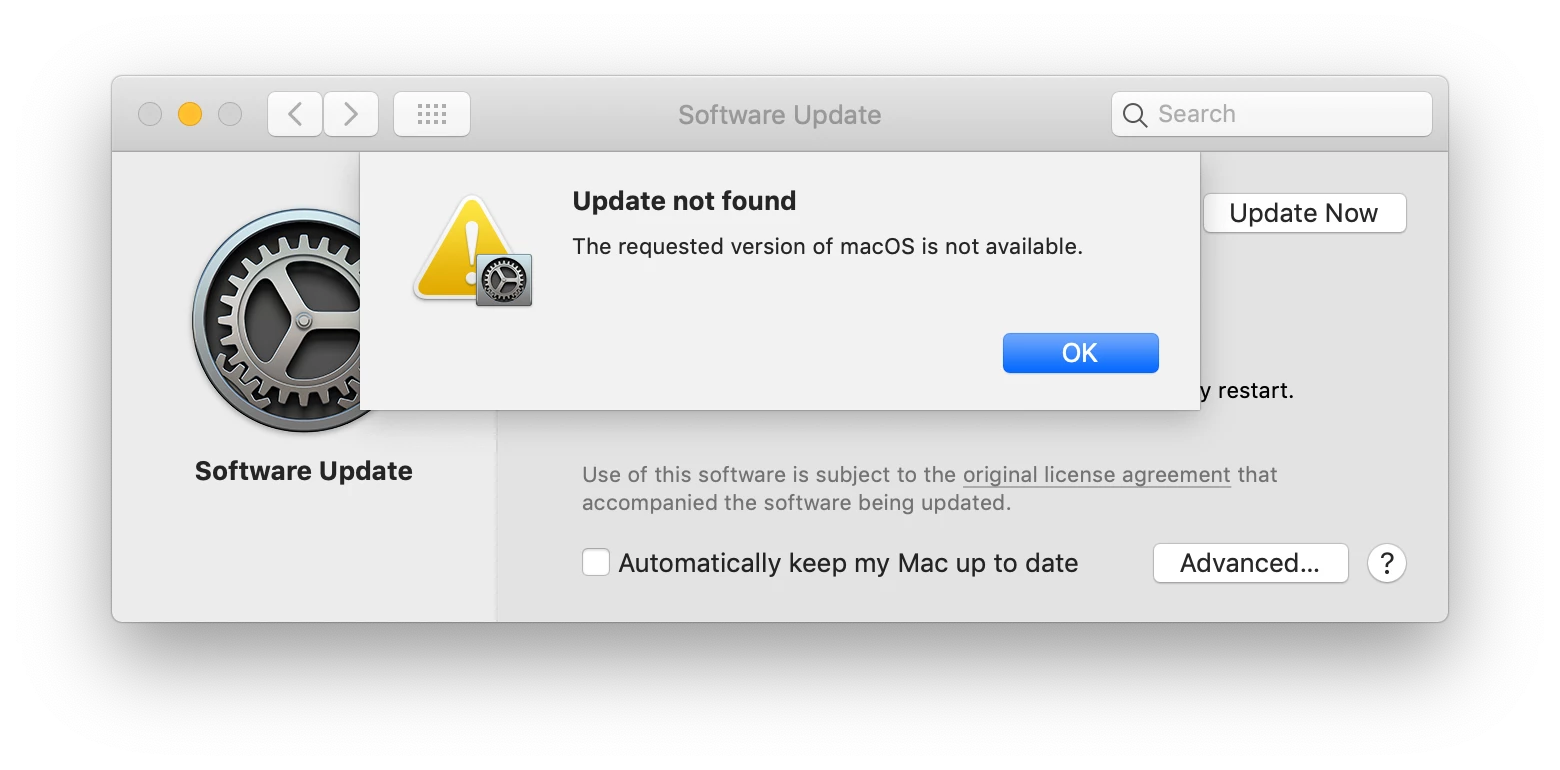
The block is working, but System Preferences is listing it regardless of any other settings. So all your users will see they have a big update that's needed, start to download it, and then get the warning message saying this program is blocked. It does not appear that deferring software updates for any amount of time will prevent this.


Forum|alt.badge.img+13
  • Valued Contributor
  • October 7, 2019

The application block will simply stop it from executing but not stop it from downloading. I don't mind that honestly, so I'm just going with the application block. It does work.


dstranathan
Forum|alt.badge.img+19
  • Valued Contributor
  • October 7, 2019

Interesting that App Store takes you to System Preferences to pull installer from SUS. I don't recall Mojave doing this.

I have Catalina blocked 2 ways...

-Catalina disabled on NetSUS server production catalog
-Install macOS Catalina.app blocked in Jamf Restriction


Forum|alt.badge.img+9
  • Valued Contributor
  • October 7, 2019

@McAwesome @tnielsen Same thing here. My restricted software policies for "Install macOS Catalina.app," and "InstallAssistant" are blocking it from executing, but still shows up in System Prefs > Software Update. I can live with that for now.

Just tested it on a laptop, and my Restricted Software policy message popped up when it tried to run.


Forum|alt.badge.img+12
  • Valued Contributor
  • October 7, 2019

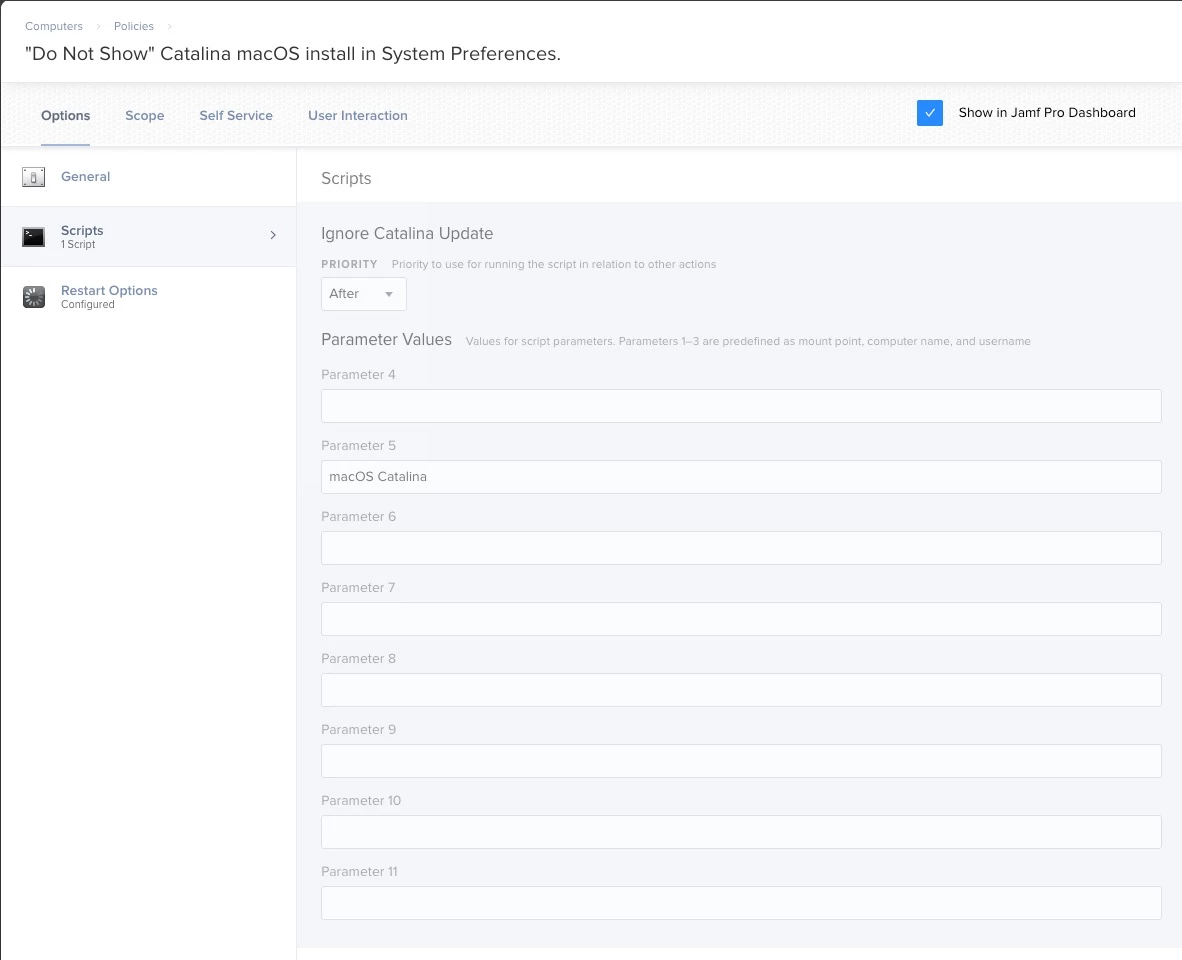
@itupshot I created a Policy and then applied the following script to it. On Parameter 5 add: macOS Catalina and apply it to all the machines in your organization this will remove the update from showing on any machine in preferences.

This script worked great you can find it here: Update macOS Update Ignore List.sh

OPTION 1

After testing you may check if it was successful by running the following command: softwareupdate --ignore

Also if you are in the process of testing Catalina like I am you could remove undo this on your test machine by using the following command: sudo softwareupdate --reset-ignored

OPTION 2
Macmule made a post outlining the details on what else you can do here:
Blocking Catalina Update

OPTION 3
@nstrauss Also has another method going on here you might want to try, the take from this whole thing is that there are options.
Ignore Catalina Upgrade Prompt in Software Update


Forum|alt.badge.img
  • New Contributor
  • October 7, 2019

@JarvisUno, this is perfect. Thanks!


jzarate
Forum|alt.badge.img+4
  • New Contributor
  • October 7, 2019

@JarvisUno , thanks a bunch! This seems to handle the notification perfectly. Since the App Store redirects to Software Update, my users will now see this when they try to get macOS Catalina that way.

When we want to lift the restriction, what is the best way to remove macOS Catalina from the softwareupdate ignore list?